


Help · Customers and figures
Order on WataDish
Show your restaurant on watadish.com/restaurants, how far you deliver from it, and the WataDish offers you take part in.
Included in every plan.
Restaurants on WataDish is the list at watadish.com/restaurants. Customers find you there by cuisine, by where they are and by the dishes they search for, and order from your menu without leaving WataDish. Every site opened since 23 October 2026 is on the list from its first day, on every plan; a restaurant that opened before keeps its own choice. Your own site stays as it is. The owner and managers change all of this.
On the Free plan, the list is how customers order from you: your own site is a menu to read, and orders placed on watadish.com reach your order screen - for pickup, or your own delivery to your delivery areas, paid in cash. The Ordering tab of Settings says so at its top, and its switches (taking orders now, pickup, delivery, cash, the preparation time) are for those orders. Card payments need the card payments add-on, and ordering on your own site the online ordering add-on, on your Plan page.
As on your own site, an order paid by card is sold by WataDish and prepared by you as its supplier (see Supplier details for card orders); cash and transfers to your own account are your own sales.
Show your restaurant on the list
- Open Settings, the Your business tab, and go down to On WataDish.
- Show my restaurant on watadish.com/restaurants is ticked for a new site; tick it if it is not. The line under it says what an order placed there costs you: the extra commission your plan sets, or that there is none for now.
- Choose up to three Cuisines: customers filter the list by them.
- Put your restaurant on the map (Where you are on the map, higher up the tab) and give a Delivery range (km).
- Press Save.
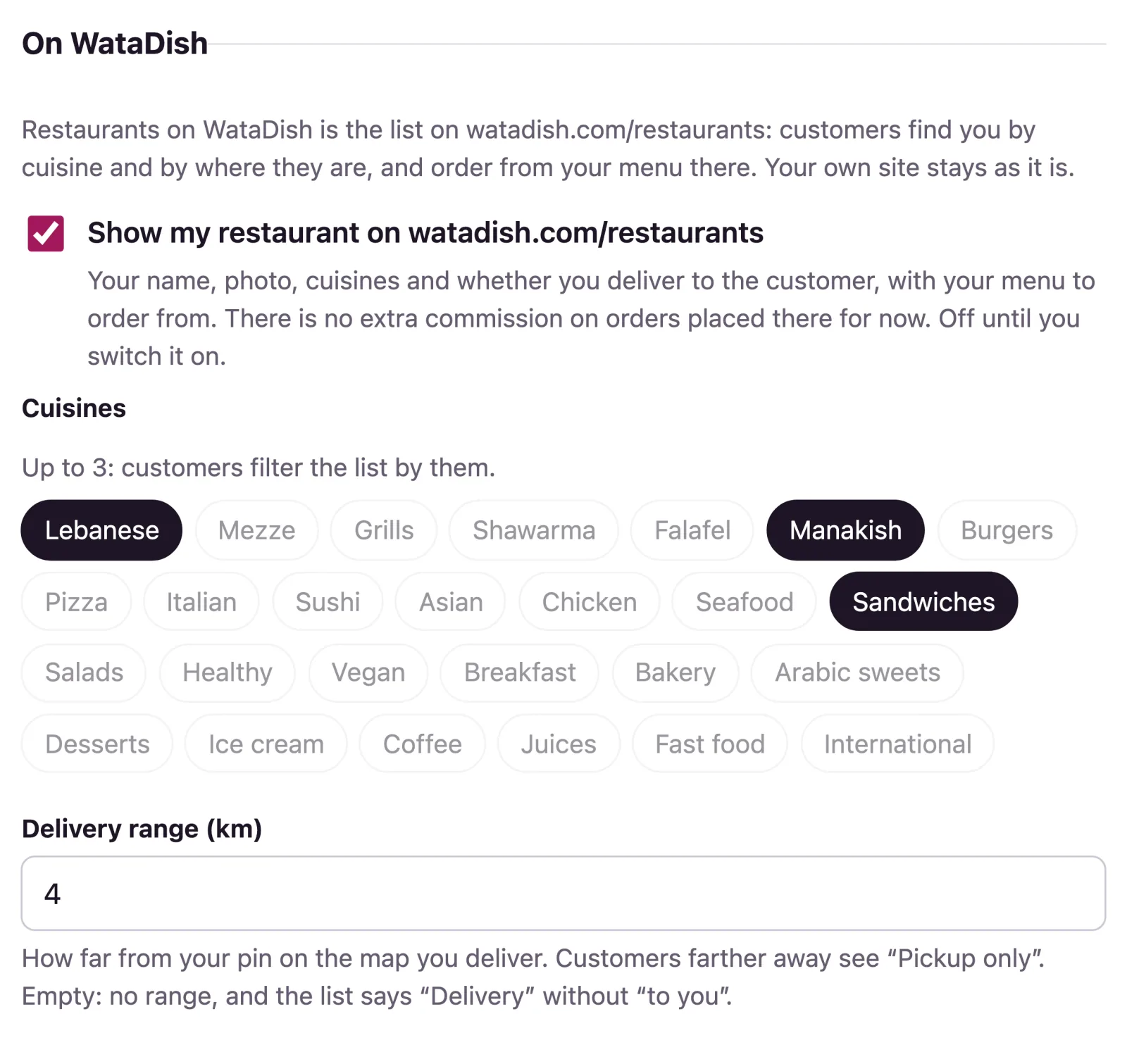
To leave the list, untick the switch and save. On the Free plan, customers then cannot order from you at all.
What customers see
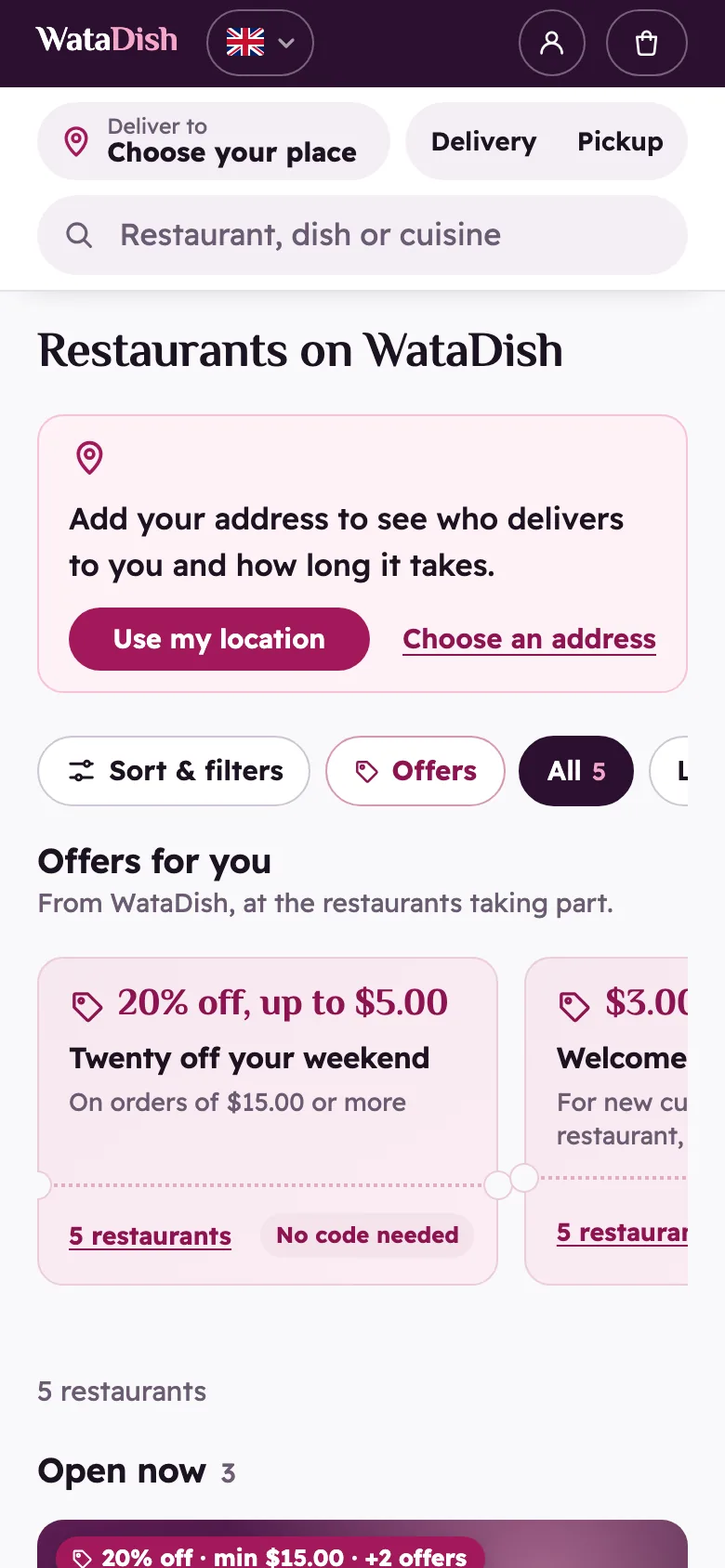
Each restaurant's photo, name, cuisines and rating, whether it is open, and, once the customer has chosen their place, how far it is, whether it delivers to them, the delivery fee and the time. They can show only those open now, those that deliver to them, free delivery, a cuisine or WataDish offers.
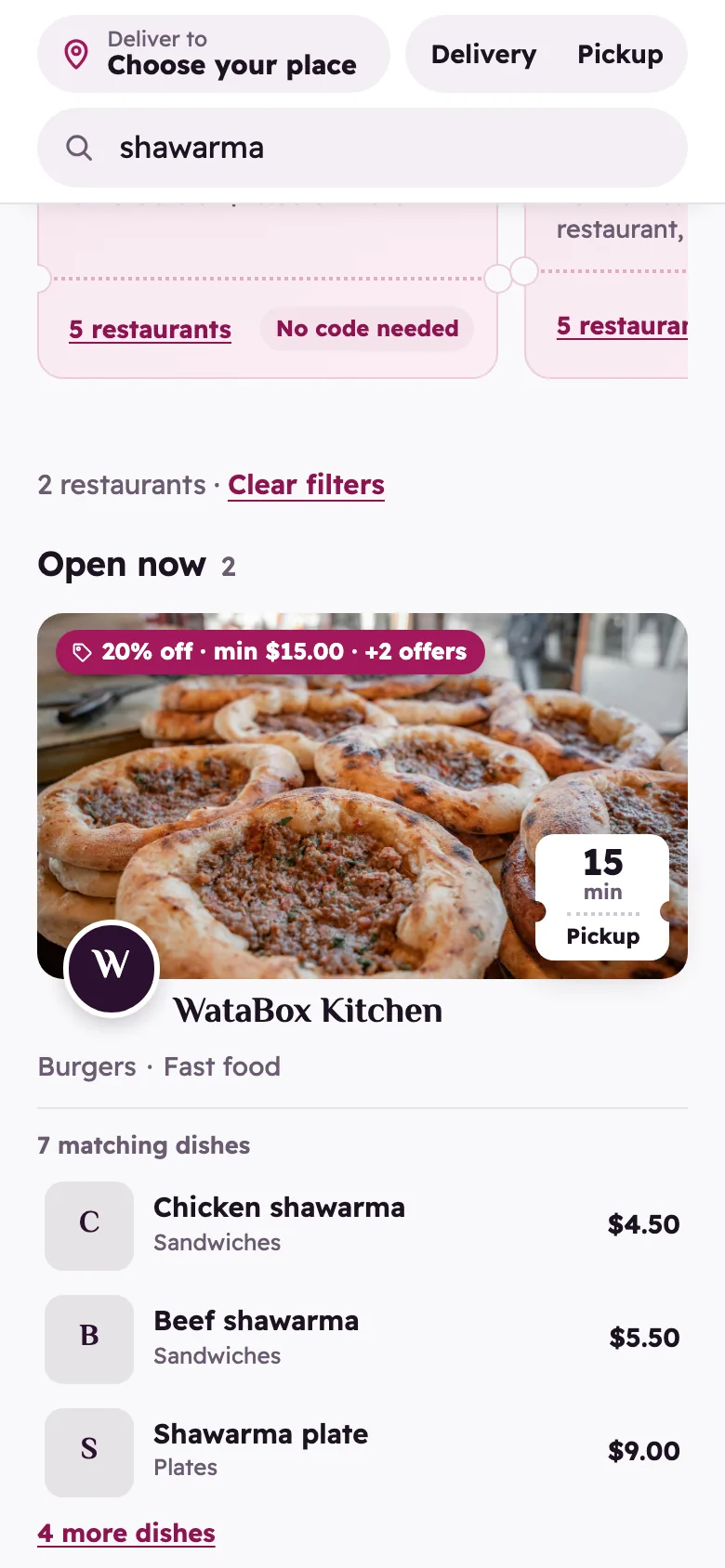
The search finds dishes as well as restaurants: "shawarma" lists every restaurant with one on its menu, with the dishes found, their prices and a link to each. It forgives spelling slips and finds a dish written in Arabic, English or Arabizi. Add the other ways customers write a dish under Search words on its form (see Menu).
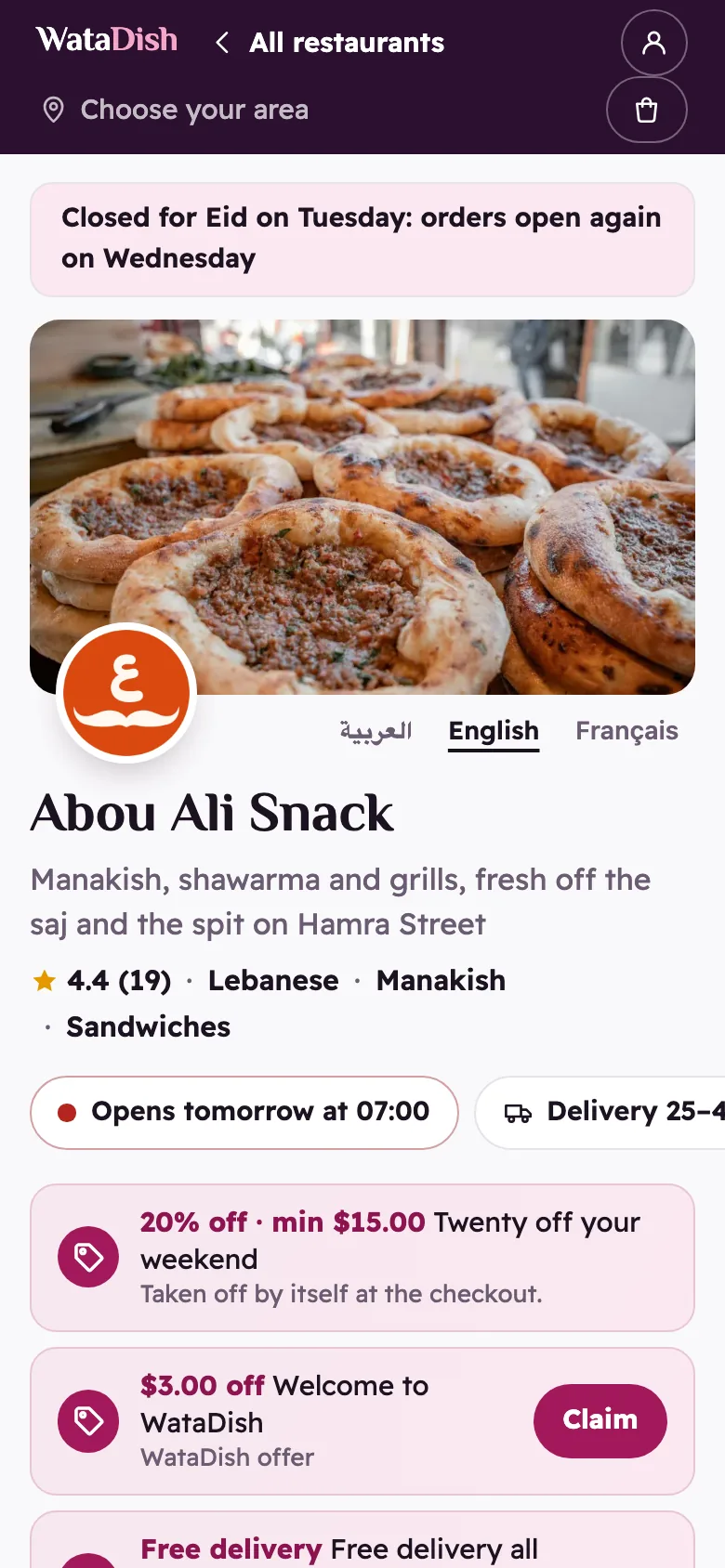
Your page opens on your menu, in WataDish's look, the same for every restaurant: your cover photo, logo, name and rating, then your dishes with their prices and choices. Customers keep a basket per restaurant and check each out as an order of its own. Search engines are pointed to your own site, not to this copy.
How far you deliver
Delivery range (km) is how far from your pin you deliver. A customer farther away sees "Pickup only". Left empty, there is no range, and the list says "Delivery" without "to you". Without a pin, the list cannot tell who you deliver to.
With branches, on the Branches page Edit a branch and give its Delivery range from this branch (km); left empty, it uses the restaurant's. The pin nearest the customer decides the range, delivery areas and hours they see. At the checkout, delivery still goes by the areas and fees on your Delivery page.
Orders through WataDish
They reach your order screen and Orders like any other order, paid in the ways you offer. On them WataDish takes an extra commission, as your plan sets it, on the dishes and the delivery, never the tip. Orders on your own site do not carry it.
- Paid by card, it is taken with the commission when the order is paid, in its own column of the Payments statement, Through WataDish.
- Paid in cash or by transfer, it is owed, listed month by month on the Plan page under Orders through WataDish.
WataDish offers
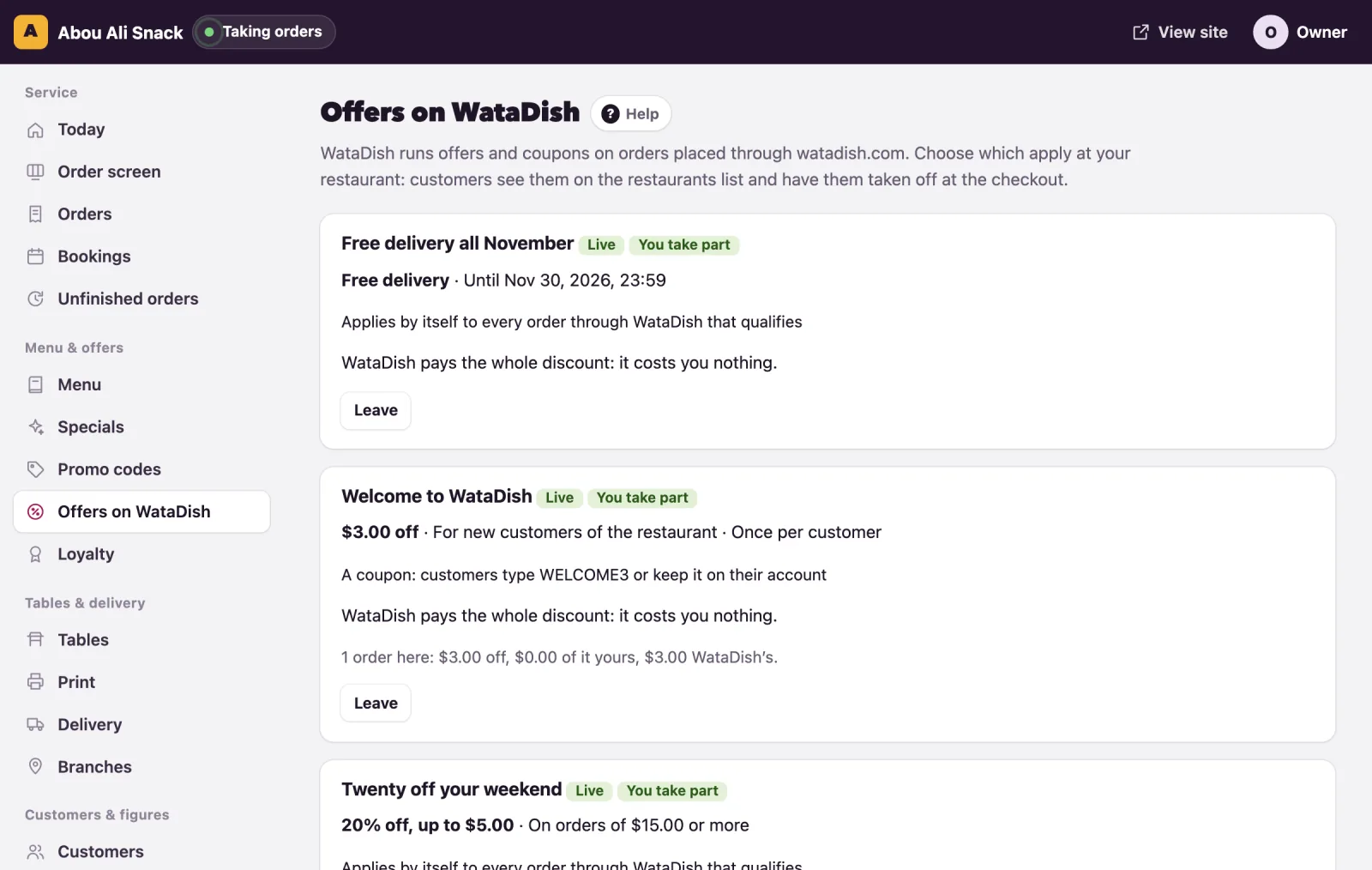
WataDish runs offers, which apply by themselves to every order that qualifies, and coupons, which customers type or keep on their account. They apply only to orders placed through watadish.com, at listed restaurants that price in US dollars. Once you are listed, Offers on WataDish is in your admin menu.
When WataDish puts out an offer, you are emailed and your dashboard says so. Each offer shows what it gives, its rules, whether it is Live or Starts soon, your part in it, and who pays: WataDish all of it, you all of it, or a share each.
- An offer WataDish pays for in full applies at your restaurant from its start: Leave it if you would rather not.
- An offer you pay part of waits for you: Join, or Not for us.
- Leave stops an offer here at once; you can join again until it ends.
- Join new WataDish offers automatically joins each new one from its start, whatever your share. You are still emailed, and can leave any of them.
An order has at most one WataDish discount, the biggest that applies, and it never adds to your own promo code: the larger of the two is taken. The order shows it as WataDish offer, with what WataDish pays of it.
WataDish's part of the discount comes back to you. On a card order it is paid to you with the order (the WataDish offers column of the Payments statement). On a cash or transfer order it is taken off what you owe on the Plan page (WataDish’s part of its offers, then Net owed; below zero, WataDish owes you). What offers came to here, at the foot of the offers page, adds it all up.
Not found what you were looking for? Write to us at support@watadish.com or message us on WhatsApp: WhatsApp