Help · Your menu
Dish options and extras
Sizes, extras and things to leave out: groups of choices a diner picks from, made once and put on any dish.
Included in every plan.
Open Menu, then Sizes and extras. A group of choices is a question a diner answers before a dish goes in the basket: which size, which bread, what to add. You make a group once and attach it to every dish that offers it, so a new extra reaches all your sandwiches in one edit. The owner and managers make and change groups; staff cannot open the page.
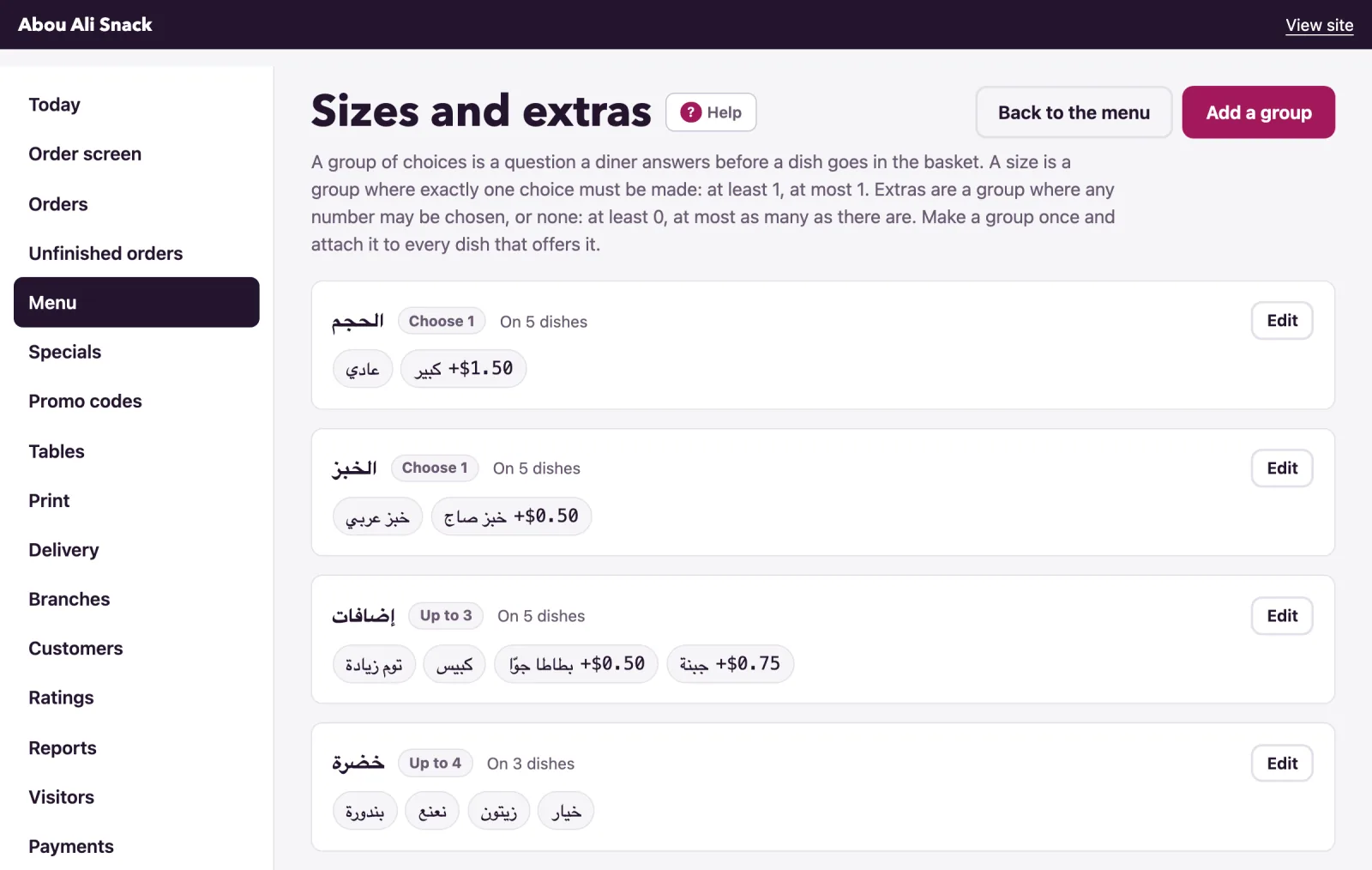
How a group works
A group has a name, which is the question the diner sees, and two numbers: At least and At most. They cover every kind of choice with one rule:
- A size is At least 1 and At most 1: the diner must pick exactly one. Diners see "Choose one".
- Extras are At least 0 and At most 3: any number up to three, or none. Diners see "Up to 3".
- "Pick two sauces" is At least 2 and At most 2: "Choose 2". At least 1 and At most 3 is "Choose 1 to 3".
- At least 0 and At most 1 is "Optional".
Each choice has a Price change: left empty, the choice costs nothing more; 1.50 adds a dollar fifty to the dish's price; a minus (-0.50) takes money off. The list shows every group's rule as a badge ("Choose 1", "Choose at least 2, up to 3", "Up to 3", "Optional"), its choices with their price changes (+$1.50, -$0.50), "Not available" on a choice that is switched off, and how many dishes offer it ("On 4 dishes", "Not on any dish yet").
Make a group
- Press Add a group.
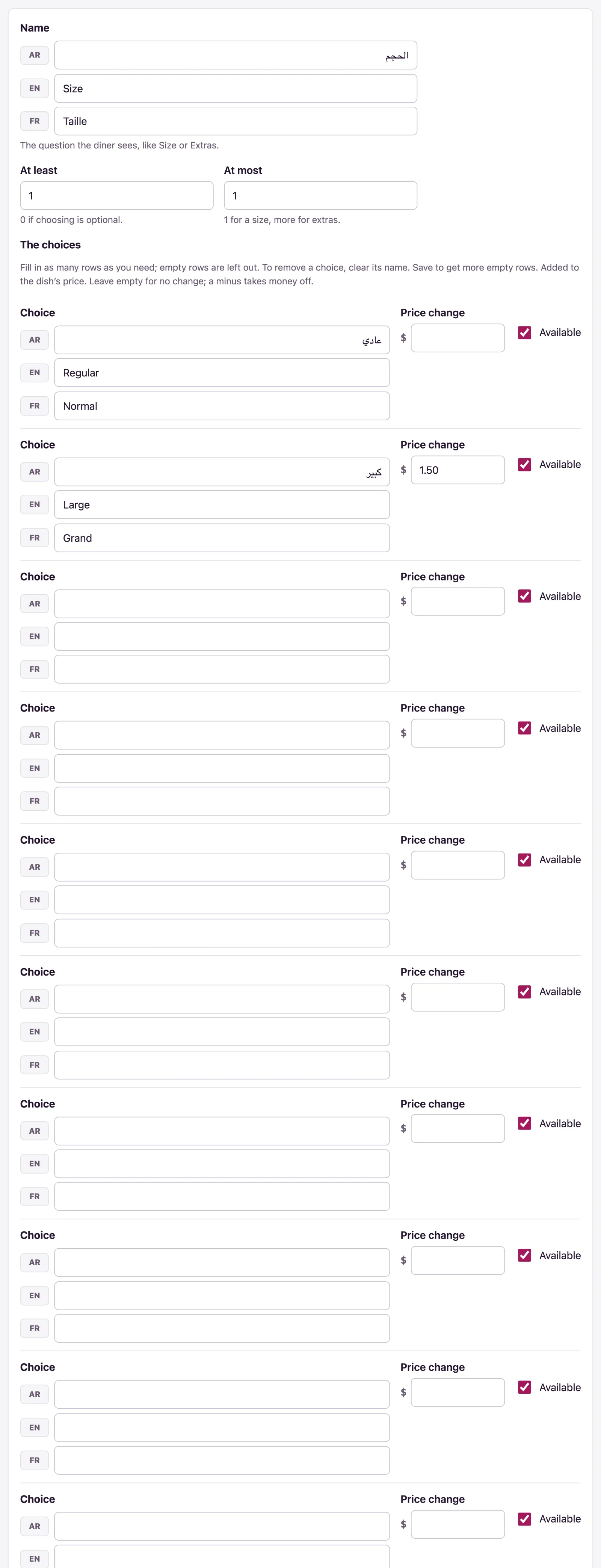
- Give its Name in each language of your menu: the question the diner sees, like Size or Extras. One language is enough to start.
- Set At least (0 if choosing is optional) and At most (1 for a size, more for extras).
- Under The choices, fill in a row for each choice: its name in each language under Choice, its Price change if any, and Available (ticked). The form gives you eight empty rows; empty rows are left out, and saving gives you more.
- Save. The page says "Choices saved."
The form refuses what could not work, and says so under the field: a group needs a name and at least one choice, At most must be 1 or more, At least cannot be more than At most, and it cannot ask for more choices than there are ("There are only 2 choices to pick from."). A price change must be a number, like 1.50 or -0.50.
Put a group on a dish
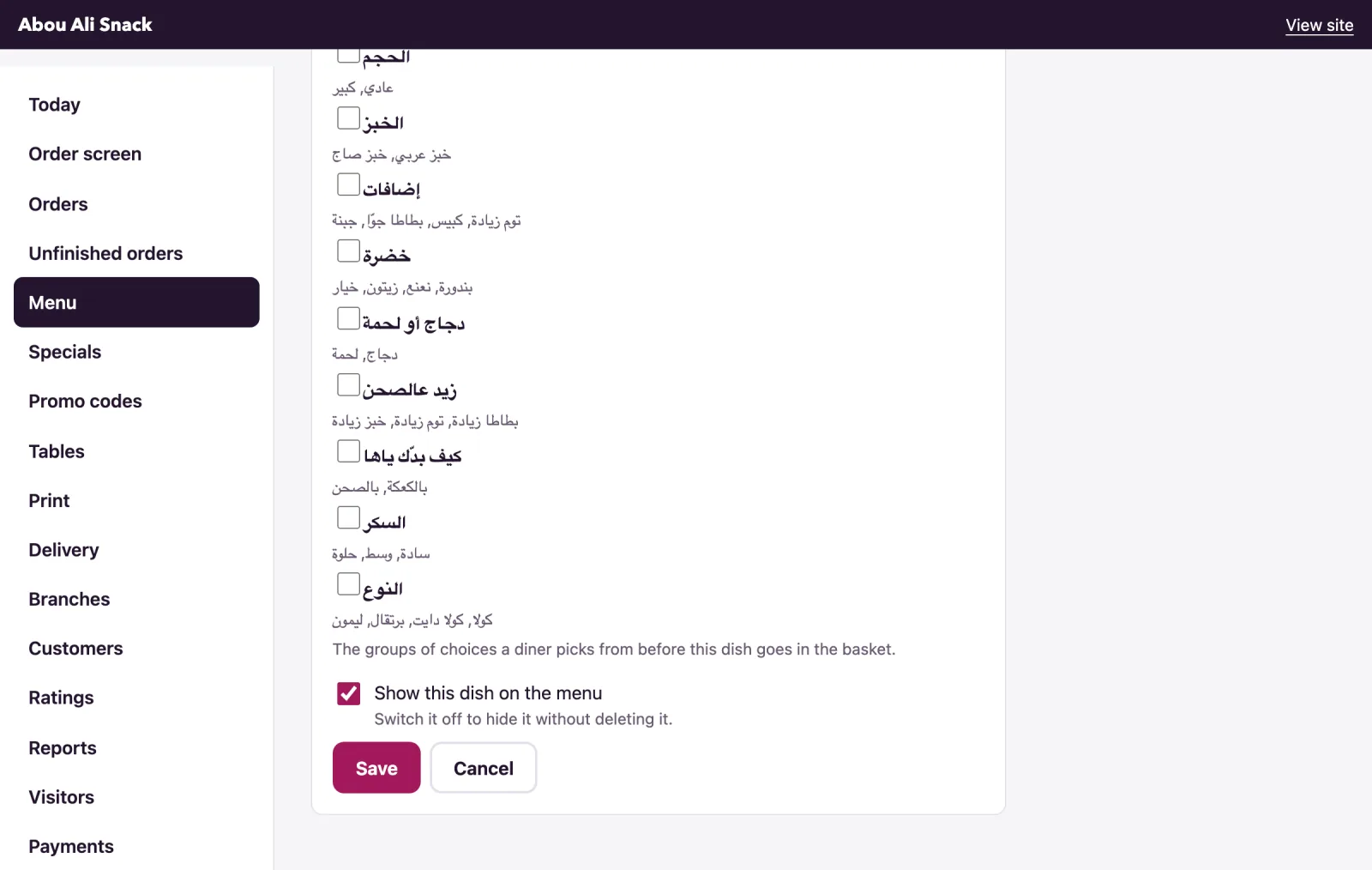
Open the dish from the Menu page with Edit. Under Sizes and extras every group is listed with its choices; tick the ones this dish offers and Save. The same group can be on as many dishes as you like, and a dish can carry several groups: a sandwich with Size, Bread and Extras asks three questions. A group with no choices is not shown to diners.
Change a group later
- To change a choice's name or price, edit it in its row. To remove a choice, clear its name and save.
- When a choice runs out, untick Available on it: diners see it greyed with "(Sold out)" and cannot pick it. If every choice of a required group has run out, the dish can still be ordered without it.
- Delete this group takes it off every dish that offers it; the question tells you how many. This cannot be undone.
What diners see
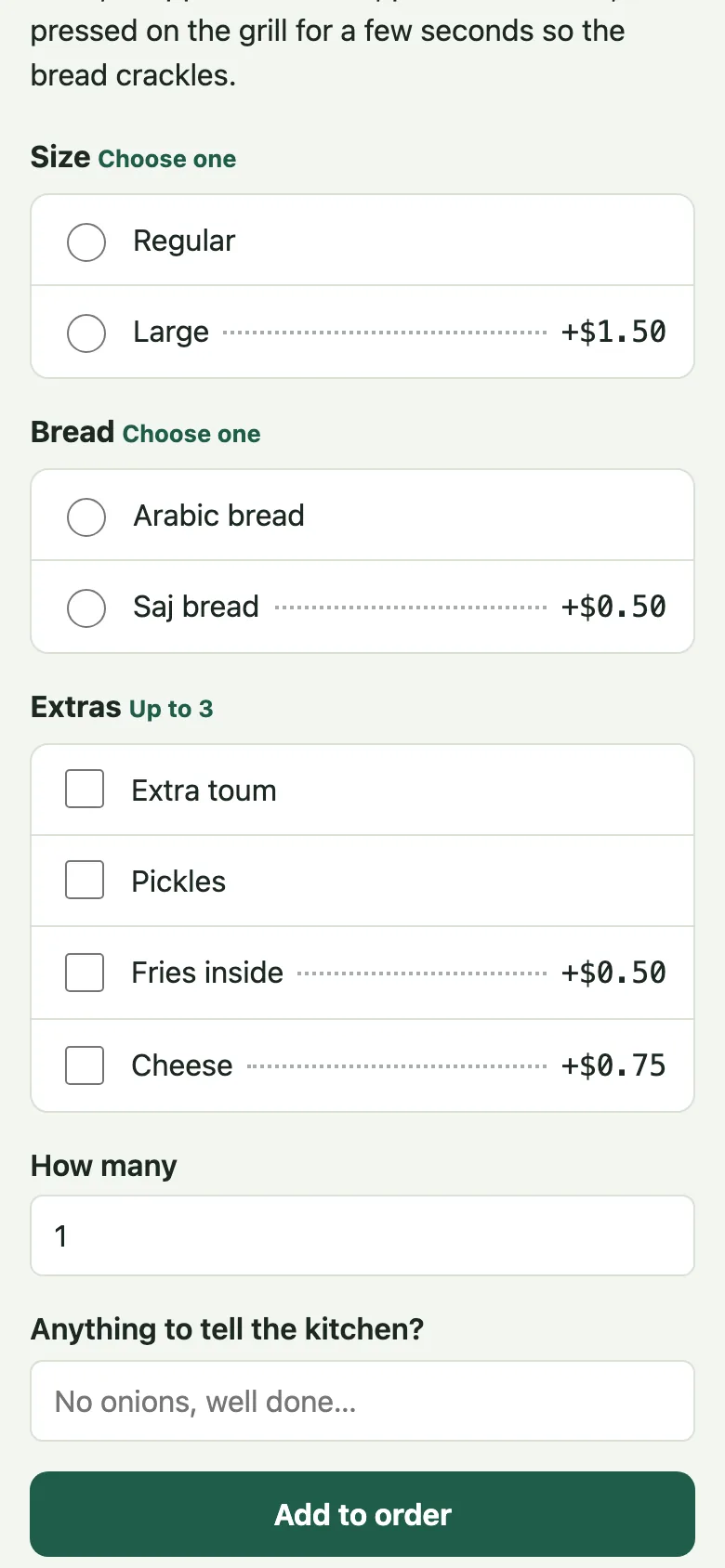
On the menu, a dish that asks for a choice shows Choose instead of Add, and opens its own page. There, each group is a question with its rule beside it: round buttons when at most one may be picked, tick boxes otherwise, and the price change beside a choice that has one. A choice that is not available is greyed. Under the choices come How many, "Anything to tell the kitchen?" and Add to order. A diner who sends the dish without a required choice is told "Choose one for “Size”.", and one who picks too many "Choose no more than 3 for “Extras”.". The order carries the choices picked, and its price includes their price changes.
Note: While your menu is kept in Amberlock POS, a group is saved there first and comes back as the POS saved it, and only groups the POS has can go on a dish. See the POS link.
Not found what you were looking for? Write to us at support@watadish.com or message us on WhatsApp: WhatsApp