Help · Customers and figures
Customers
Who ordered what, offers consent, verified customers and reports, and a copy of their details or their erasure.
Included in: StarterStandardPro
Customers is the list of the people who have ordered from you: everyone who ordered to collect or to be delivered, known by their phone number, and the diners at a table who chose to leave a number or an email. It fills itself from your orders; you never type a customer in. A manager or the owner opens it; staff are sent back to the dashboard. If your plan does not include it the page says so, and keeps everything for when it does.
The list
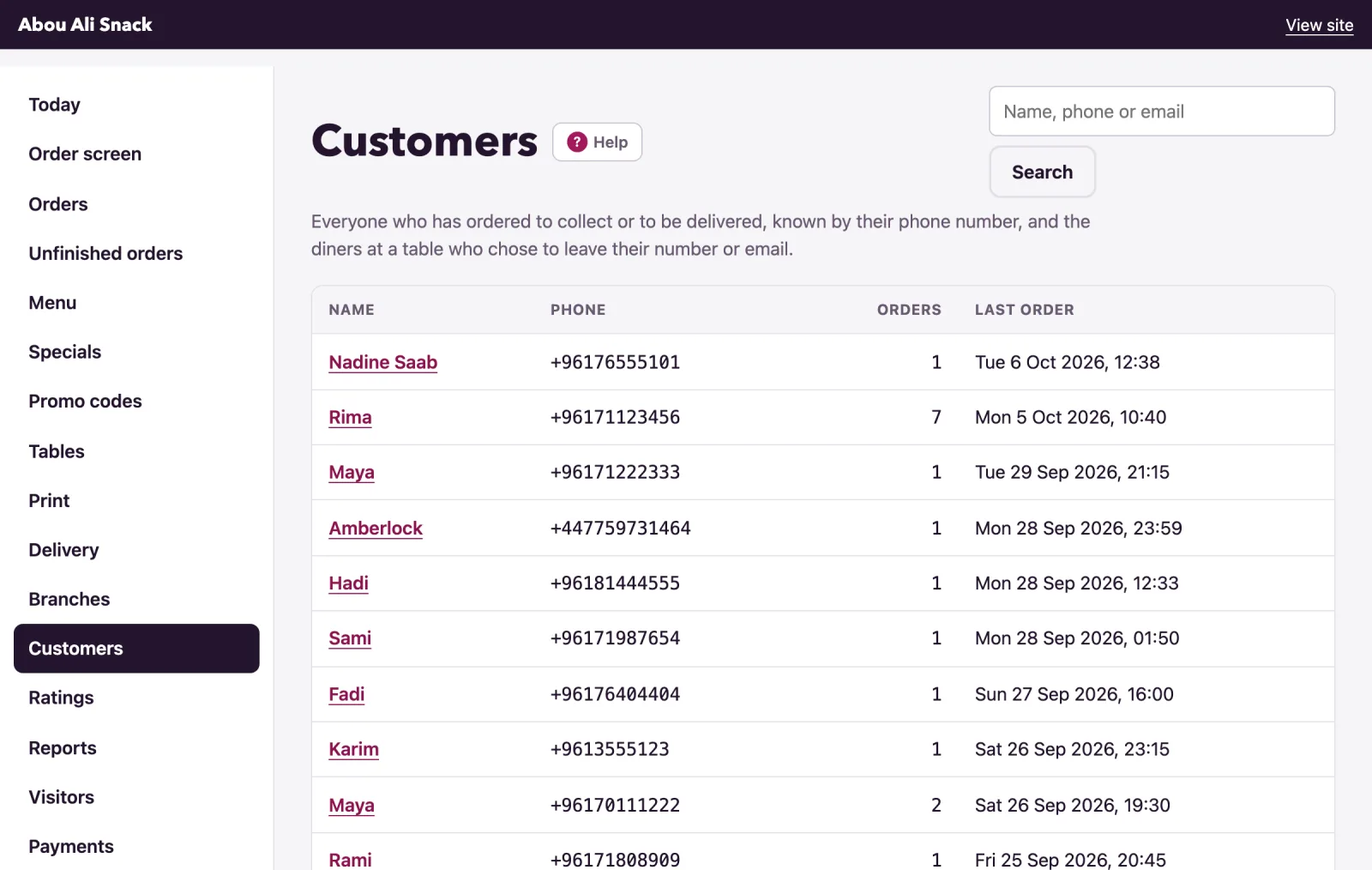
Each row shows the customer's Name (or No name given), their Phone (their email, when they left only that), how many Orders they placed and their Last order, in your restaurant's time. A customer who agreed to offers at a checkout carries an Offers badge. The most recent orderers come first, 200 of them; search finds the rest.
Type part of a name, a phone number or an email in Name, phone or email and press Search. A number typed on an Arabic keyboard is found all the same. Show everyone brings the whole list back.
A customer's page
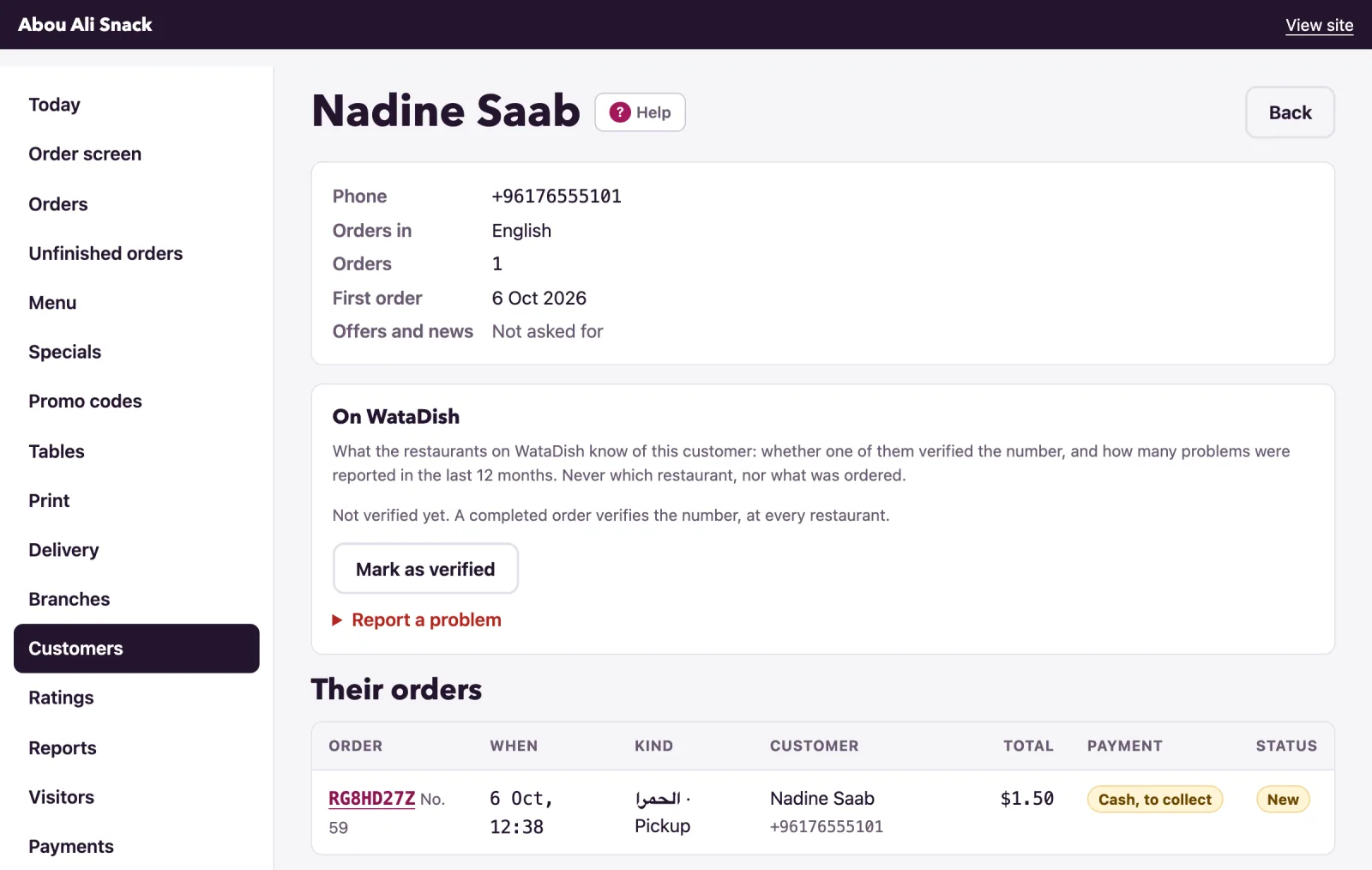
Click a name. The first card shows their Phone, Email, Last address, Orders in (the language they order in), Orders and First order. Their orders lists every order of theirs; the code opens the order.
Offers and news
At the checkout a customer may tick Send me offers and news from {your restaurant} and WataDish. The box is never ticked for them, and a later order without the tick takes nothing back. The customer's page then says Agreed on and the date under Offers and news; otherwise Not asked for. When a customer asks you to stop, press Stop offers and news: nothing more goes to them.
Verified on WataDish, and problem customers
WataDish keeps one record of each customer across all its restaurants, and the On WataDish card shows what every restaurant knows of this one:
- Verified on WataDish: a restaurant confirmed the number is real. A completed order verifies it; so does a first order checked with a call, cash or a transfer received from them, or the Mark as verified button, here or on an order's page. Verified at one restaurant is verified at all: the first-order check (see Orders) lets their first order at any other restaurant straight through.
- A red badge counting the problems reported in the last 12 months, with how many of each kind.
The same badges show on the order screen and on each order's page, so the pass sees them as an order comes in.
To report a problem yourself:
- Open Report a problem and choose What happened: Fake order, Did not pick up or answer, Did not pay, Abusive or Something else.
- Add a Note (only you and WataDish see it) if you wish.
- Press Report.
Other restaurants see only how many problems of each kind a number had: never who reported them, never the note, never what was ordered. A reported number is checked again at a restaurant that has not served it. Your own reports are listed under Your reports, each with Withdraw; a withdrawn report counts nowhere. Report only what happened: WataDish removes a report it finds unfair.
Note: The card appears once the customer has a WataDish record, which any order with a number or an email makes; a table order with neither has none.
A copy of their data, and erasing it
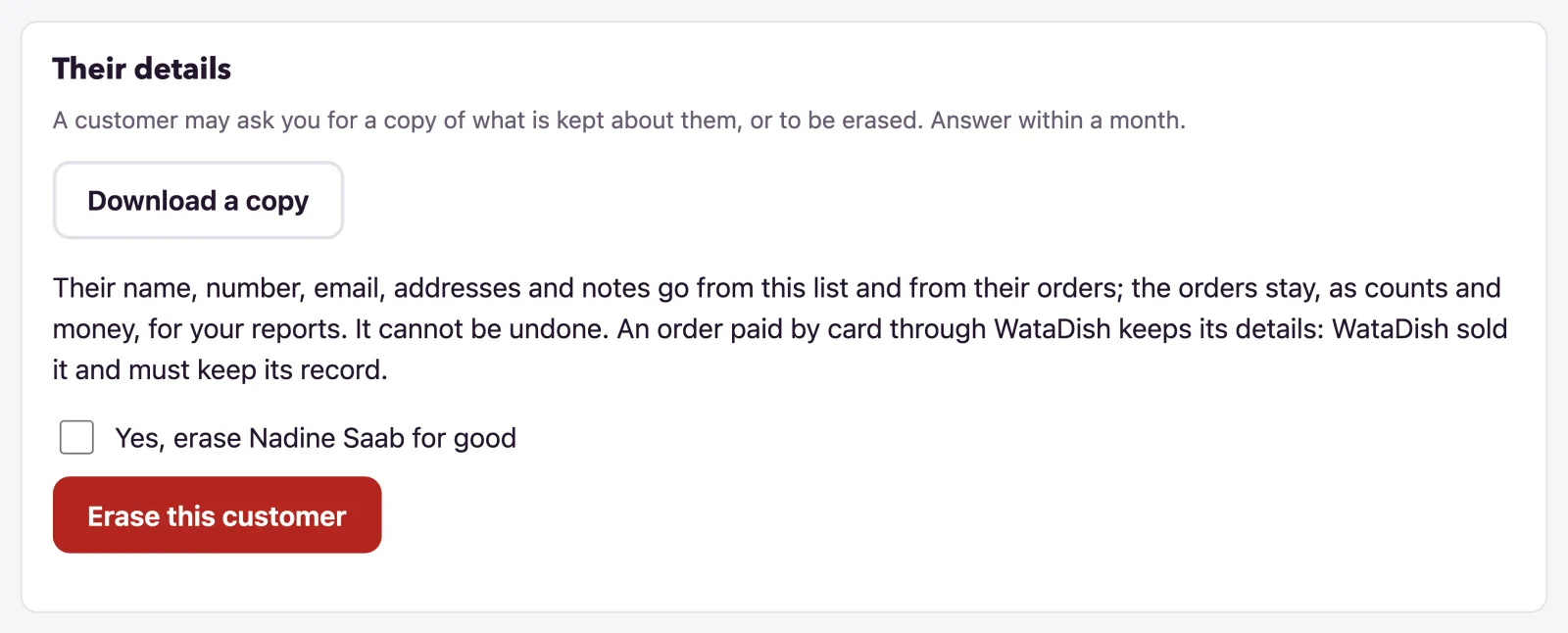
A customer may ask you for a copy of what is kept about them, or to be erased; answer within a month. The Their details card at the foot of their page does both.
Download a copy gives you a file (customer-ID.json) to hand them: their details, every order with its dishes, notes, prices and rating, and any unfinished order kept for a reminder.
Erase this customer is the owner's alone; a manager sees Only the owner can erase a customer.
- Tick Yes, erase {name} for good.
- Press Erase this customer and confirm with Yes, go ahead.
Then:
- Their name, number, email, addresses and notes go from the list and from their orders, with the notes on dishes, the words of their ratings (the stars stay) and the emails logged about them.
- The orders stay, as counts and money, so your reports do not change.
- An order paid by card through WataDish keeps its details: WataDish sold it and must keep its record for six years. The message says how many.
- It waits while an order of theirs is still being prepared or on its way: erase them once it is finished.
It cannot be undone.
How long things are kept
Your list stays while your account is open. Thirty days after it closes, every customer's details are deleted (the orders stay as counts and money; card orders WataDish sold apart), and the admin shows the date beforehand. Unfinished checkouts go after a week, the log of emails after a year. In WataDish's own record a problem report counts for 12 months and is then deleted, and a customer with no order anywhere for two years is forgotten.
Not found what you were looking for? Write to us at support@watadish.com or message us on WhatsApp: WhatsApp