Help · Your menu
Today’s specials
Put a dish forward on the days you choose, with a note and a price of the day, and it leads your menu.
Included in: StarterStandardPro
Open Specials in the admin. A special is a dish of your menu put forward on the days you choose: every week on some days, or on a date or a run of dates, all day or for a few hours, with a short note and, if you like, a lower price. The owner and managers run specials; staff cannot open the page. Specials come with the plans that include them: on the others the page says "Specials come with a paid plan", keeps the specials you made, and shows none to diners.
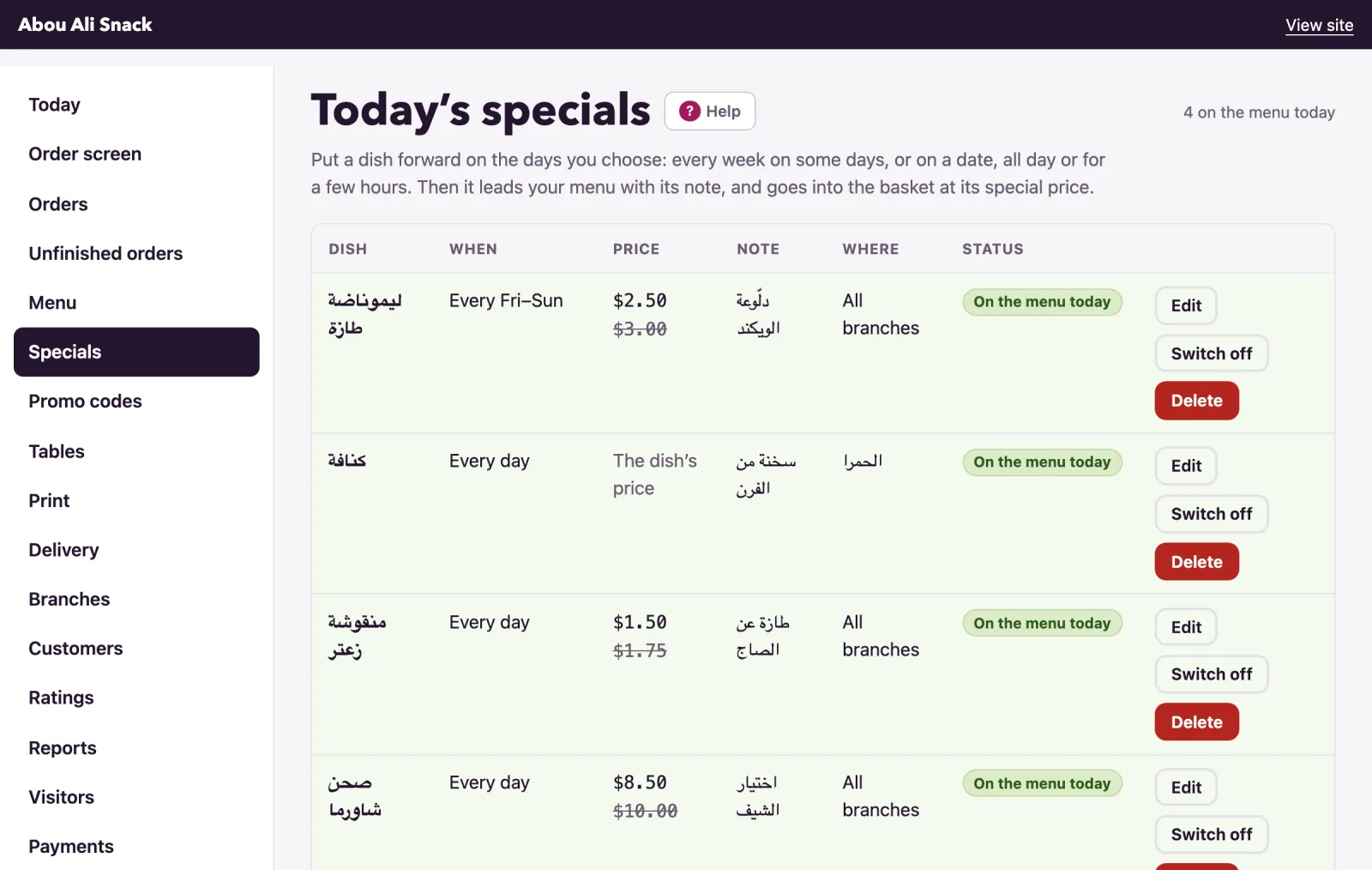
Add a special
- Under Add a special, choose the Dish. Every dish of your menu is listed by category with its price; one that is switched off is marked.
- Under When, pick Every week, on these days and tick the days, or On a date, or from one date to another and give From and, for a run of days, Until; leave Until empty for one day.
- Under Hours, leave From and Until empty for the whole day. For a happy hour give both, from 16:00 until 18:00; an until before the from runs past midnight, from 22:00 until 01:00.
- Give a Special price if the dish costs less that day. It must be below what the dish costs where the special runs; empty, the dish keeps its price and is still put forward.
- Write A short note in each language of your menu, up to 80 letters: "Today only", "Chef's pick".
- With branches, choose under Branch where it runs: All branches or one of them.
- Leave On ticked and press Add the special. The page says "Special added."
The form says what is wrong under its field: a dish and at least one day are needed, the last day cannot come before the first, dates or hours already over are refused ("These dates are over: choose days to come."), the two times are both given or both empty, and a special price must be below what the dish costs where it runs.
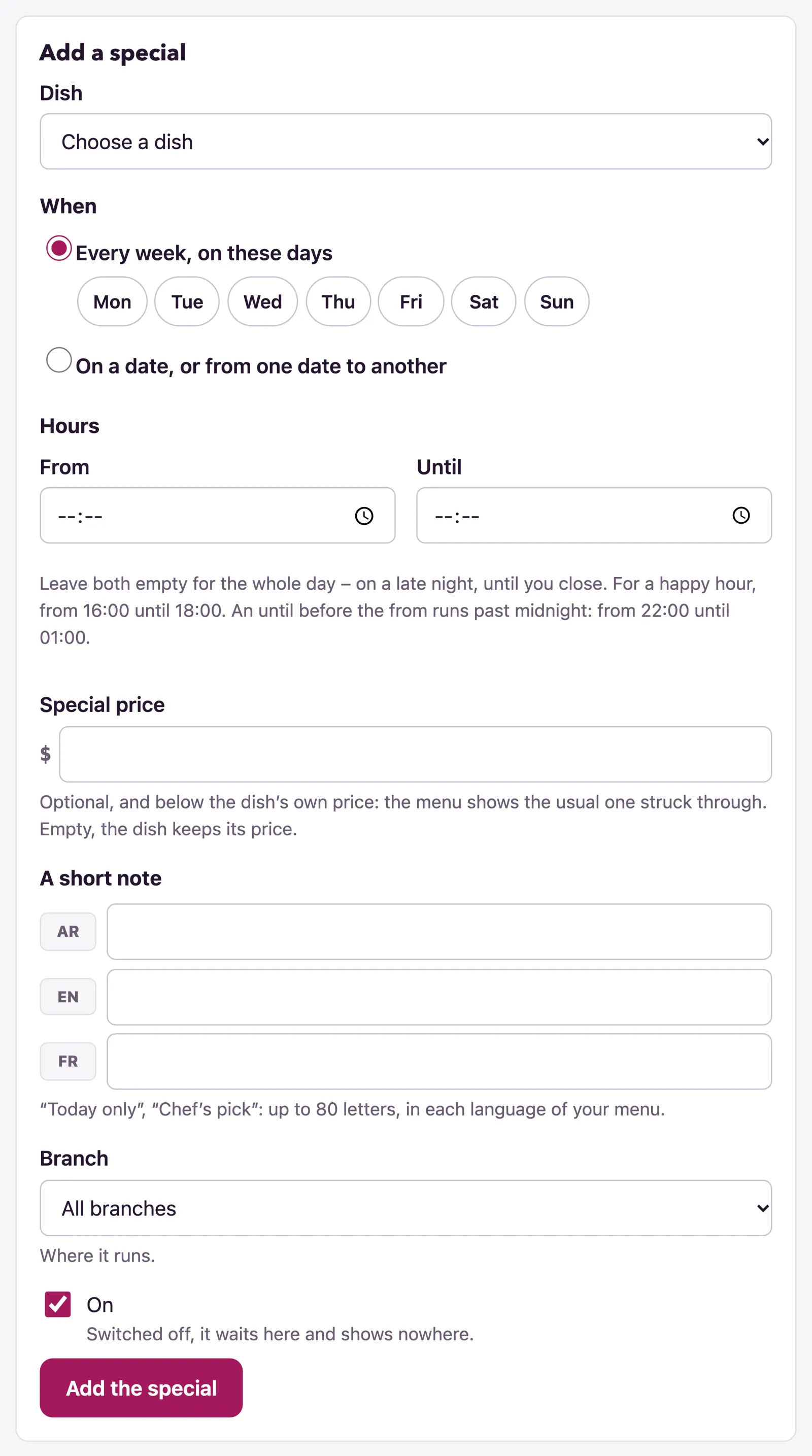
The list
Each special shows its Dish, When ("Every day", "Every Mon, Wed", "Thu 10 Sep 2026", "Mon 7 Sep to Sun 13 Sep 2026", with its hours under them), its Price (the special price with the usual one struck through, or "The dish's price"), its Note, with branches Where, and its Status:
- "On the menu today": diners see it now; the page counts these, "2 on the menu today". "Later today" and "Over for today" are one with hours, on its day, before and after them.
- "On": a weekly special on another day. "Coming": its dates are ahead. "Over": its dates have passed. "Off": switched off. "Its branch is switched off" and "Not on the menu: its dish is switched off" say why one is not seen.
Beside each: Edit opens it in the form; Switch off keeps it here and shows it nowhere, and Switch on brings it back; Delete removes it after "Delete the special on Zaatar?". If a dish's price drops below its special price, the list says "No longer below the dish's price: the dish's own applies".
When "today" is
Today is your restaurant's day, in its own time, whatever a diner's phone says. A special for the whole day runs for the day's whole service: a kitchen open from 18:00 until 02:00 keeps Monday's special until it closes at two on Tuesday morning. A special with hours runs only between them, on its calendar day. With branches, each branch's own opening hours say whose day it is there, and a special for all branches is on the menu while it is on at any of them. When two specials cover one dish at once, the more particular wins: the branch's own over one for every branch, a dated one over a weekly one.
What diners see
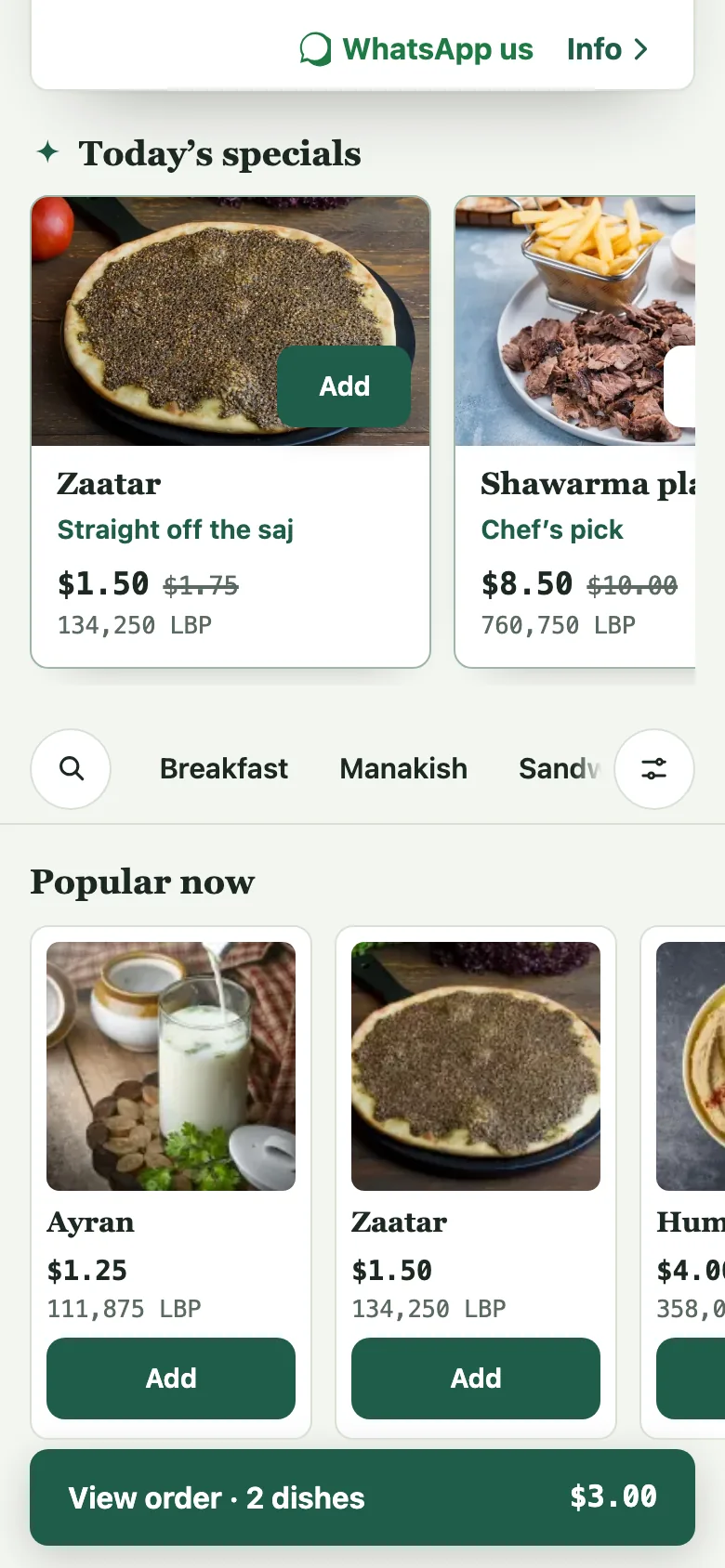
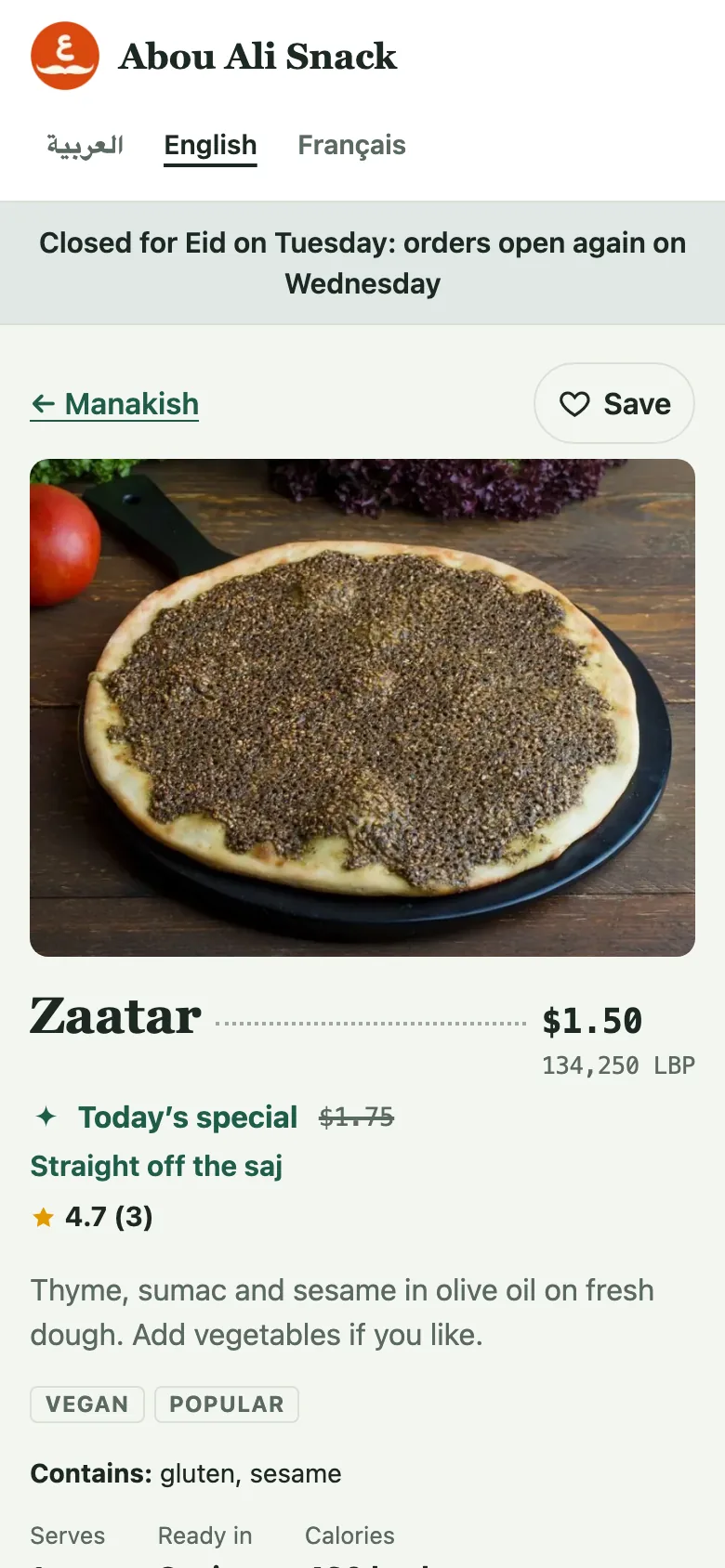
On its day, a "Today's specials" strip leads the menu, before the first category: a card for each special with its photo, name, note, "Until 18:00" when it keeps hours, and its price of the day with the usual price struck through, and the same Add or Choose as on its row. The dish's row in its category carries a "Special" tag, and its own page says "Today's special" with the struck-through price and the note. The basket, the checkout, the order and its WhatsApp message all carry the price of the day. A sold-out special says so on its card. At a branch, diners see only the specials that run there, and only on dishes that branch sells.
The price is read when the order is placed: an order placed today for later keeps today's price, and a special that ends between the checkout and the order being placed stops at the checkout, showing the order at its price now to check and carry on, rather than charging more than the menu showed.
Not found what you were looking for? Write to us at support@watadish.com or message us on WhatsApp: WhatsApp