Help · Money
Your plan
What your plan includes, trying or paying for a larger one, your card and invoices, and moving down.
Included in every plan.
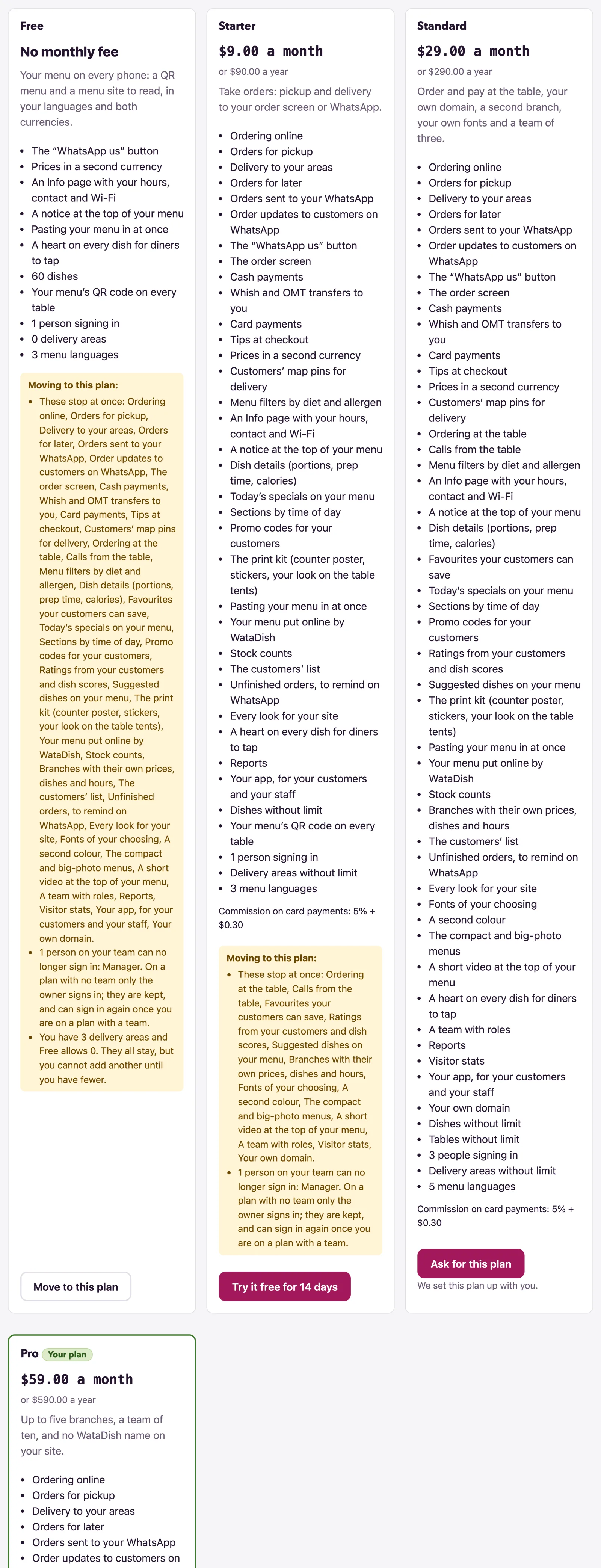
The Plan page, titled Your plan, is the owner's: managers and staff are sent back to the dashboard. It shows the plan you are on, every plan on offer with what it includes, and the ways to pay for one. Prices, limits and the commission are the plans' own: the page reads them, so look there rather than here.
What you are on
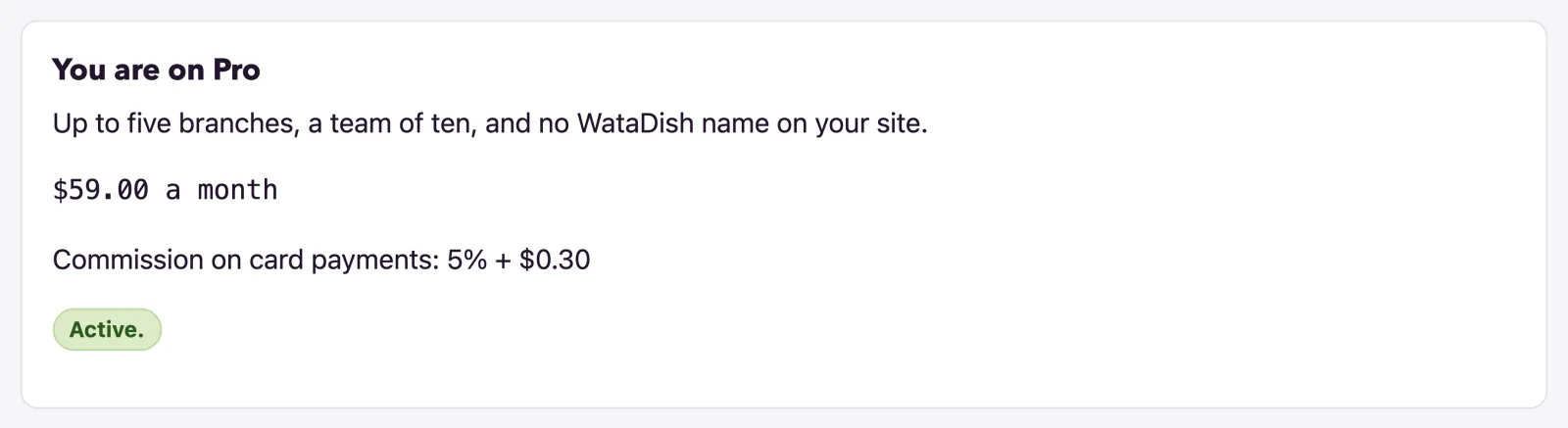
You are on … names your plan, with its price a month (or No monthly fee), Commission on card payments where the plan takes cards, and a badge saying how things stand: the days left of a trial, Active., paid by card with the date of the next payment, or paid through an agent until a date. Under Plans, each card lists what the plan includes and its limits, with Your plan marking yours. If your plan has no team but you still have managers or staff from a larger one, the page names who cannot sign in until you move back (see Team and roles).
The free trial
A plan with a trial offers Try it free for … days - once per restaurant, however you move between plans. The trial ends at the end of its last day; you then move to the Free plan unless payment has been arranged, and your menu never goes offline. To keep the plan, add your card during the trial: the page says Add your card to keep … after your trial: nothing is taken before the date, and the first payment is taken when the trial ends.
Paying by card
- Press Pay … a month or, where the plan has it, Pay … a year. Stripe's payment page opens; your card is kept by Stripe, never by WataDish.
- Back on the page: Thank you: … is paid by card now. Every receipt comes by email. The badge then says Paid by card every month (or every year), with the date of the next payment.
Manage card and invoices opens Stripe's customer portal: change the card and the billing details, and read every invoice. While you pay by card, another paid plan's card shows Move to this plan: the change is made at once, and the difference is charged or given back on your next invoice.
A plan the page cannot sell by itself shows Ask for this plan ("We set this plan up with you"): WataDish gets in touch and sets it up, and you then pay for it here.
Paying by Whish
Rather pay by Whish than by card? Under Pay by Whish, send your plan's price to WataDish's Whish number with the reference the page gives in the Whish note, choose What did you send? (a month, three months or a year), add a line under Anything we should know (optional) if you like, and press I sent it. WataDish checks its Whish account and confirms within one working day. Your plan then runs to the end of the time you paid for, each payment listed under Payments received with its receipt number, and WataDish reminds you before it ends.
A declined card
If a card payment does not go through, the badge reads The last payment was declined. Put your card right below: your site stays online meanwhile., and every admin page carries a banner with Put the card right (a manager is told the owner can). Change the card in the portal. Left unpaid for a month, the plan ends and your site moves to the Free plan, still online.
Moving down, cancelling and keeping
Every card that would take something away says so under Moving to this plan:, and again when you confirm: These stop at once: …, the people on your team who could no longer sign in, and what you have more of than the plan allows. Dishes, tables, delivery areas and branches all stay, but you cannot add another until you have fewer. What WataDish gave you by hand stays whatever plan you move to, so it is never listed as stopping.
- Not paying by card, Move to this plan on the Free plan's card moves you at once, and what your plan adds stops at once.
- Paying by card, the Free plan starts at the end of what you paid for: Your … plan runs until the date, then your site moves to the Free plan and stays online. Until then, Keep my plan takes it back.
- A closed account can still choose a plan here: the banner on every page says Choose a plan to open it again.

Add-ons: the home page
A home page of your own before the menu is an add-on on any plan, at the price its page gives. Ask for it on the Home page page with Ask for the home page; WataDish switches it on once it is paid, and you write it there.
Not found what you were looking for? Write to us at support@watadish.com or message us on WhatsApp: WhatsApp