Help · Tables, print and delivery
Branches
More than one place: each branch’s hours, number, prices, tables and screen.
Included in: StandardPro
A restaurant with more than one place keeps one menu and one site, and gives each branch what differs: its own address, phone and WhatsApp number for its orders, its own hours when they differ from yours, its own prices and the dishes it leaves out, its tables and its delivery areas. Diners choose their branch on your site - or sit at one of its tables, which chooses for them - and every order says which branch it is for. Branches is where you add and change them; a manager or the owner opens it.
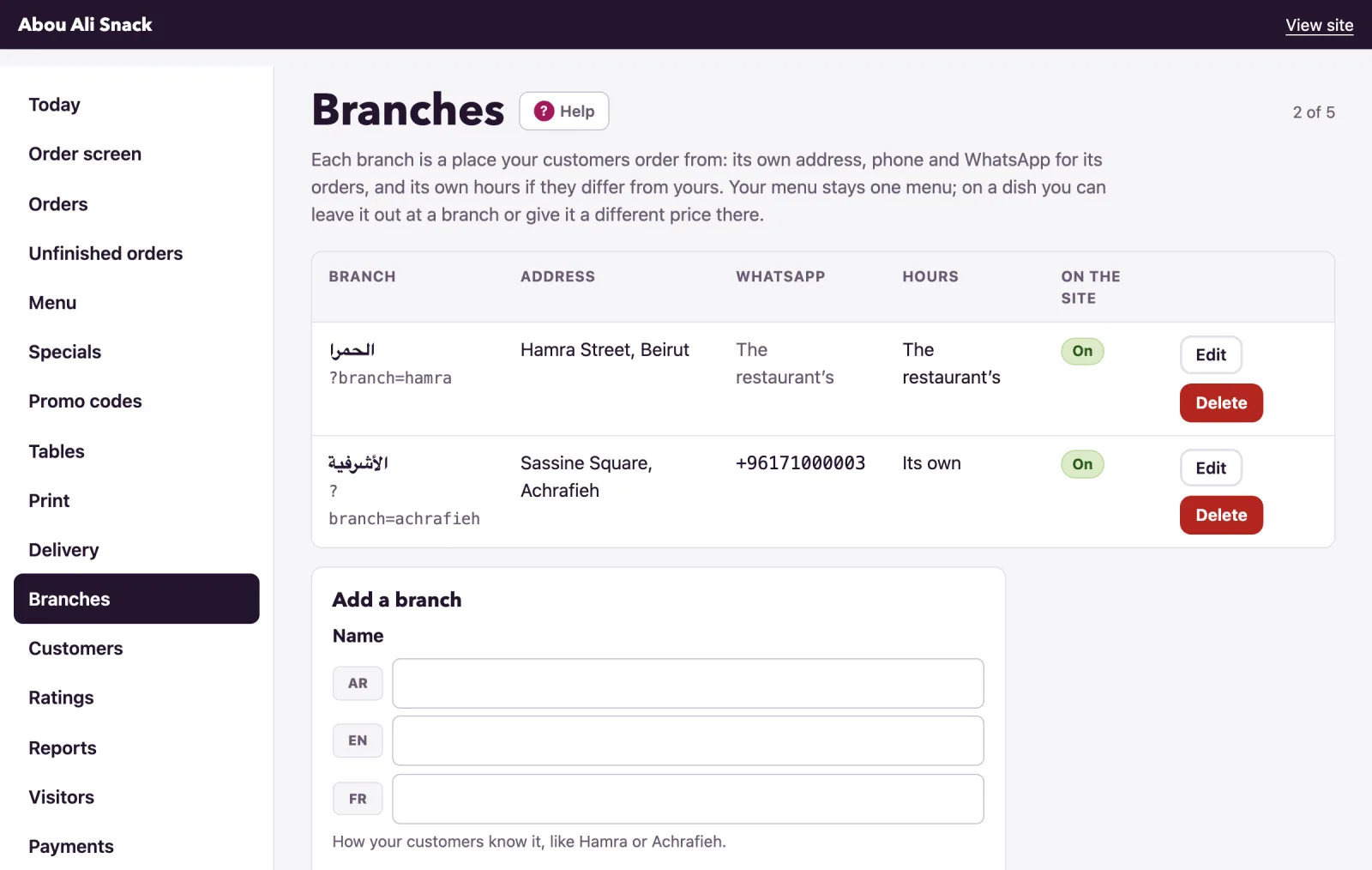
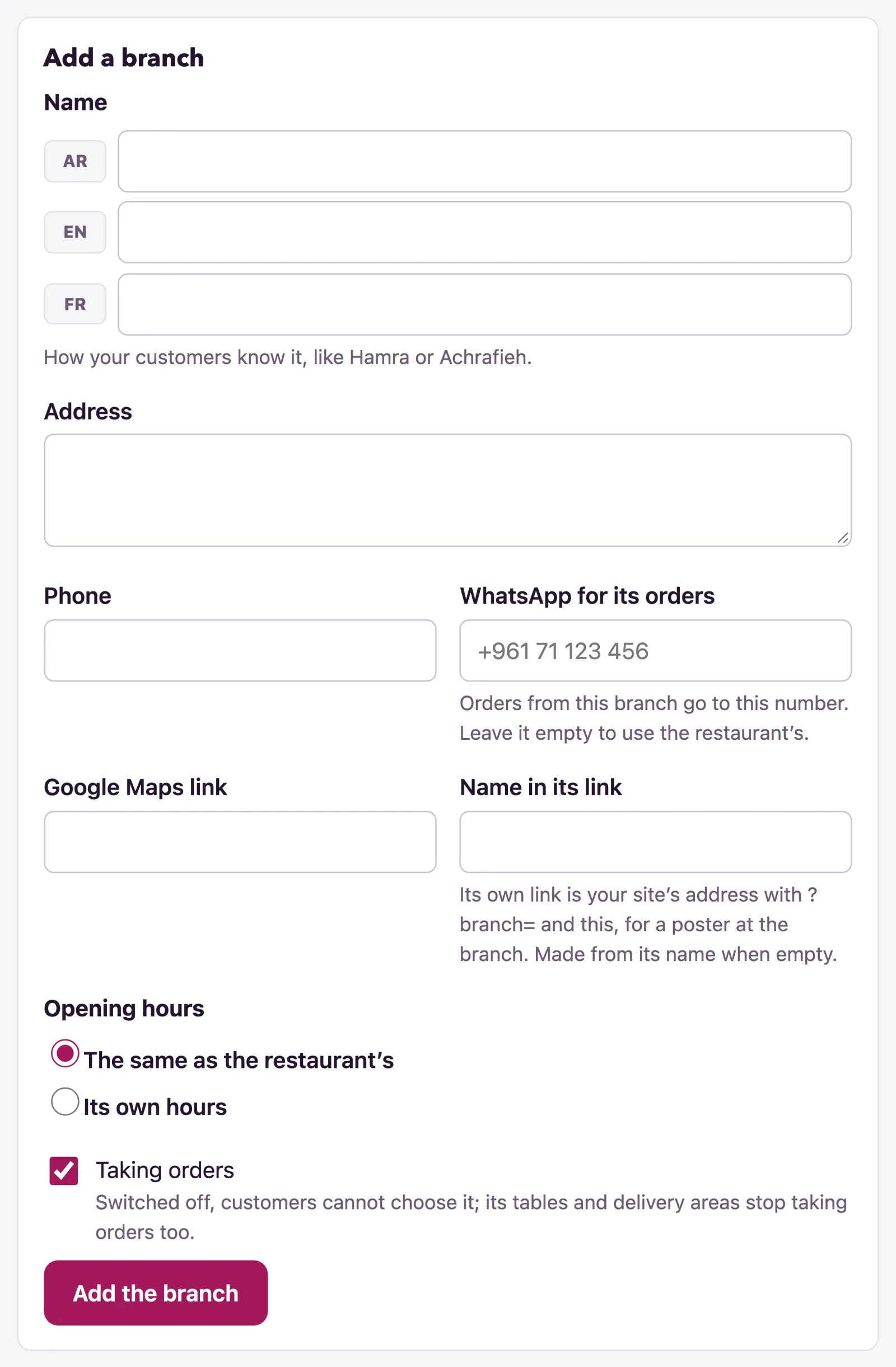
Add a branch
Add a branch under the list, or Edit beside one:
- Name, in each language of your menu, as your customers know it: Hamra, Achrafieh.
- Address and Phone, shown on the branch’s Info page and at the foot of its menu.
- WhatsApp for its orders: orders placed at this branch go to this number. Leave it empty to use the restaurant’s. Only the owner can set it, since it is where the orders go.
- Google Maps link, for directions on the Info page.
- Name in its link: your site’s address followed by ?branch= and this is the branch’s own link, for a poster at the branch. Made from the name when left empty, and kept unique.
- Opening hours: The same as the restaurant’s, so the branch follows yours when they change, or Its own hours with its week in the table below.
- Taking orders: switched off, customers cannot choose the branch, and its tables and delivery areas stop taking orders too.
Then Add the branch. The count at the top says how many branches your plan allows; branches past the limit stay, marked Not on your site: over your plan’s limit, and come back when the plan has room for them. Delete keeps a branch’s tables and delivery areas for the whole restaurant and leaves its name on past orders. It is refused while one of its tables has the same name as one of the restaurant’s own, until that table is renamed.
Prices and dishes at a branch
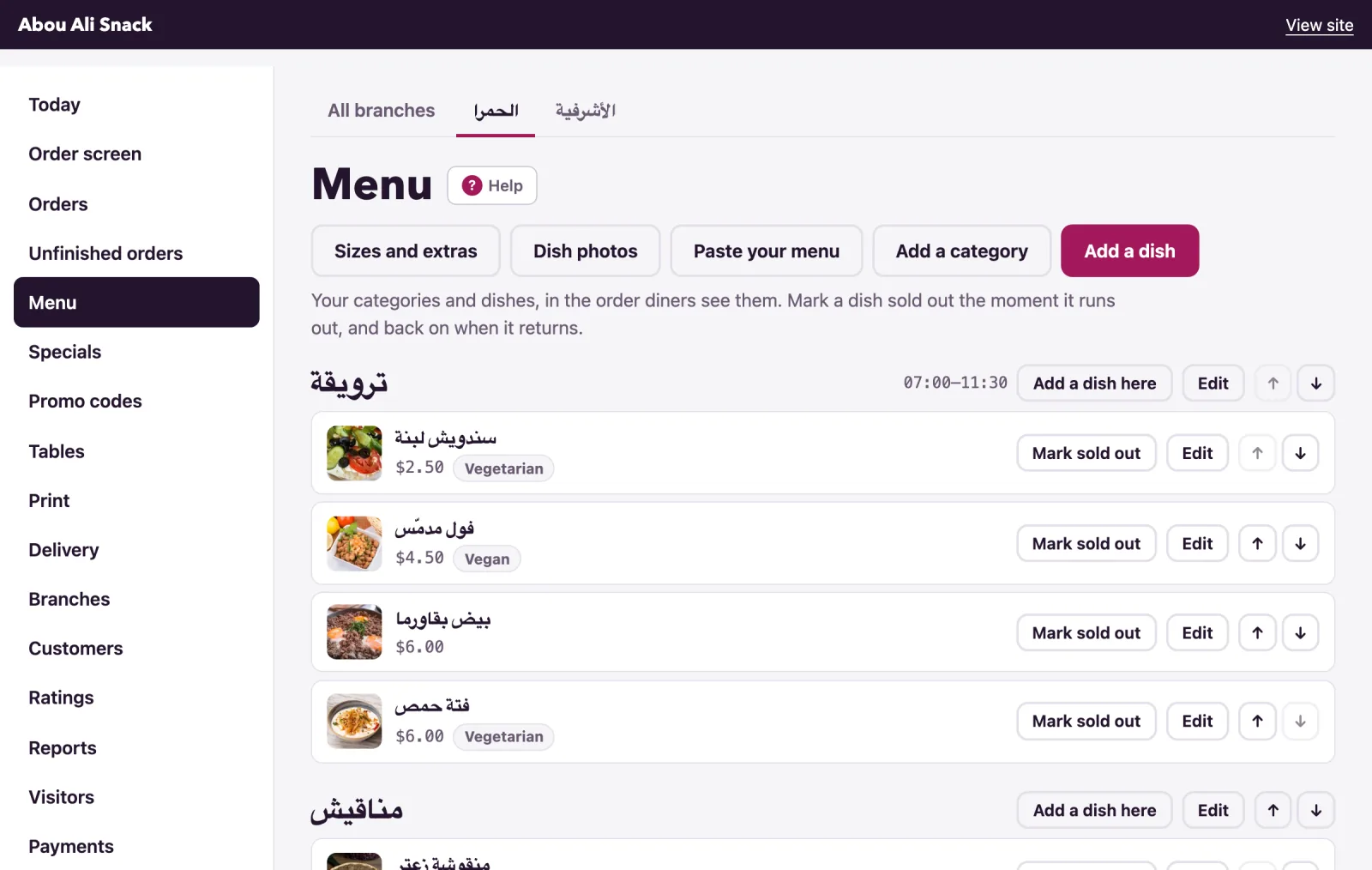
The menu stays one menu. On a dish’s form, At your branches lists each branch with Sold here and Price here: untick a branch that does not sell the dish, and give a price where it differs - a price left empty is the dish’s usual one. On the Menu page, a tab for each branch shows the menu as that branch sells it, with Not sold here on the dishes it leaves out; Mark sold out pressed on a branch’s tab runs the dish out at that branch only, and the pass can do that from its own tab. See the menu.
Tables and delivery areas
A table belongs to a branch - Branch on its form - or to The whole restaurant. Each branch numbers its own tables, so both can have a table 1, and the printed tents say whose it is. A delivery area belongs to a branch too, or to All branches, and a diner is offered the areas of their branch and those for all. See tables and delivery.
What the diner sees
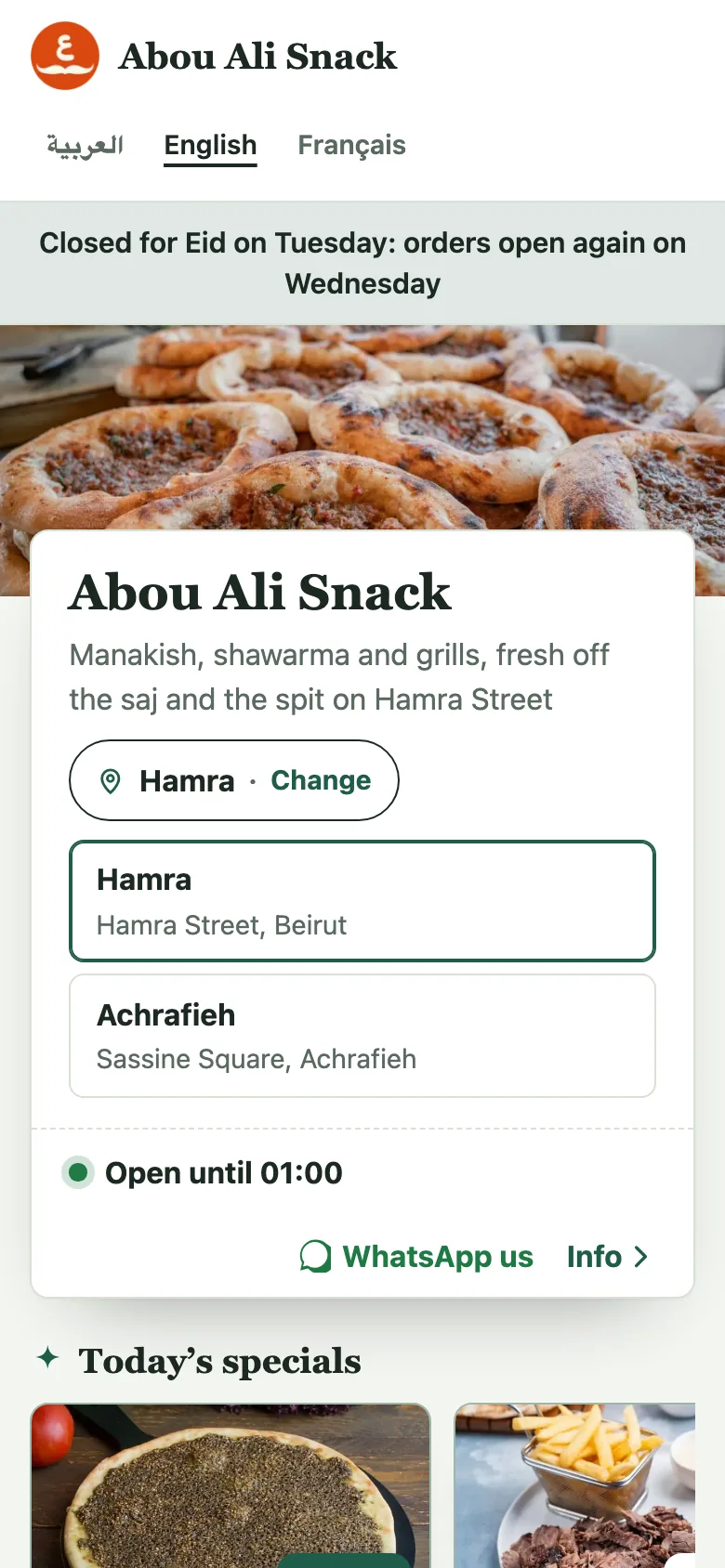
On the menu’s card, a pin and the branch’s name say where they are ordering from, with Change: a list of your branches with their addresses. The choice is remembered on their phone, and a new visitor starts at your first branch. The branch decides what they see: its dishes and prices, its hours - Closed now at one while the other is open - its WhatsApp, its delivery areas, and its address and phone on the Info page, which also lists Our other branches. The checkout says Your order is for Achrafieh.
A diner at one of a branch’s tables is at that branch, with no choice to make. A dish link shared from one branch and opened at another that does not sell it says so - This dish is not on the Achrafieh menu - and offers See it at Hamra.
Orders at each branch
Every order carries its branch. The order screen has a tab for All branches and one for each, so a tablet at a branch shows only its own orders and table calls, and the Orders page filters the same way. Orders handed to WhatsApp go to the branch’s number, headed with the restaurant’s name and the branch’s. The Print page prints tents, a poster and stickers for one branch at a time, and Reports can be read per branch.
Note: on a plan without branches your site works as one place. What you stored is kept, with its prices and dishes, for when the plan has them again.
Not found what you were looking for? Write to us at support@watadish.com or message us on WhatsApp: WhatsApp