Help · Tables, print and delivery
Print kit
Table tents, a counter poster and stickers with your QR code, printed from your browser.
Included in: StarterStandardPro
The Print page puts your QR codes on paper: tents for your tables, a poster for your counter or window, and stickers for bags and boxes. Every sheet is an A4 page for a plain office or home printer, in your site’s own colours and with your logo, with the words a diner reads in each language of your menu. Whoever is at the pass may open it: a lost tent is reprinted by whoever notices.
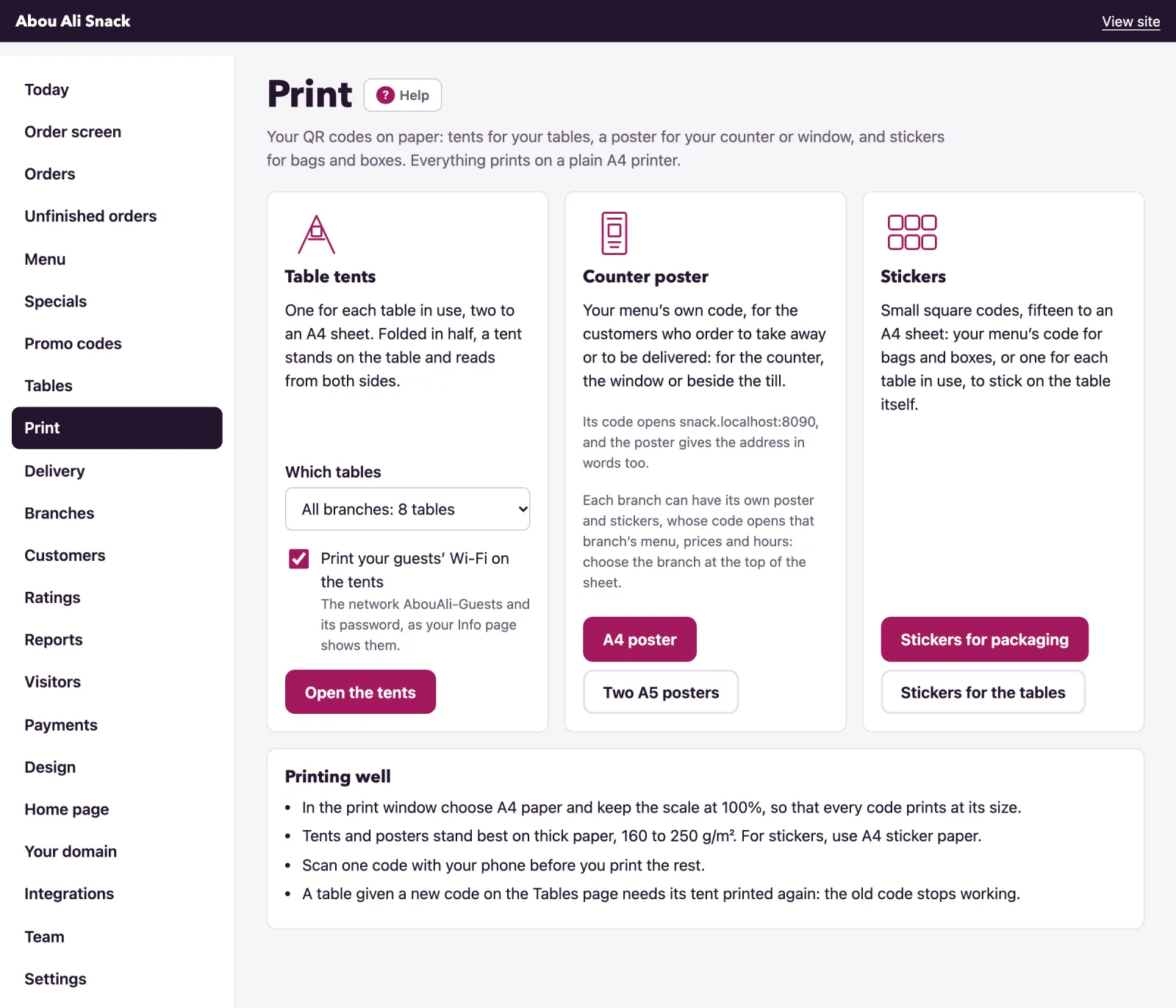
Table tents
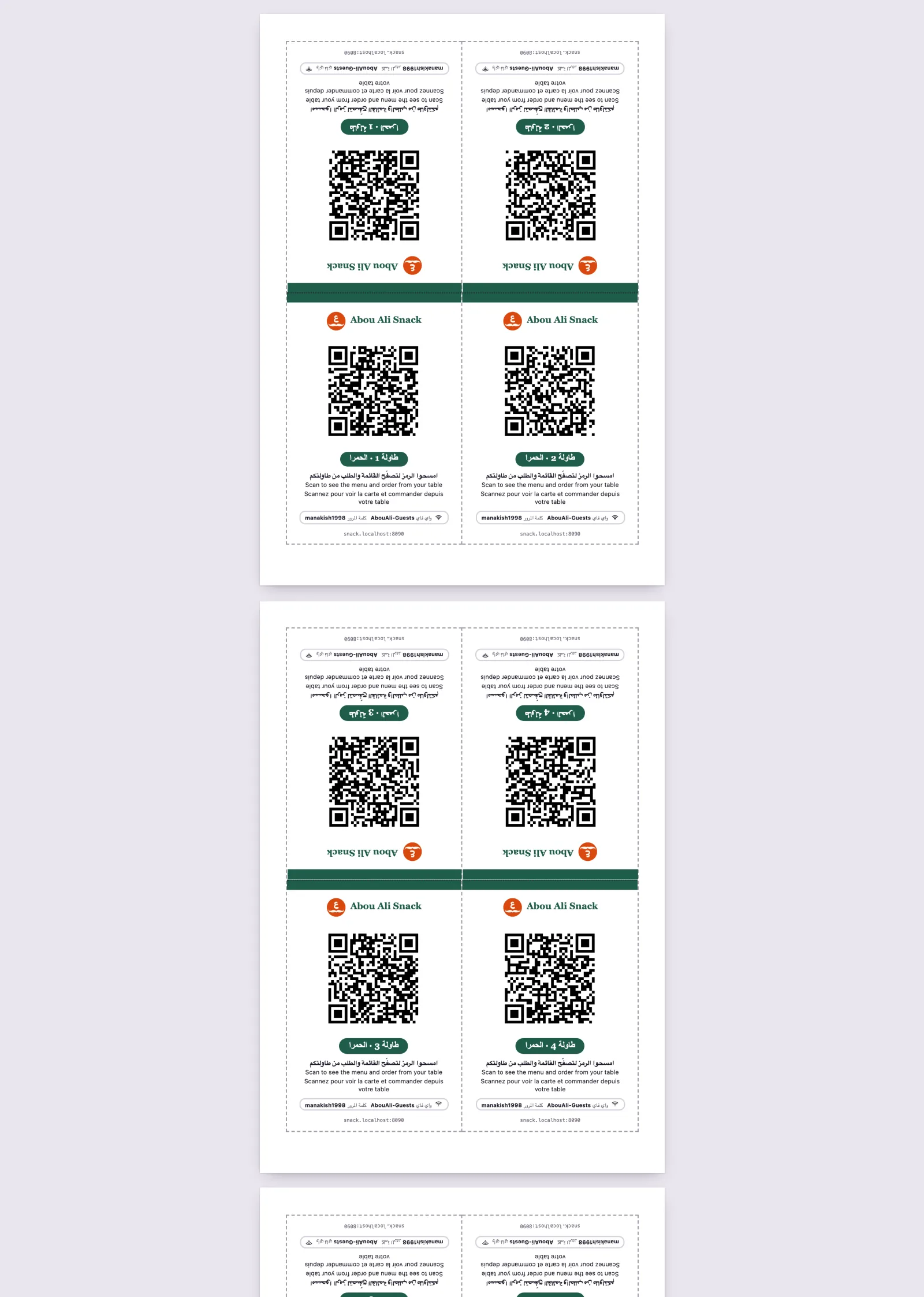
Table tents makes one tent for each table in use, two to an A4 sheet. Open the tents of 8 tables opens the sheets; with branches you first choose Which tables, all of them or one branch’s. Each tent carries your logo and name, the table’s own code, its name - Table 12 in your menu’s first language, or a table named in words as you named it - the line Scan to see the menu and order from your table in every language of your menu, and your site’s address in words for a phone that will not scan.
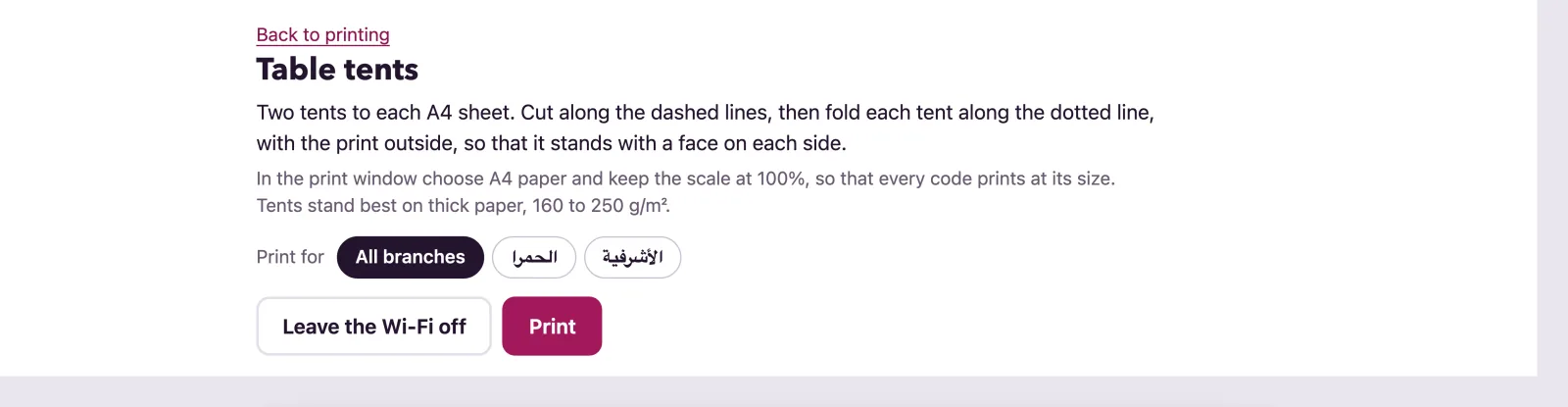
If you gave your guests’ Wi-Fi in Settings, Print your guests’ Wi-Fi on the tents adds the network and its password to every tent, as your Info page shows them. Untick it, or press Leave the Wi-Fi off above the sheet, to keep it off the paper.
Cut along the dashed lines, then fold each tent along the dotted line with the print outside, so that it stands with a face on each side. The face above the fold is printed upside down and reads the right way up once folded.
On a plan without ordering from the table, every tent carries your menu’s own code instead: Open the tents gives one sheet of two, to print as many times as you have tables. While ordering at the table is switched off, a tent says Scan to see our menu rather than promising an order.
The counter poster
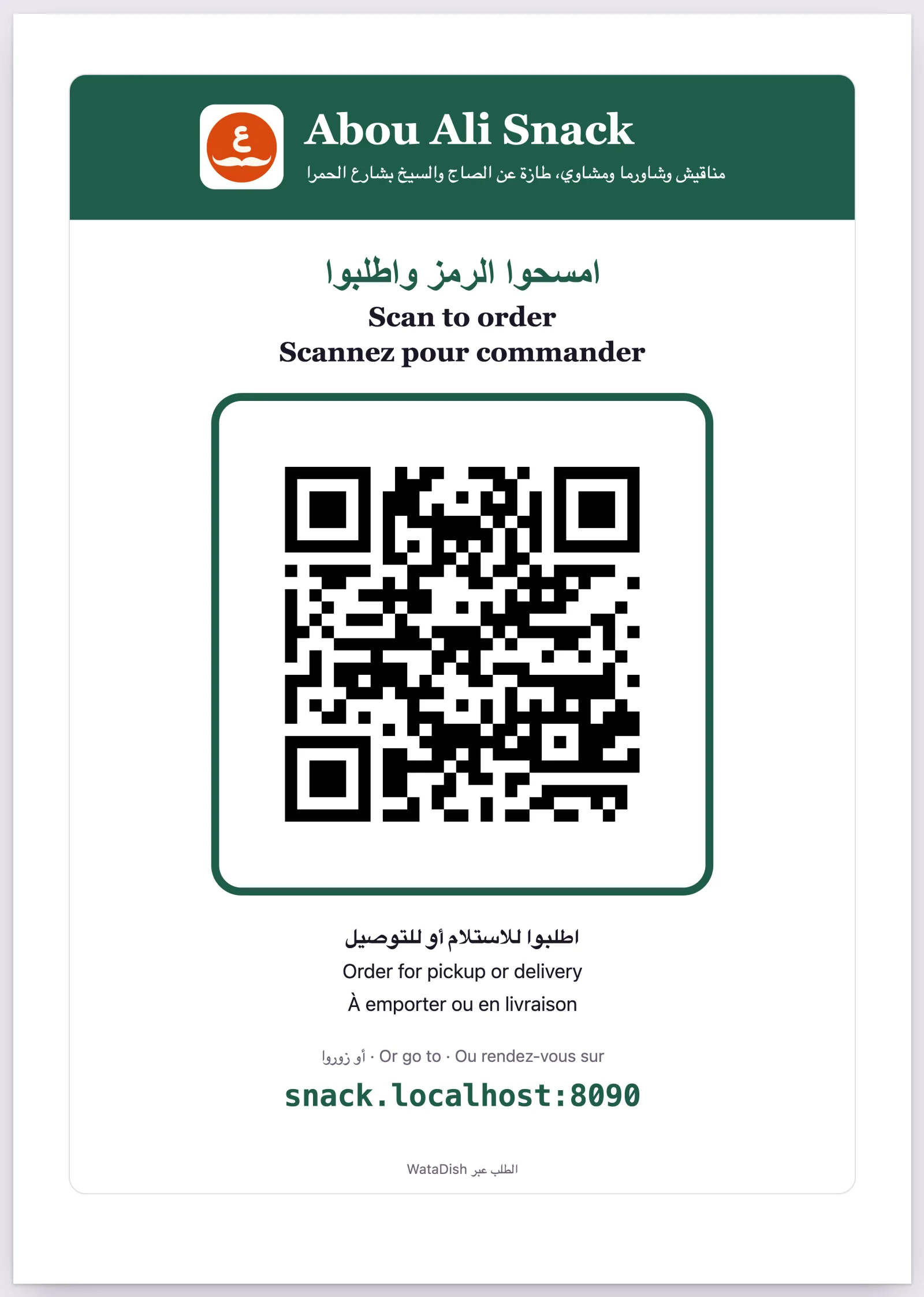
Counter poster is your menu’s own code, for the customers who order to take away or to be delivered and sit at no table: for the counter, the window or beside the till. It says Scan to order and how - Order for pickup or delivery, or only the one you offer - then Or go to and your address in words, and Ordering by WataDish at the foot on the plans that keep it. A4 poster is one to the sheet; Two A5 posters prints two on one A4 sheet, each on its side, to cut apart. A restaurant that takes no pickup or delivery orders gets a poster that says Scan to see our menu.
Stickers
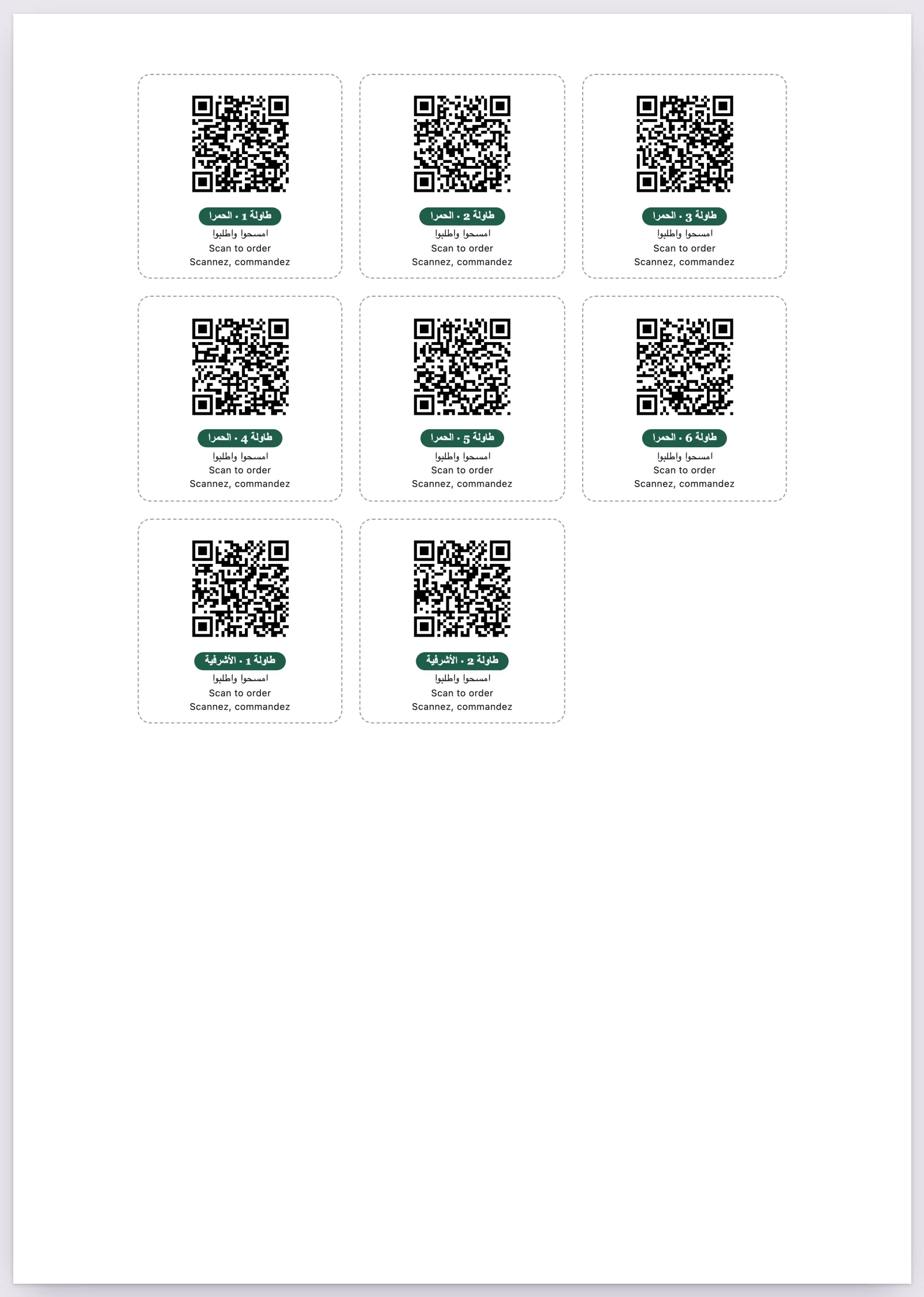
Stickers are small square codes, fifteen to an A4 sheet. Stickers for packaging is your menu’s code fifteen times, with your name and Scan to order, for bags and boxes. Stickers for the tables is one for each table in use, with its name, to stick on the table itself. Print them on A4 sticker paper and cut along the dashed lines.
Printing from the browser
A sheet opens on its own, without the admin around it, under a bar that never prints: Back to printing, the sheet’s choices, and Print, which opens your browser’s print window. There, choose A4 paper and keep the scale at 100%, so that every code prints at its size; the colours print as they look, with nothing to tick. Use thick paper, 160 to 250 g/m², for tents and posters, and A4 sticker paper for stickers. Scan one code with your phone before you print the rest.
A table given a new code on the Tables page needs its tent printed again, since the old code stops working: the Tables page has Print its tent beside each table for exactly that. Opening the tents or the poster also ticks Print your QR codes on the dashboard’s set-up list. The codes carry your watadish.com address, so they keep working if you later move your site to a domain of your own: paper outlives a domain.
Printing for a branch
With branches, the bar above each sheet has Print for: All branches, or one of them. Tents and table stickers name their branch - Table 1 · Hamra - since two branches may both have a table 1. A branch’s poster and packaging stickers carry a code that opens that branch’s menu, with its prices and hours, so the customer need not choose, and the poster says the branch’s name. The site’s own code, printed for all branches, opens the first branch with the choice of the others.
Without the print kit
On a plan without the print kit the tents still print, plainly: no logo and none of your colours. The counter poster, the stickers and your own look come with a larger plan, and the page says so.
Not found what you were looking for? Write to us at support@watadish.com or message us on WhatsApp: WhatsApp