Help · Your site
Your own domain
Put your site on a domain you own: one record at your domain company, a check, a certificate, and the site moves.
Included in: StandardPro
Your site lives at yourname.watadish.com. If you own a domain, your site can be there instead: the menu, its pay page and every link we send your customers move to it, while the watadish.com address keeps working and sends visitors on. Your admin, the order screen and everything you print (see Print kit), the QR codes on the tables among them, stay on the watadish.com address, so they keep working whatever happens to the domain. Only the owner can open Your domain, because it moves the whole site, and your plan must include a domain of your own.
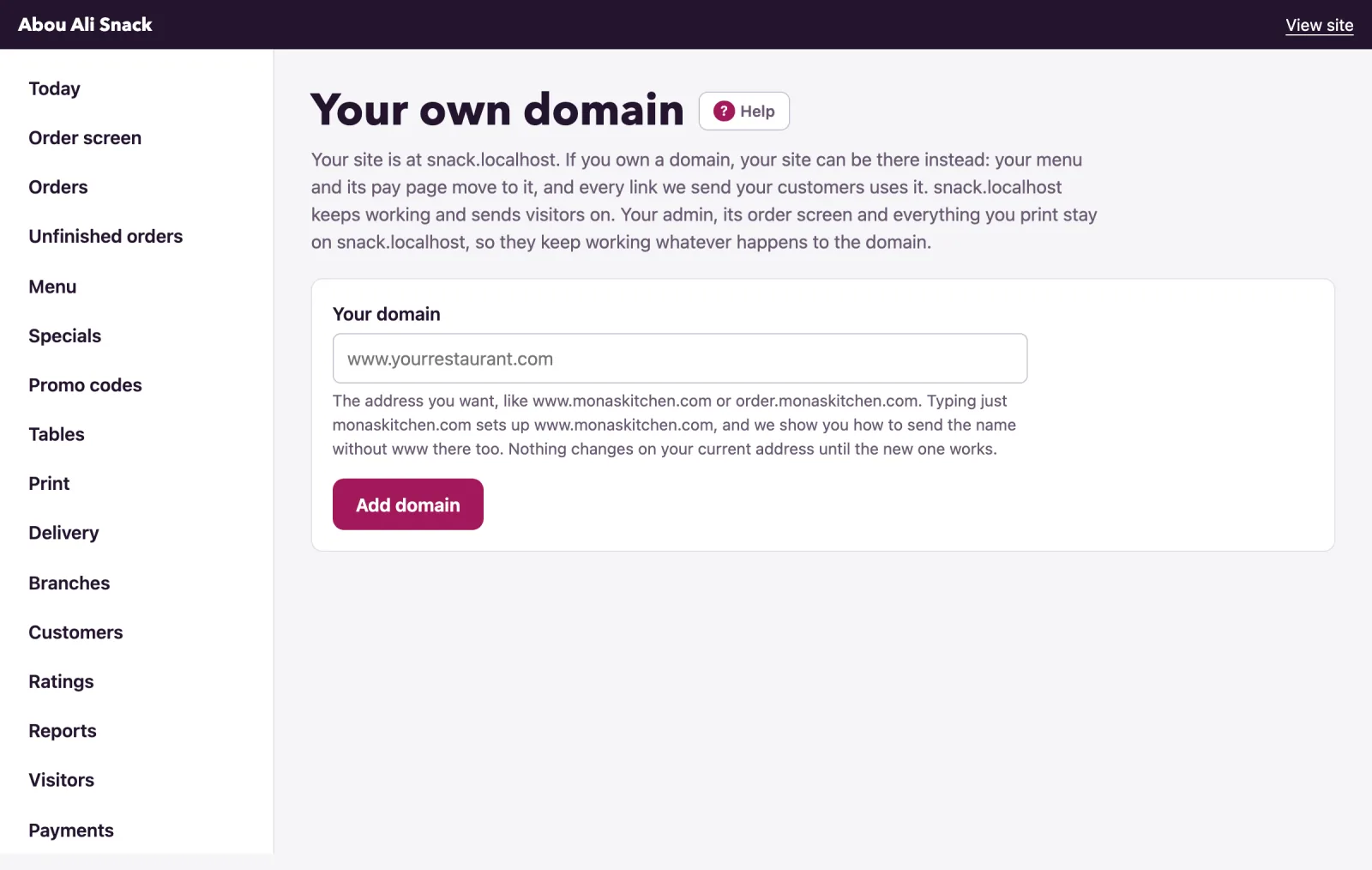
Add the domain
- Under Your domain, type the address you want,
www.monaskitchen.comor a name likeorder.monaskitchen.com, and press Add domain. Nothing changes on your current address until the new one works. - A bare name cannot point at us: typing just
monaskitchen.comsets upwww.monaskitchen.com, and the page says so, with a third step on sending the bare name there. - The page then shows the domain with its state, Waiting for your record, and the one record to add.
Your plan includes a set number of domains, usually one: to use another, remove the one you have first. A domain already connected to another WataDish site is refused; if it is yours, write to us.
Add the record at your domain company
Sign in where you bought the domain, open the page called DNS, DNS records or Manage DNS, press Add record and fill in the boxes as the card shows, each with a Copy button:
- Type:
CNAME - Name or host: the part before your domain,
wwwforwww.monaskitchen.com,orderfororder.monaskitchen.com. Some companies want the full name in this box. - Value, target or points to: your WataDish address,
yourname.watadish.com.
If a record with that name is already there, delete it first: a name can point only one way. Leave TTL as it is, and if you see an orange cloud or a proxy switch, turn it off. Where is that page? on the card lists the way at GoDaddy, Namecheap, Cloudflare, Squarespace, Wix and Hostinger.
For a www name there is a third step: many people type the name without www, so at your domain company switch on forwarding (also called redirect or web forwarding) from monaskitchen.com to https://www.monaskitchen.com. If the bare name already has a website, whoever runs it can send its visitors on instead.
Check, certificate, live
A change at a domain company can take up to an hour to show. We check the domain every few minutes for the first day, then every hour; press Check now at any time, and the card says Checked just now. with what was found:
- Not pointing here yet, with what the record says instead: nothing, a parking page's address, or another target. Put the record right.
- It points at ..., which is not your WataDish address: the value is another WataDish address. Change it to yours.
- Record found, securing: the record is in and the secure certificate is being issued, usually within minutes. Nothing to do.
- Live: the site, its pay page and every link we send use the domain now. The page says so, and so does an email to the owner when it was our own check that found it. The watadish.com address sends visitors to it.
If the certificate is not coming, the card shows what our certificate service reported. A CAA record at your domain that rules out the authorities issuing our certificates is the usual cause: ask your domain company to remove it, or to allow letsencrypt.org, pki.goog and ssl.com.
When a live domain breaks
Every check keeps watching a live domain. If one finds its record gone or pointing elsewhere, the state becomes Live, with a problem and the site stays on the domain for now; a second check finding the same takes it off. The domain then shows Stopped working, your site, its pay page and our links are back on the watadish.com address by themselves, and you get an email. A certificate problem takes six checks in a row, because certificates flicker while they renew. Put the record right, and the next check that finds the domain working brings the site back to it.
More than one domain
Where your plan allows more than one, the one visitors are sent to carries the badge In use. Press Use this one on another live domain to make it the address in use; a domain that is not live yet cannot be.
Removing a domain
Remove takes the domain off after you confirm: your site goes back to the watadish.com address, and the message asks you to delete the record at your domain company too, because a record left pointing at us could be claimed by another restaurant. If you press it while standing on the domain itself, you are signed in again on the watadish.com address. With more than one domain, removing the one in use hands over to another live one.
Note: If your plan stops including a domain, the domain stays listed so that you can remove it, but it is not checked, and visitors to it are sent to your watadish.com address until the plan includes one again.
Not found what you were looking for? Write to us at support@watadish.com or message us on WhatsApp: WhatsApp