Help · Money
Payments and payouts
How your customers pay: cash, a transfer to you, or a card: and what WataDish owes you for card orders.
Included in: StarterStandardPro
Cash and transfers are your own sales: the money goes straight to you, and WataDish never holds it. A card is different. When a customer pays by card, they buy the order from WataDish (Amberlock Ltd, UK) on WataDish's terms of sale; you prepare and deliver it as WataDish's supplier, and WataDish pays you what it owes you for it: the order less the commission. The Payments page, the owner's, is where you switch cards on, see what WataDish owes you and ask to be paid.
The ways a customer can pay
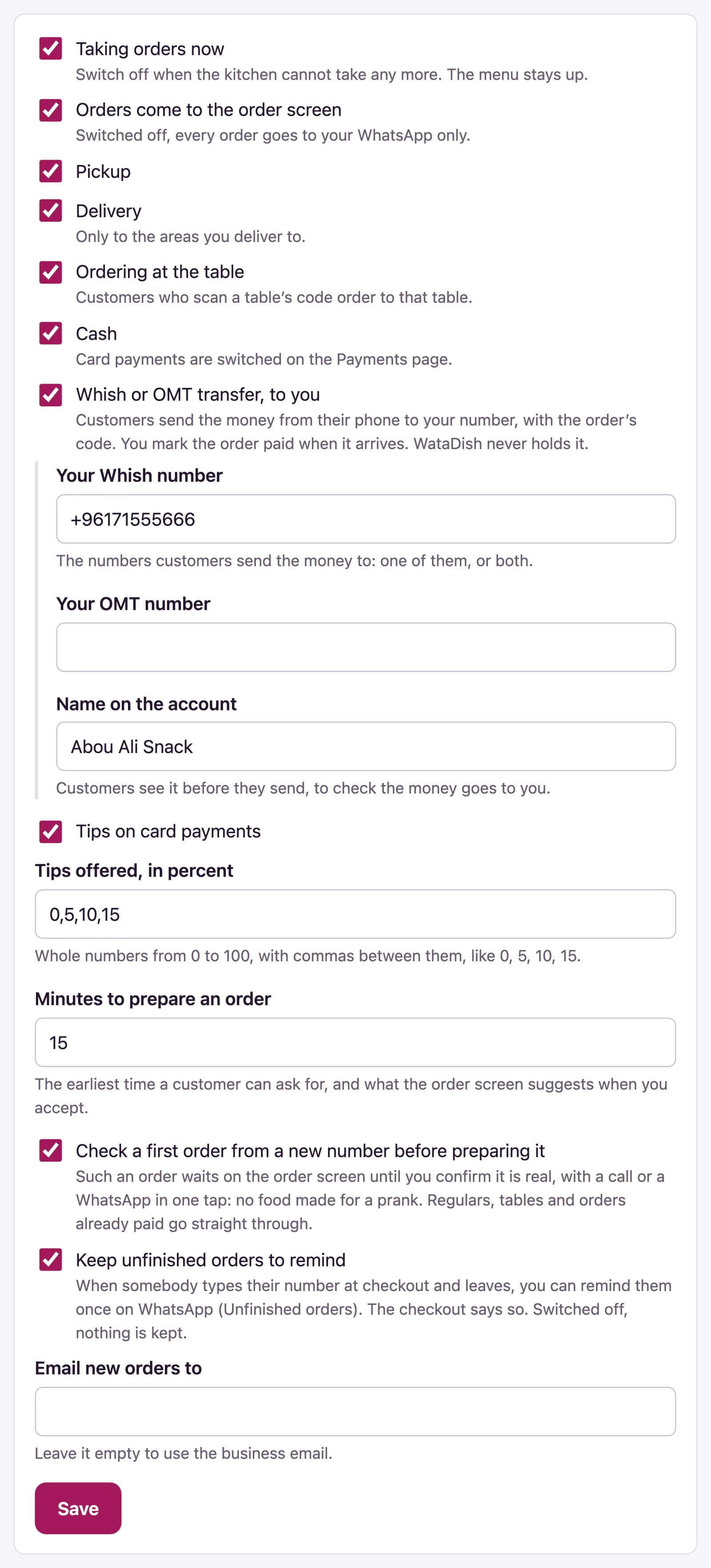
- Cash - at the table, at the counter, or at the door on delivery. Switch it on under Settings > Ordering > Cash. On the order, Mark as paid records it (handing the order over marks it paid too).
- Whish or OMT transfer, to you - the customer sends the money from their phone to your own number, with the order's code. Switch it on under Settings > Ordering and give Your Whish number or Your OMT number and the Name on the account; only the owner can change these. When the money shows in your account, press Transfer received on the order screen, or Mark as paid on the order's page: handing the order over does not mark a transfer paid.
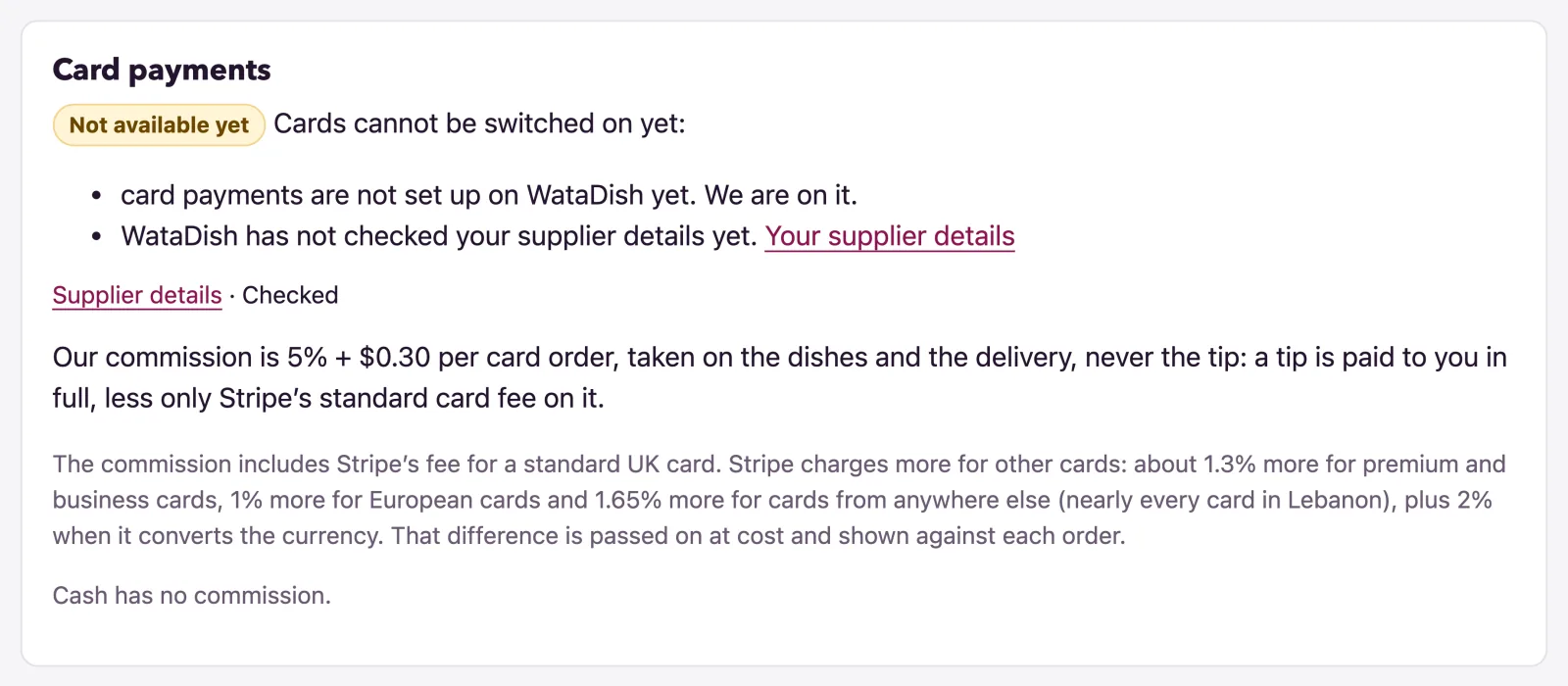
- Card - when your plan includes card payments and you have switched them on here. Cards are charged in your menu's currency; where WataDish cannot take cards in it yet, the Card payments card says so.
While Taking orders now is on, customers need a way to pay: neither page lets you switch off the last one.
Switching cards on
- Open Payments. The Card payments card says where you stand - On, Off, Paused or Not available yet - and why: your plan, or supplier details WataDish has not checked yet (see Supplier details for card orders).
- Press Take card payments. To stop, press Stop taking cards: orders already paid are not affected.
Paused means cards are switched on but something is missing; they come back by themselves once it is put right.
What a card order costs
The page shows your plan's commission per card order. It is taken on the dishes and the delivery, never the tip, and it includes Stripe's fee for a standard UK card. Stripe charges more for premium and business cards, for cards from outside the UK (nearly every card in Lebanon) and when it converts the currency: that difference is passed on at cost, no more, and shown against each order as Card fee at cost. Cash has no commission.
Tip: Tips are only offered on card payments. Switch them on under Settings > Ordering > Tips on card payments and give the choices in Tips offered, in percent. A tip is paid to you in full, less only Stripe's standard card fee on it.
What WataDish owes you
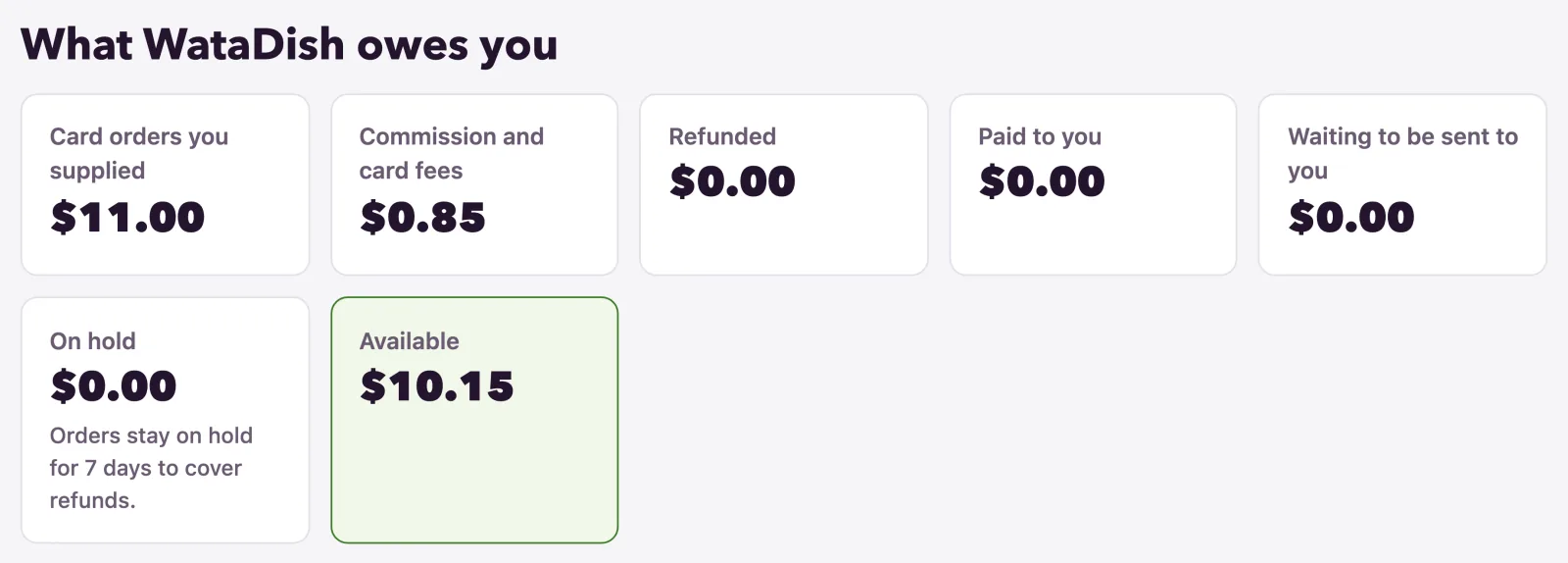
What WataDish owes you adds it up: Card orders you supplied, Commission and card fees, Refunded, Corrections (a chargeback, a fee given back - each emailed to you with its reason), Paid to you, Waiting to be sent to you, On hold and Available.
- Every order stays On hold for a few days after it is paid, to cover refunds; the page says how many.
- A refund comes off what you are owed. A disputed payment takes the amount and the card company's fee off, and nothing is sent to you until the card's bank decides.
- If refunds and disputes take more than your card orders, the page says what is owed back to WataDish, and nothing can be sent until the balance is above zero again.
Card orders, one by one shows the same for each order, down to what is Owed to you for it.
Asking to be paid
- Under Ask to be paid, check where the money goes: only to the account in your supplier details, as WataDish checked it, by Whish, OMT or bank transfer. To change it, press Change it in your supplier details; a changed account is checked again before anything is sent.
- Type the Amount (it starts at everything available), press Ask to be paid and confirm.
The amount is set aside at once, and only one request can wait at a time. The page says the smallest payment it sends, unless you ask for everything you have. Any fee for sending it comes out of the amount, so a little less may arrive: Payments you asked for shows each request's Transfer fee and What arrived, with Waiting, Sent or Not sent. WataDish emails you when it has gone, usually within a few working days.

Receipts
A card order's receipt is WataDish's: the order's page and the email the customer gets say "Sold by WataDish (Amberlock Ltd)" and that your restaurant, its supplier, prepared it (and delivered it, served it or made it to collect); the card statement shows WATADISH* and your name. A cash or transfer order is your own sale: its page and your order emails name no seller. Your own plan's receipts are on the Plan page (see Your plan).
Not found what you were looking for? Write to us at support@watadish.com or message us on WhatsApp: WhatsApp