Help · Orders
Orders
Every order in one list, and each one's page: its steps, its payment, its customer and what happened to it.
Included in: StarterStandardPro
Orders lists everything placed on your site, newest first; each order's page is where you accept it, hand it over, mark it paid or turn it away. Staff use it too; refunds and the money lines are a manager's or the owner's. The pass has the order screen.
The list
The columns are Order, When (with For Mon 19:00 on an order wanted later), Kind (At the table, Pickup or Delivery, with the branch first), Customer, Total, Payment and Status. Above it, Status, Kind and, with branches, Branch narrow the list, and Search takes a code, a name or a phone number; press Show.
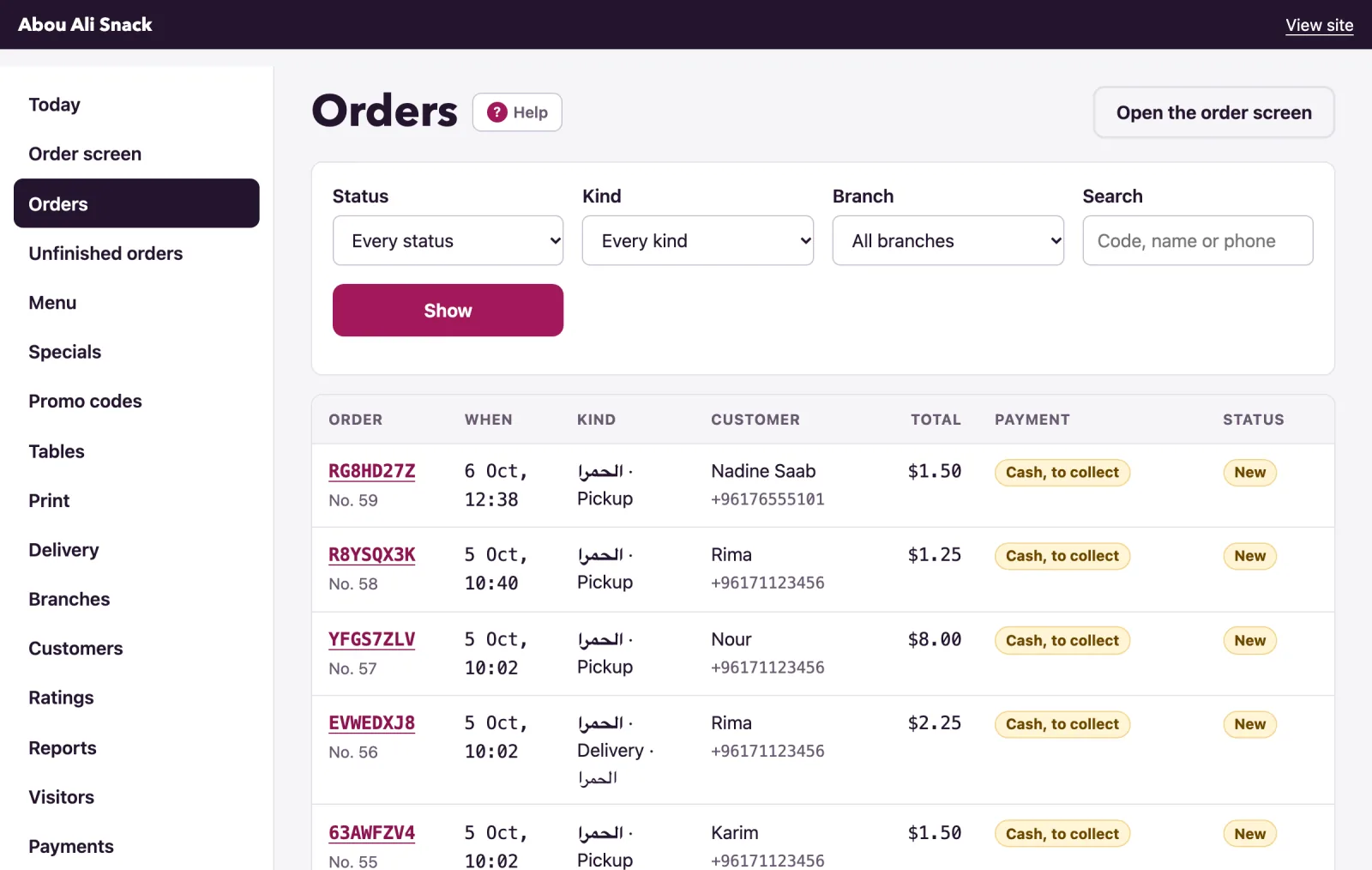
A status reads New, Accepted, Preparing, Ready, Out for delivery, Done, Rejected or Cancelled; Waiting for payment is a card order not paid yet, and New, on WhatsApp one not yet accepted from its link. The payment badge says what the money is doing, from Cash, to collect to Paid by card or Cash, given back.
An order's page
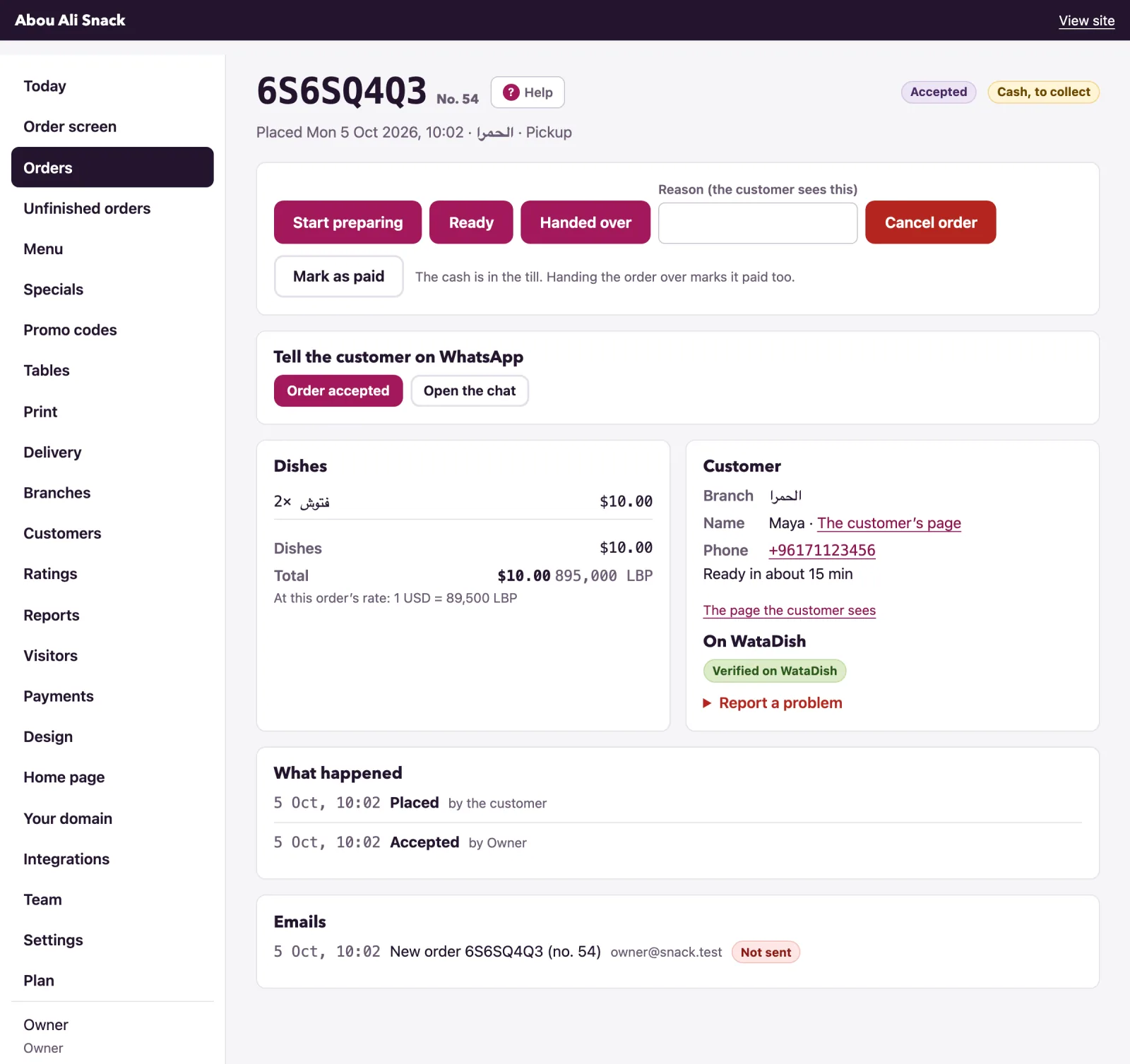
The page has the order's Dishes with their choices and the totals (Dishes, Code SUMMER10 for a promo code, Delivery, Tip, Total, in pounds too at the rate the order kept), then the Customer: name, phone, email, Area, Address and Open in Maps, notes, and the Reason if it was turned away. The customer’s page opens their history (Customers); The page the customer sees opens the order as they see it. Below are What happened, every step with its time and who pressed it (by Rima, by the customer, from the WhatsApp link), and Emails. The owner also sees What WataDish owes you on a card order.
The steps
- Accept, with Minutes until ready filled in from Settings.
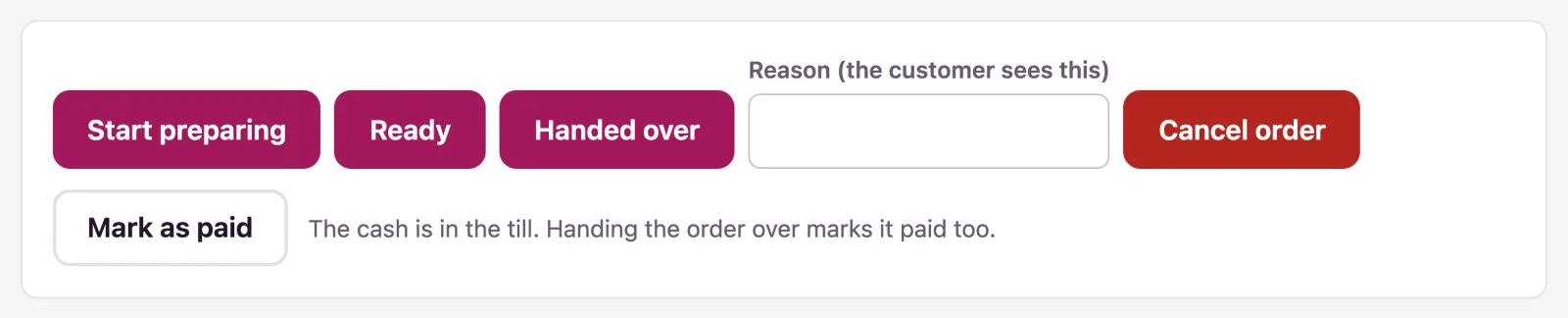
- Start preparing and Ready follow; Out for delivery appears on a delivery; Handed over finishes it.
- Reject is for a new order; Cancel order for one under way, even out for delivery. Both take a Reason (the customer sees this) and ask first, saying what becomes of any money taken.
If somebody else moved the order on meanwhile, you see That cannot be done with this order any more. Somebody may have moved it on already., and theirs stands.
What the customer sees
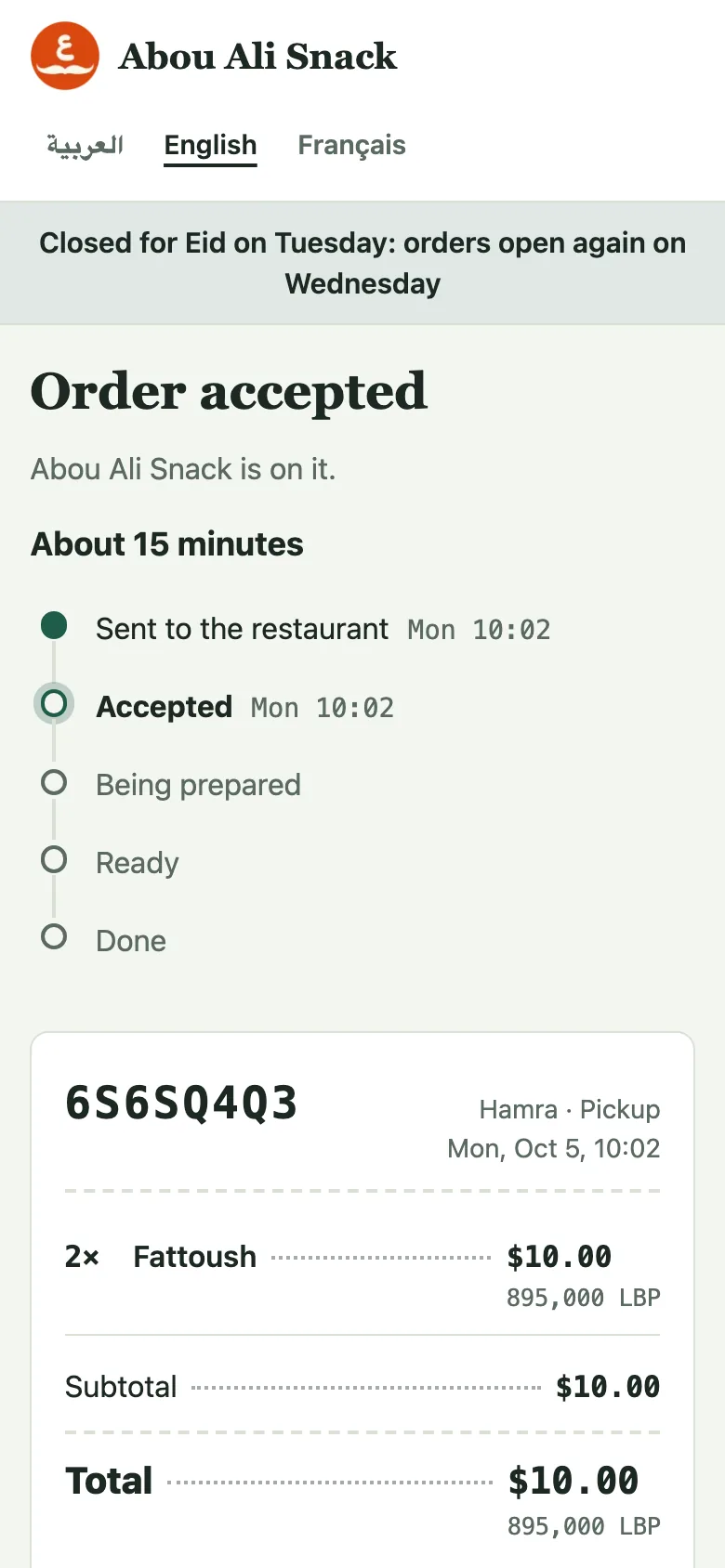
Their order's page changes by itself with each step: Order sent, Order accepted with the minutes, Being prepared, Ready, On its way, Enjoy your meal, and Order not accepted or Order cancelled with your reason, over the steps, each ticked with its time, and the ticket. When they gave an email they get one at accepted, ready, out for delivery, rejected and cancelled; the menu shows Your order ABCD2345 · Order accepted with Follow it, and Track an order in the footer finds one by its code.
Marking an order paid
A cash order has Mark as paid: "The cash is in the till. Handing the order over marks it paid too." A Whish or OMT transfer has the same button, to press once the transfer shows in your account: handing it over does not mark a transfer paid. It is refused on an order turned away. Cash taken for an order you then cancel is booked as given back, and the page says This order was paid in cash: hand $16.00 back to the customer.; a transfer is sent back on Whish or OMT.
A first order from a new number
A pickup or delivery order from a number you have not served waits with First order from this number. Press Call 71 222 333 or Ask on WhatsApp (a message asking them to confirm), then It is real: confirm; accepting first is refused. Tables, card orders, orders sent from the customer's own WhatsApp and verified numbers go straight through; the customer's page says you may call or message them first. The switch is Check a first order from a new number before preparing it in Settings, under Ordering.
Verifying or reporting a customer
On WataDish says whether a restaurant on WataDish verified this number (Verified on WataDish) and how many problems were reported in the last 12 months, by kind, never by whom. A completed order, a confirmed check or a transfer received verifies a number; Mark as verified does it by hand. Report a problem asks What happened (Fake order, Did not pick up or answer, Did not pay, Abusive, Something else) and a Note (only you and WataDish see it), then Report. Other restaurants see only the counts; a manager withdraws a report from the customer's page.
Refunds of card orders
A card order is sold by WataDish, so its refunds are WataDish's to make. Turning such an order away refunds it in full by itself, so only a manager or the owner may: staff read Paid by card: only a manager or the owner can reject or cancel it, as that refunds the customer. For part of it, or after it was handed over, use Ask WataDish for a refund: an Amount, Why, then Ask WataDish to refund. WataDish looks at it and emails you; what is refunded comes off what WataDish owes you, and the commission on it is not returned. A refund that fails is sent back by WataDish by hand.
Not found what you were looking for? Write to us at support@watadish.com or message us on WhatsApp: WhatsApp