


Help · Your site
API and webhook
Connect your own systems: API keys to read orders, menu and bookings, and a signed webhook for every event.
Included in: ProBusiness
API connects your own systems to your WataDish orders, menu and bookings: an accounting program, a kitchen display, a delivery company's software. With an API key they read your orders, move orders on and mark dishes sold out; with a webhook they are told of every order and booking the moment it happens. The page is the owner's, and it says whether your plan includes the API. The full reference, for whoever builds the connection, is at watadish.com/developers.
Making a key
- Open API. Under Your keys, write where it will be used in Name the key, such as "Kitchen display" or "Accounting", so you know which to revoke later.
- Press Make a key.
- Your new key is shown once. Copy it and keep it safe: it gives access to your orders and your customers' details on them, as your admin does.
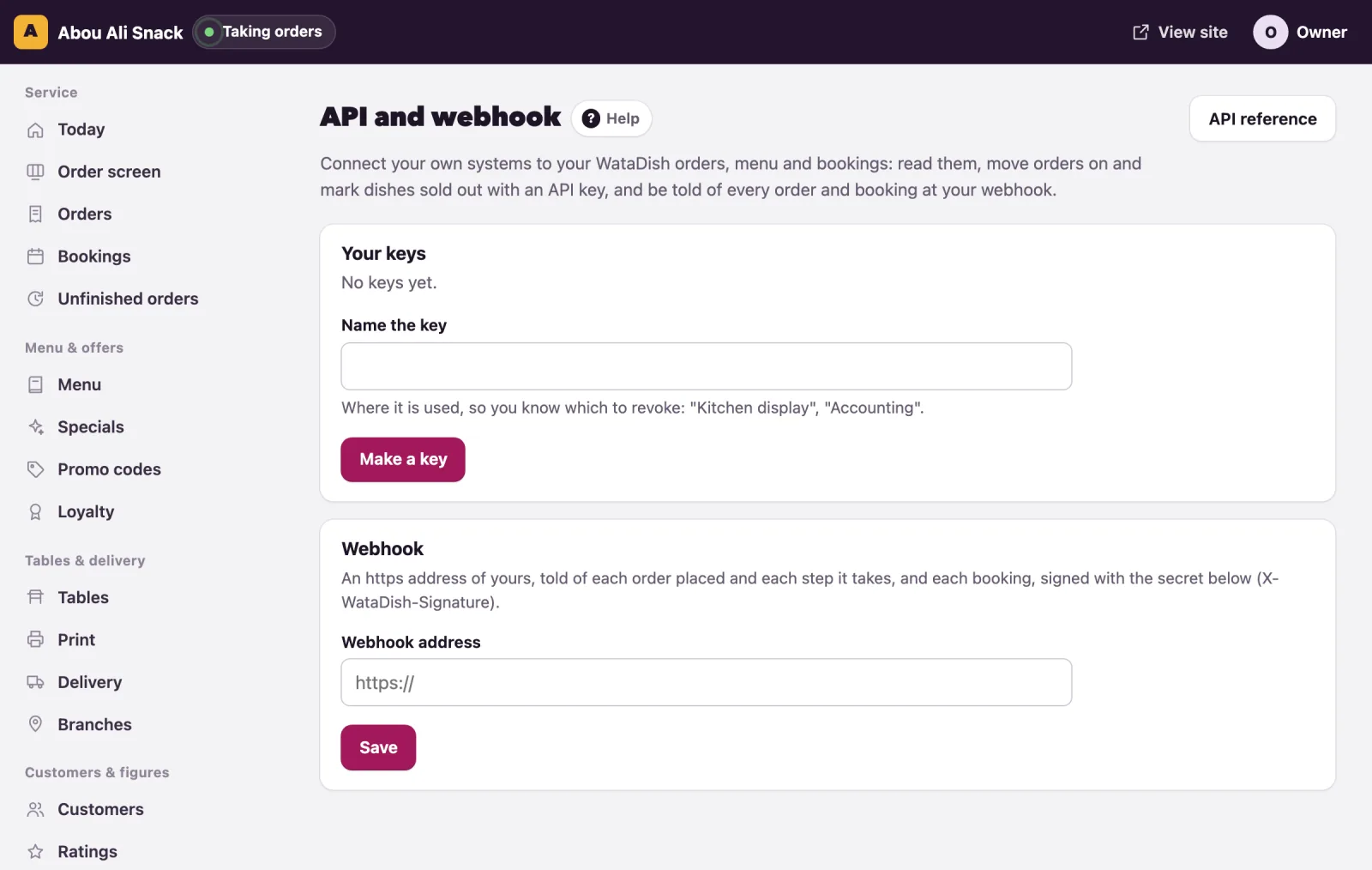
Each key shows when it was last used, or not used yet. Revoke stops a key at once, and whatever uses it stops with it: do this when someone leaves, or when a key may have been seen.
The webhook
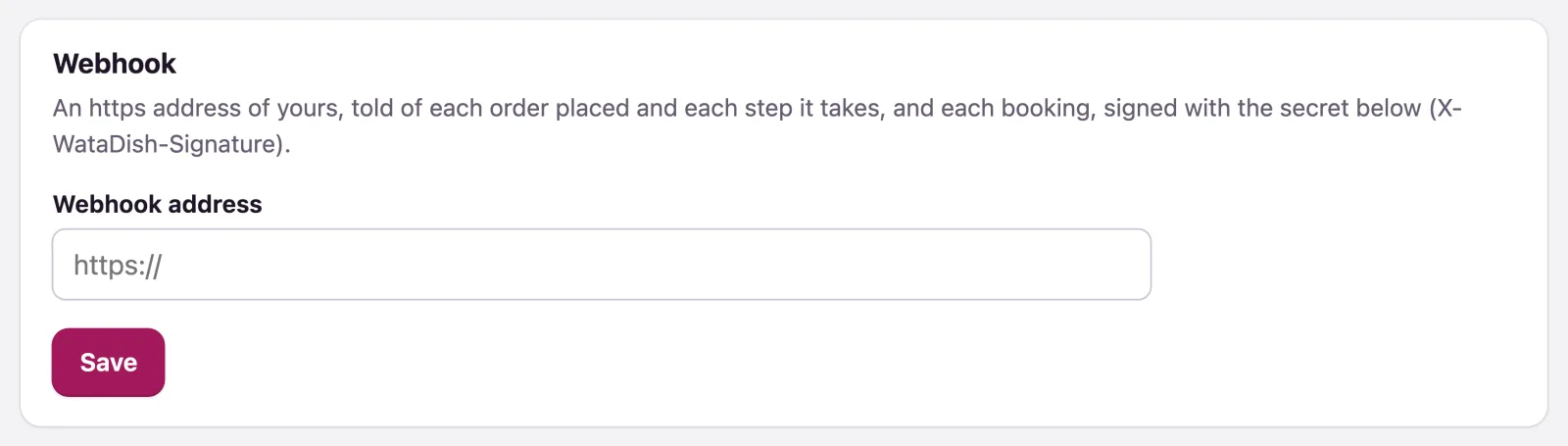
A webhook is an https address of yours that WataDish tells of each order placed, each step it takes, and each booking.
- Under Webhook, type the Webhook address. It must start with https://.
- Press Save. The page shows its Signing secret: every message is signed with it (X-WataDish-Signature), so your system can check it came from WataDish.
- Press Send a test. Your webhook answered 200. means it works.
Make a new secret replaces the secret, and the old one stops at once: give the new one to whoever runs your system first.
Customers' details through the API
The API shows a customer's number, email and address as your admin does: in full on an order being dealt with and for a day after, and afterwards only for customers who agreed to your offers. Use what you read only to run your restaurant, and keep your keys and secret safe: you are responsible for what is done with them.
Note: Keys are limited to 120 calls a minute each. WataDish announces changes to the API on its reference page.
Not found what you were looking for? Write to us at support@watadish.com or message us on WhatsApp: WhatsApp