Help · Your site
Design
Give your site its look: colours, fonts and menu layout, your logo, a cover photo or video, with a live preview.
Included in: StandardPro
Open Design in the admin to choose how your site looks. The page is a form with your site beside it: the preview follows every change you make, and nothing reaches your diners until you press Save the design. Open your site, at the top, opens the real thing in a new tab. A manager or the owner can change the design; staff cannot open the page.
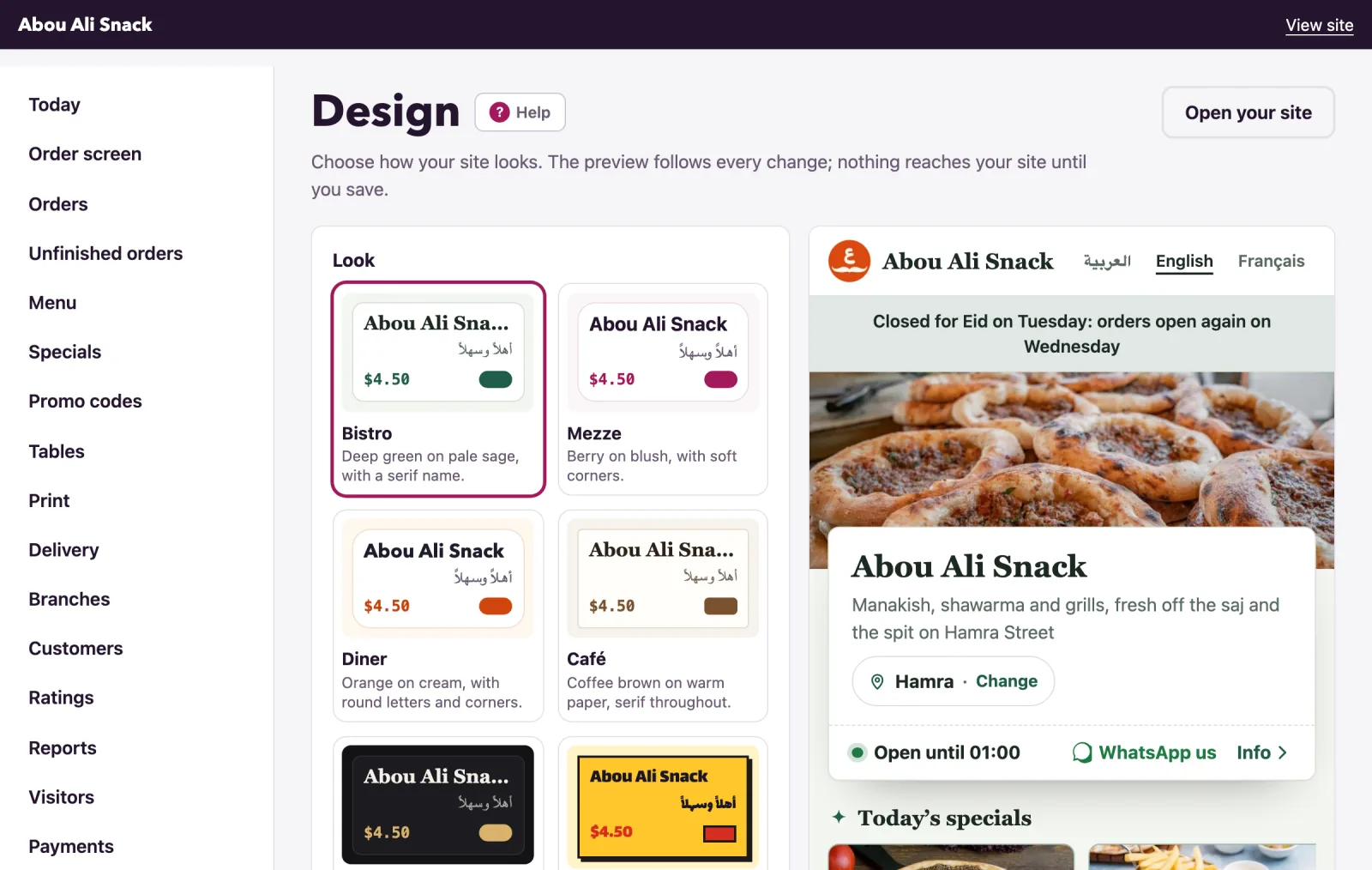
The look
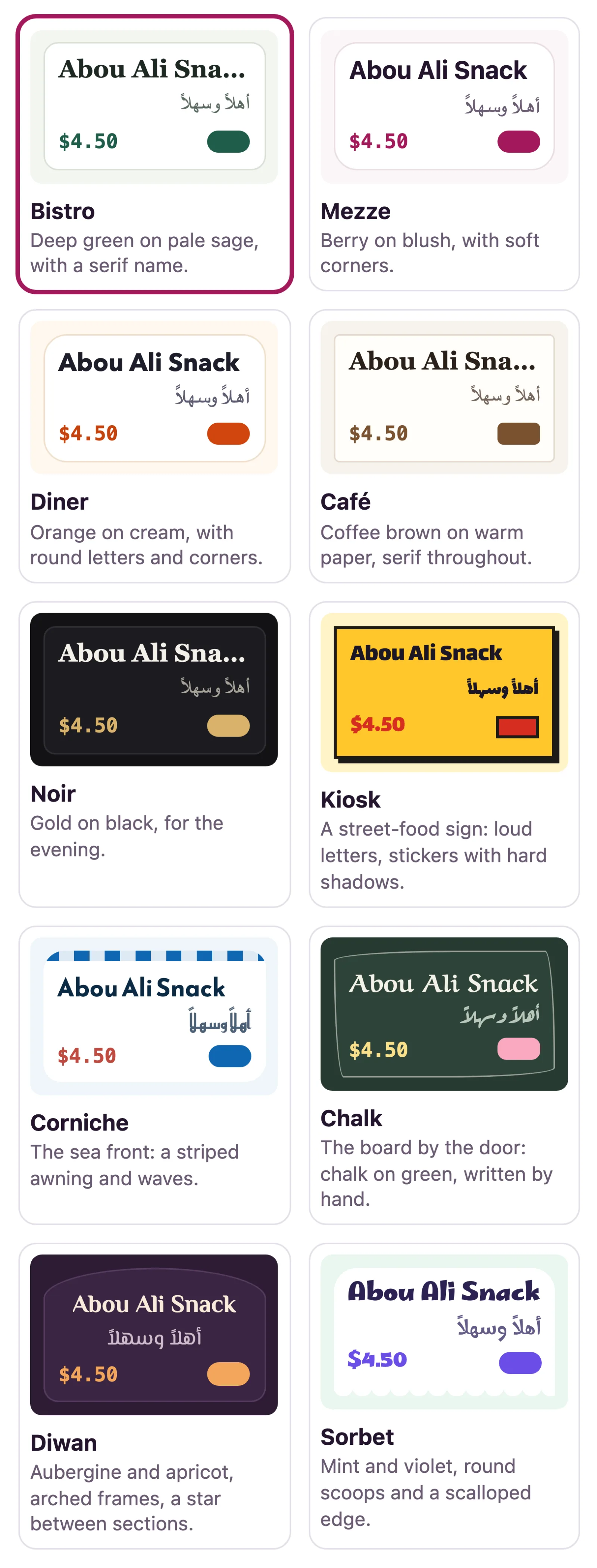
A look is a palette, a pair of typefaces and a corner shape. Each swatch under Look is drawn in its own colours, with your restaurant's name and a price in your currency on it, and its Arabic on a menu in Arabic.
- Bistro (green on sage, the plain one), Mezze (berry on blush), Diner (orange on cream), Café (coffee brown, serif) and Noir (gold on black, for the evening) are set in the phone's own fonts: a diner downloads nothing extra.
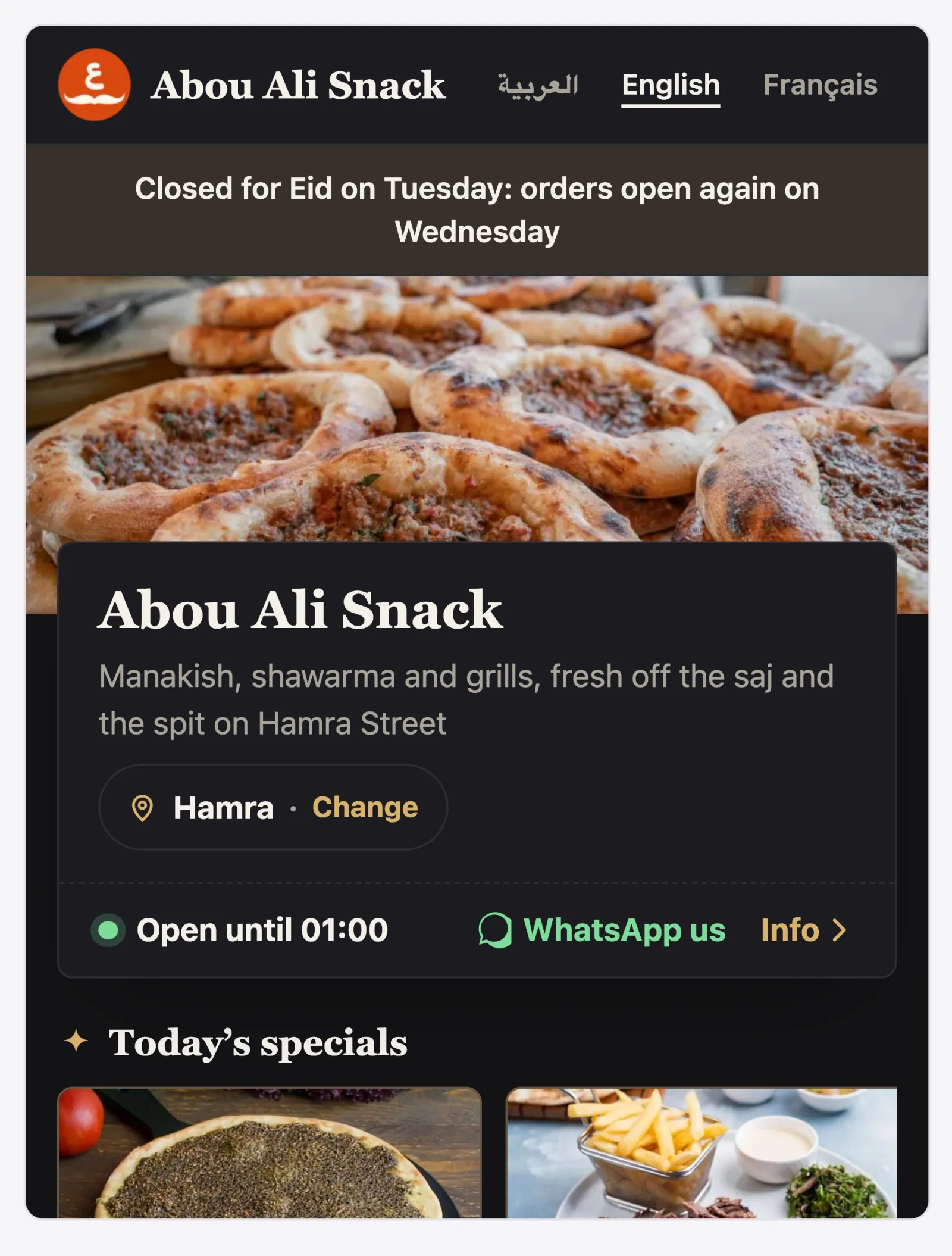
- Kiosk (a street-food sign), Corniche (the sea front), Chalk (a chalk board), Diwan (aubergine and apricot, arched frames) and Sorbet (mint and violet) each bring a typeface that writes Arabic as well as English and French, and a page downloads only its own look's fonts. Noir, Chalk and Diwan are dark looks.
Every plan comes with Bistro, the default. Where your plan includes the other looks you can choose any of them; otherwise they are shown locked, with the plan that has them named under each. A look chosen on a larger plan is kept: your site wears Bistro until your plan includes it again. A look dresses your home page too.
Your colours
Your colour is worn by the buttons and the prices. Pick it with the colour box or type it as six hex digits, like #1f5c4a; leave it empty for the look's own colour.
A second colour is worn by labels such as Popular, by "today" on your Info page and by the look's own touches; where your plan does not include it, the look's own is used.
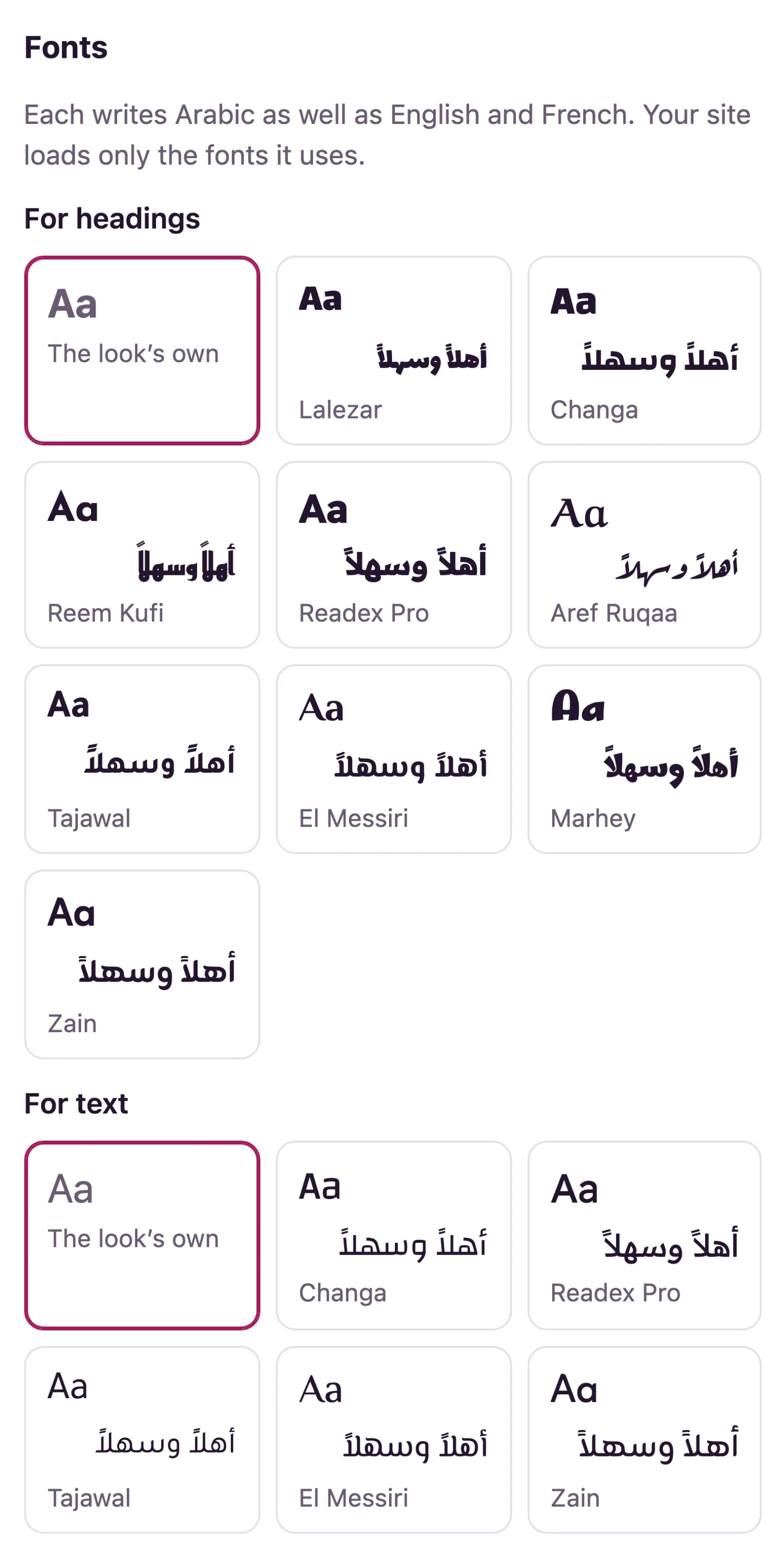
Fonts
Where your plan includes choosing your own fonts, Fonts offers one For headings and one For text, each shown in itself, with an Arabic sample on a menu in Arabic; The look's own keeps what the look came with. Every font offered writes Arabic as well as English and French, and your site loads only the fonts it uses. The louder faces are offered for headings only.
How the menu is laid out
Under Menu, choose how diners see the dishes: A list, easy to read on a phone, A grid of photos, A compact list, words only (like a printed menu, in two columns on a wide screen) or Big photos, one dish after another. The list and the grid come with every plan; the other two come with the plans that include the menu styles. A layout chosen on a larger plan stays chosen, but your menu shows as a list until the plan includes it again, and the page says so.
Words
A line under your name is your tagline; A note at the foot of the page is for parking, a halal sign, anything short. Both are written once per menu language. Where your plan includes an Info page, About you takes a few lines about the restaurant for it.
Logo, cover photo and cover video
- Logo: a JPEG, PNG or WebP up to 8 MB; a PNG with a see-through background looks best. It is kept at 400 pixels wide at most.
- Cover photo: a wide photo across the top of your menu, the same formats and size. It is kept up to 1,600 pixels wide, and phones are sent a lighter copy.
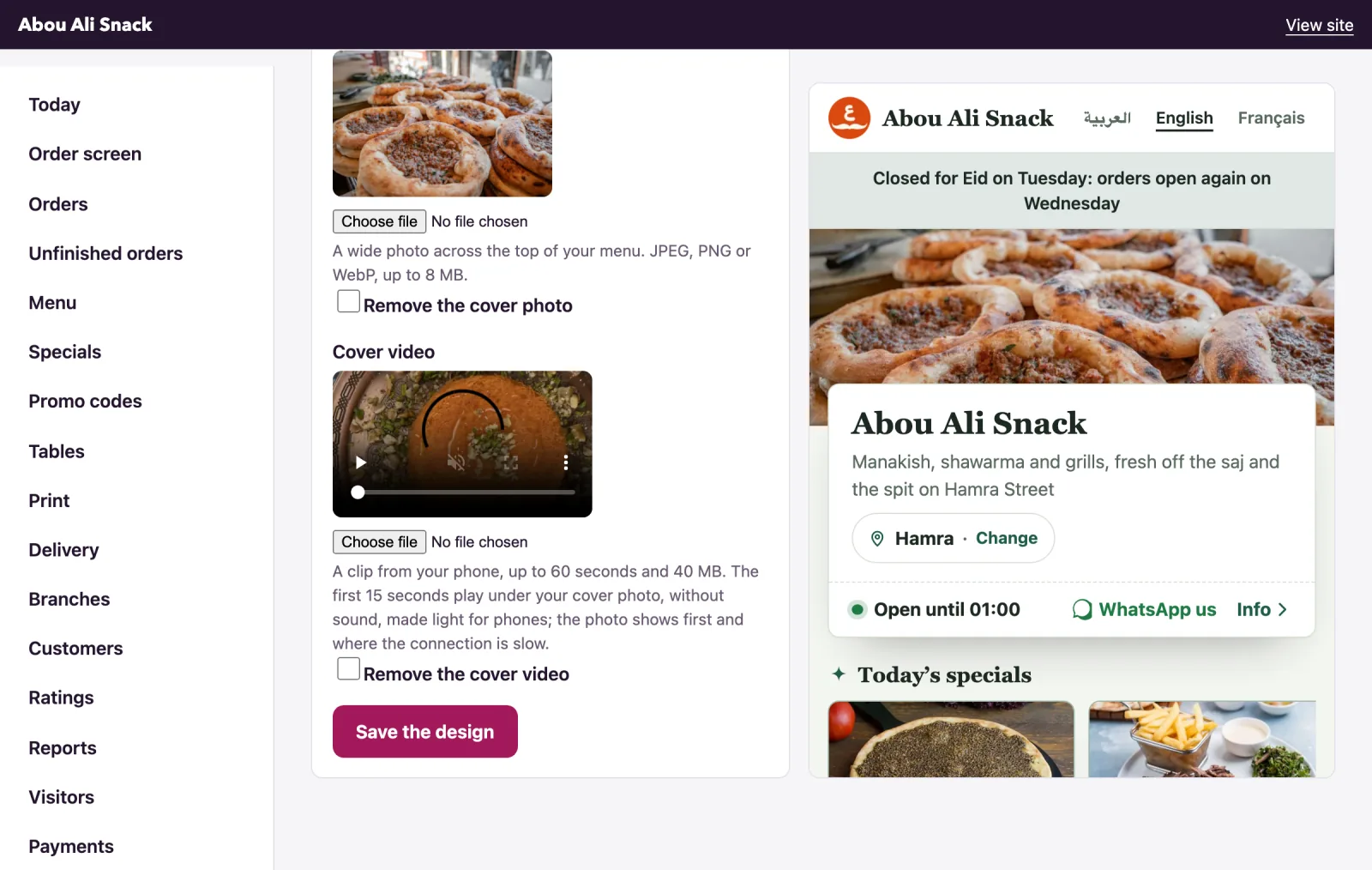
- Cover video, where your plan includes it: a clip from your phone (MP4, MOV or WebM) up to 60 seconds and 40 MB. We keep the first 15 seconds, drop the sound and make it light enough for a phone on the street, at most 720p. Its first frame is kept as a photo: diners see that first, and only that on a slow connection, with data saving on or with reduced motion. The video plays once the page has loaded, and a tap pauses it.
Tick Remove the logo, Remove the cover photo or Remove the cover video to take one off.
The preview
The frame beside the form is your menu with the unsaved choices laid over it, redrawn as you change them. Only you see it. The choices are saved when you press Save the design, and Design saved. confirms it. On a plan without a choice, the preview shows what your diners would really get.
Note: A colour that is not six hex digits stops the save, and nothing changes until you fix it. A photo or video that will not open, or a clip over a minute, is reported under its own field while everything else is saved.
Not found what you were looking for? Write to us at support@watadish.com or message us on WhatsApp: WhatsApp