Help · Customers and figures
Ratings, hearts and comments
How a diner rates a completed order, dish scores on the menu, hiding a rating, comments on a dish's page, hearts.
Included in: StandardPro
Once an order is completed (see Orders), its page asks the customer How was it?: one to five stars and, if they wish, a comment. Ratings gathers what they said, shows your average and lets you decide what customers see: each dish's score on the menu, which comments go on a dish's page, and whether dishes carry a heart. A manager or the owner opens it; staff do not. If your plan has no ratings the page says Ratings come with a paid plan: every rating is kept, and none is asked for meanwhile.
How a customer rates
The order's page (the one a customer lands on after ordering, and that their email and WhatsApp message link to) shows How was it? only once you have marked the order completed: at Ready or Out for delivery the food is still at the counter or on the road. Whoever holds the page may rate it, once; the stars are a plain form that works without JavaScript, in Arabic, English or French. After Send they see Your rating with the thanks, and the form is gone.
Your average and every rating
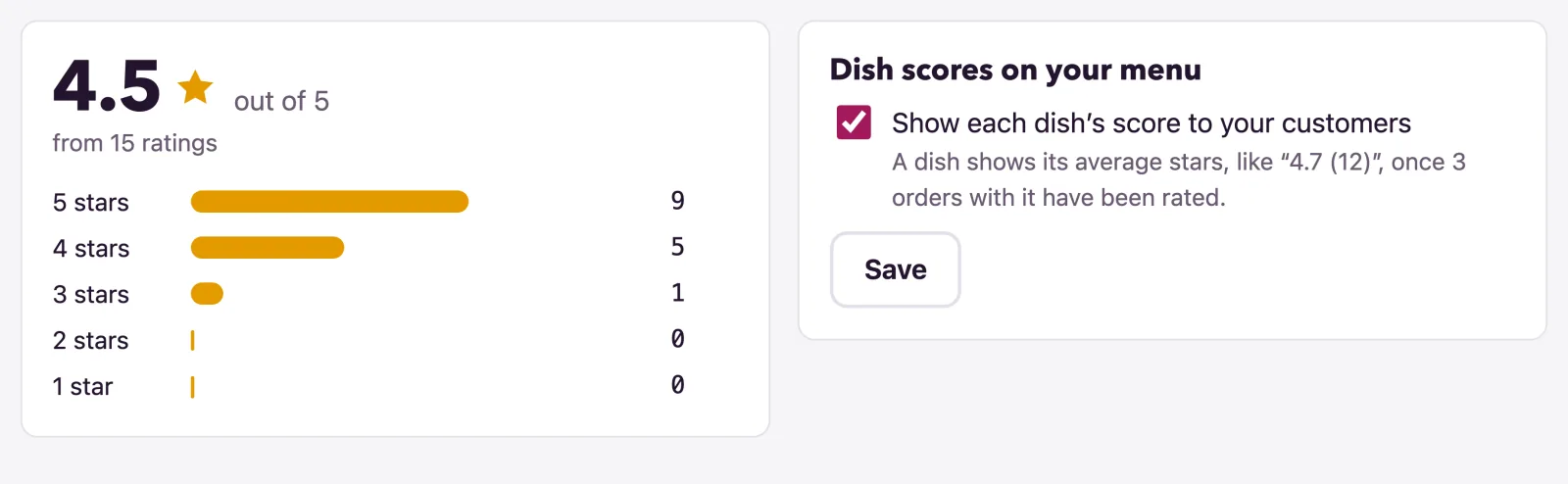
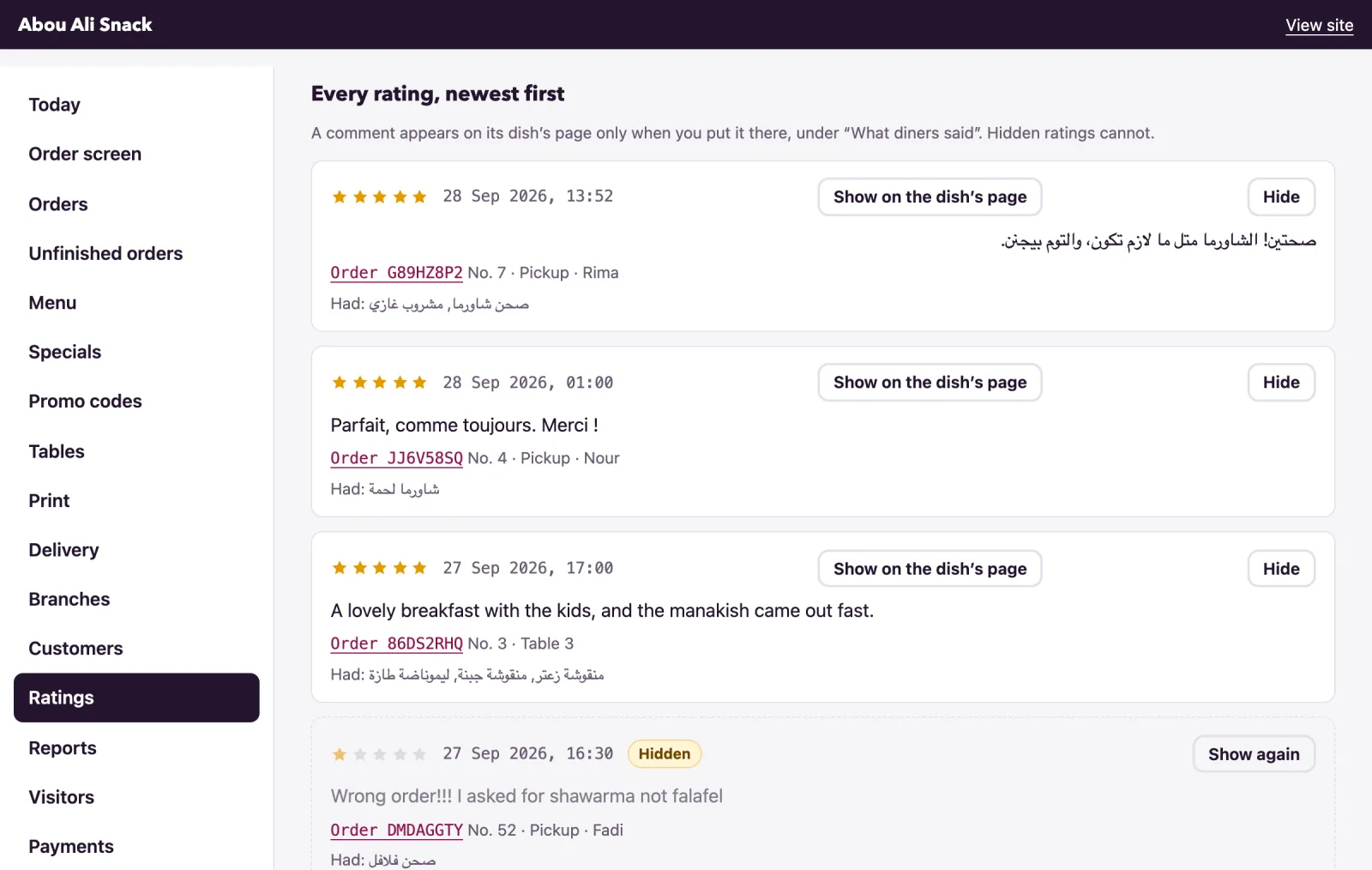
The top of the page shows the average out of 5, how many ratings it is from, and how the stars fall, five to one. Beside it is the switch for dish scores (below). Under Every rating, newest first each rating shows its stars, when it came, the comment, the order it belongs to (Order CODE, its number, where it was and the customer's name) and Had: the dishes in it. Twenty to a page: Newer and Older turn the pages. The dashboard's Ratings card counts how many are new since you last opened this page and quotes the latest; opening the page starts the count again.
Hiding a rating
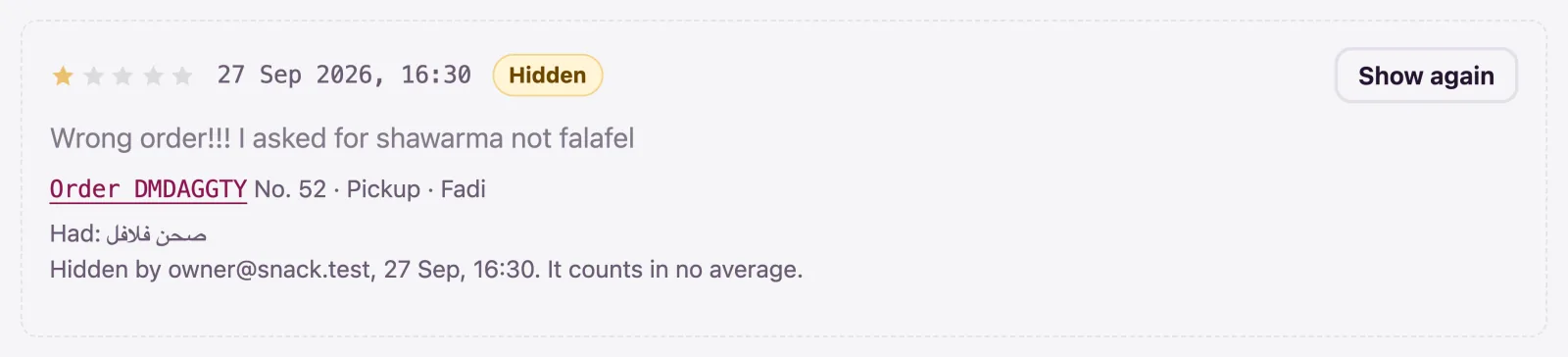
A rating you find unfair - a wrong order blamed on the kitchen, a prank - can be taken out of every average: press Hide on it. It is marked Hidden, with who hid it and when, and counts in no average and no dish score; the order's own page in the admin still shows it, and the customer is not told. Show again puts it back.
Dish scores on the menu
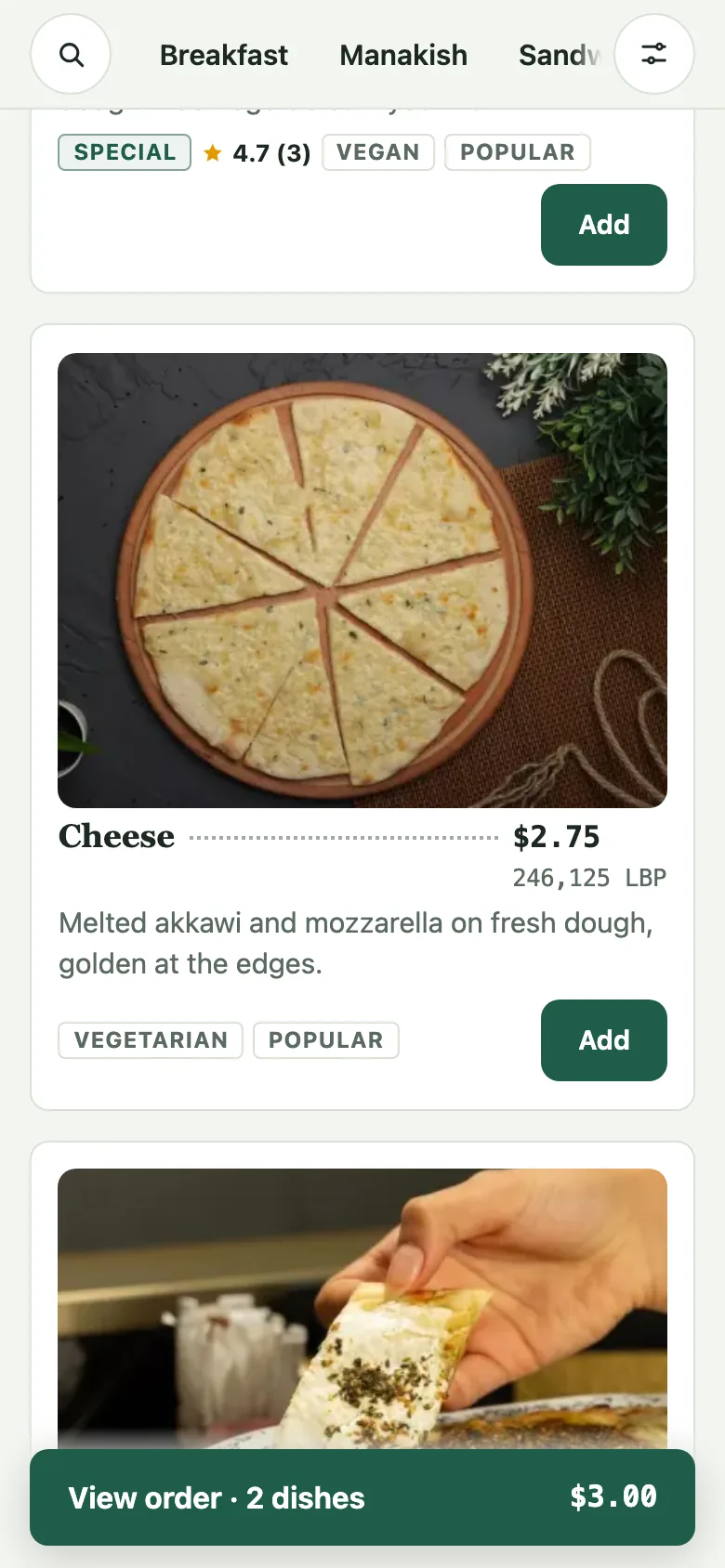
A dish's score is the average stars of the rated orders that had it. With Show each dish's score to your customers ticked (it is, until you untick it and Save), a dish shows its score on the menu and on its page, like 4.7 (12) beside a star, once three orders with it have been rated: one customer's bad evening is not a dish's reputation. Search engines are given the score too. Untick it to keep scores to yourself; the ratings still come in.
A comment on the dish's page
Comments go public only by your hand, one by one. On a rating with a comment, press Show on the dish's page: the dish's page gains What diners said, with the comment, its stars, the customer's first name (or A diner) and when it was written, in the language it was written in. Up to ten show, newest first, and the rating is marked On the dish's page in your list. Take off the dish's page removes it. A hidden rating cannot be put on a page, and nothing shows while dish scores are off.
Hearts
Every dish can carry a heart. A customer who ordered a dish here, and had it, taps the heart to say they liked it - no sign-in, one tap per phone - and the count shows beside the dish on the menu and on its page, for everyone. Nobody else can tap: a heart is a customer's word for a dish they ate. The Hearts card at the top of the page counts the hearts on your dishes so far. Untick Show a heart on every dish and Save to take hearts off the menu; Set every count to zero starts afresh, and cannot be undone. Hearts are a feature of their own: where your plan includes them, the card is here whatever the plan says of ratings.
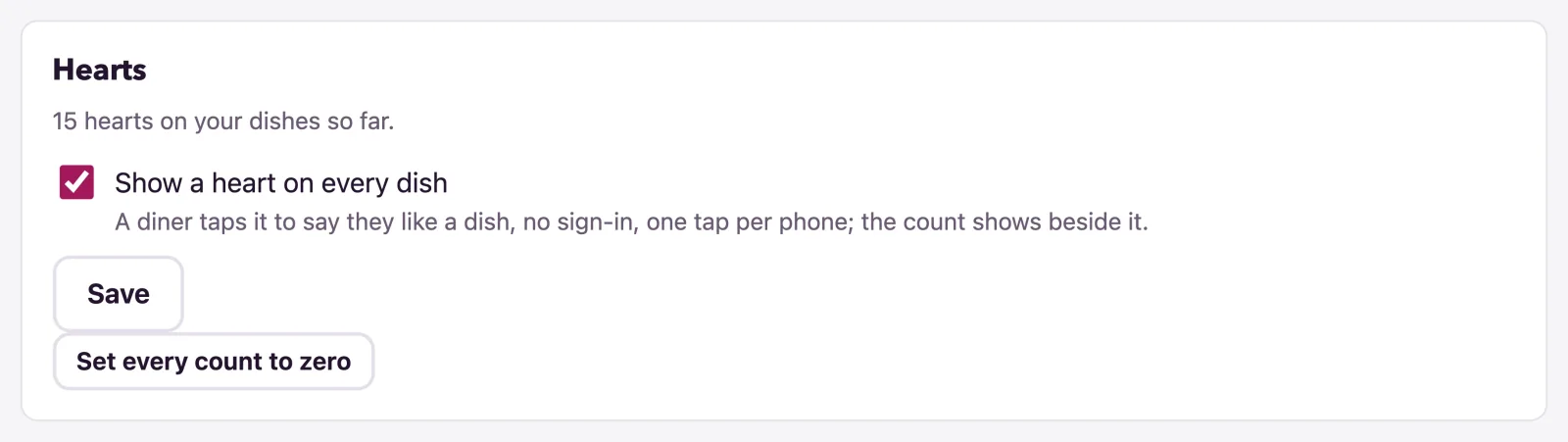
The settings on this page
- Show each dish's score to your customers: scores on the menu and the dish pages, and the comments with them.
- Show a heart on every dish: hearts on or off.
- Set every count to zero: every dish back to no hearts.
Each is a manager's or the owner's, as are hiding a rating and putting a comment on a dish's page.
Not found what you were looking for? Write to us at support@watadish.com or message us on WhatsApp: WhatsApp