Help · Tables, print and delivery
Delivery areas
Where you deliver, what it costs, the minimum order, and what the diner sees at checkout.
Included in: StarterStandardPro
Delivery areas are the neighbourhoods your own drivers go to. A street name is not an address a driver can trust, so a diner picks their area from your list and writes directions, and each area has its own fee, minimum order and time. Diners are offered delivery only while at least one area is in use; until then they order to collect or at the table. A manager or the owner looks after this page; staff do not open it.
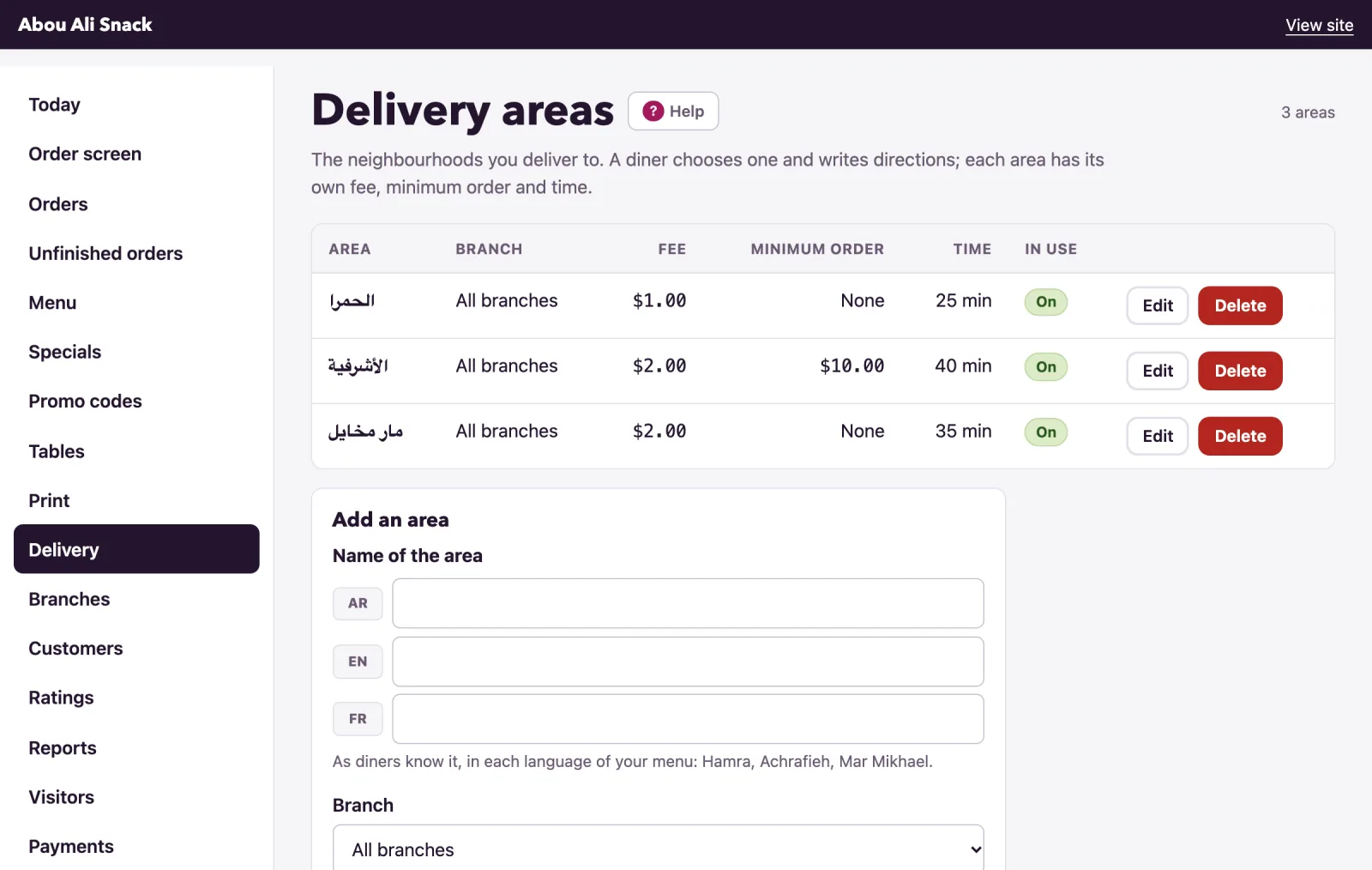
Add an area
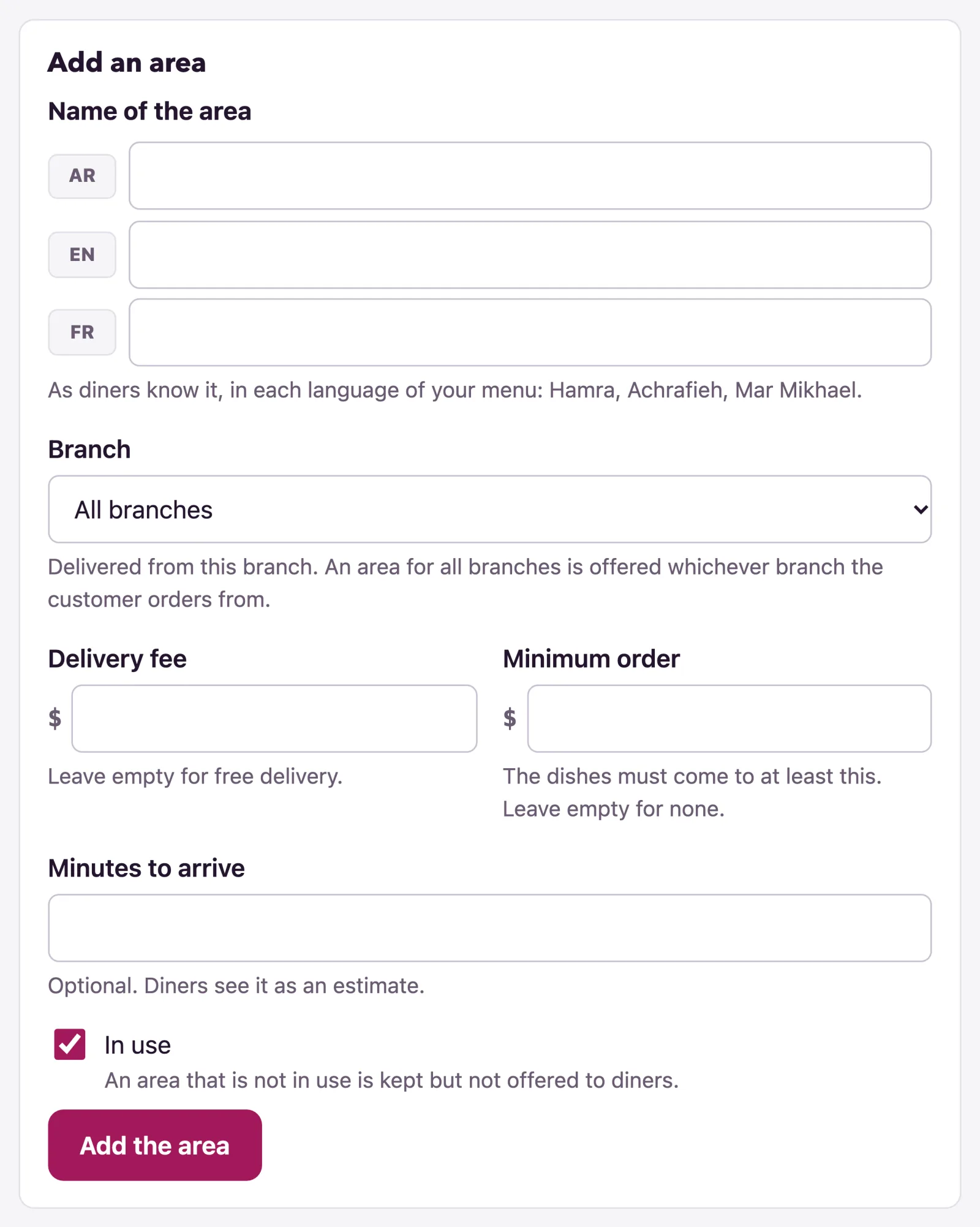
Under the list, Add an area:
- Name of the area, in each language of your menu, as diners know it: Hamra, Achrafieh, Mar Mikhael. One language is enough.
- Delivery fee, added to the order. Leave it empty for free delivery.
- Minimum order: the dishes must come to at least this, before the fee. Leave it empty for none.
- Minutes to arrive, optional: diners see it as an estimate.
- In use: an area that is not in use is kept but not offered to diners.
- Add the area.
Amounts are written with a point for the cents, as 2 or 2.50; Arabic digits are read too. Edit beside an area opens the same form as Change Hamra, and Delete removes it - orders already delivered there keep its name. The count at the top says how many areas your plan allows, and at the limit the form makes way for the way to a larger plan.
While you are taking orders, the last area in use cannot be switched off or removed if it is the only way left to order, with pickup off and nobody ordering at a table. The page says what to switch on first; to stop orders for a while, switch off Taking orders now in Settings instead.
Delivery, pickup and times
The areas say where; the Ordering tab of Settings says whether. Delivery there switches delivery on or off as a whole - off, diners are not offered it whatever the areas say, and this page says so at the top - and Pickup does the same for collecting at the counter. A restaurant can run on either, or both.
Minutes to prepare an order, on the same tab, is the earliest time a diner can ask for. On the plans with orders for later, the checkout’s When offers As soon as possible and the times after that within your opening hours, so a diner can order lunch at ten; while you are closed it offers the times you next open. There is nothing to set on the Delivery page for that.
What the diner sees at checkout
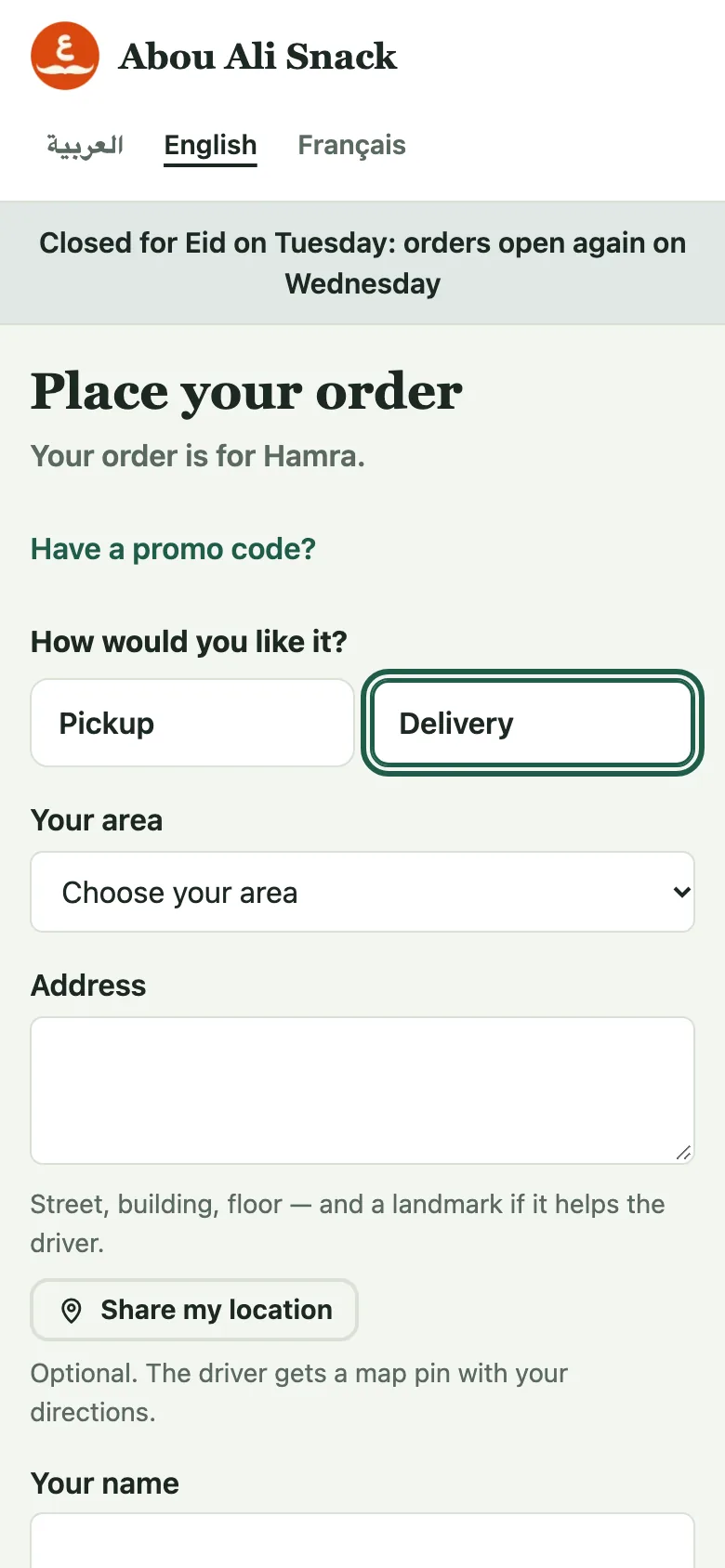
Under Place your order, with both ways on, the diner is asked How would you like it?, Pickup or Delivery. Choosing delivery shows:
- Your area: your areas in use, each with its fee - or free delivery - and its minimum, as Hamra · $1.00 or Achrafieh · $2.00 · minimum $10.00.
- Address: street, building, floor, and a landmark if it helps the driver. These are the directions the driver reads.
- Share my location, on the plans with it: one tap adds a map pin from the phone beside the directions. Optional, and taken off as easily.
The fee is added to the total as Delivery as soon as an area is chosen. An order below the area’s minimum is refused with Orders delivered to Achrafieh start at $10.00: the minimum is on the dishes, before the fee. Then the rest as for any order: name, mobile number, when, notes, and how to pay.
In the admin and on the order screen a delivery order shows Delivery · Hamra, the address under Deliver to, and Open in Maps where the diner shared their location. It has one step more than a pickup, Out for delivery, which the diner follows on their order page too.
Areas at a branch
With branches, each area has a Branch: delivered from that branch, and offered only to a diner ordering from it. An area for All branches is offered whichever branch the diner orders from. A branch’s poster says it delivers only when it has an area of its own, or one for all branches.
Note: delivery comes with the plans that include it. On a plan without, the page keeps your areas for when it does.
Not found what you were looking for? Write to us at support@watadish.com or message us on WhatsApp: WhatsApp