


Aide · Votre menu
Importer un menu
Collez votre menu en texte, voyez comment il est lu, et ajoutez ses sections et ses plats à votre menu en une fois.
Inclus dans toutes les formules.
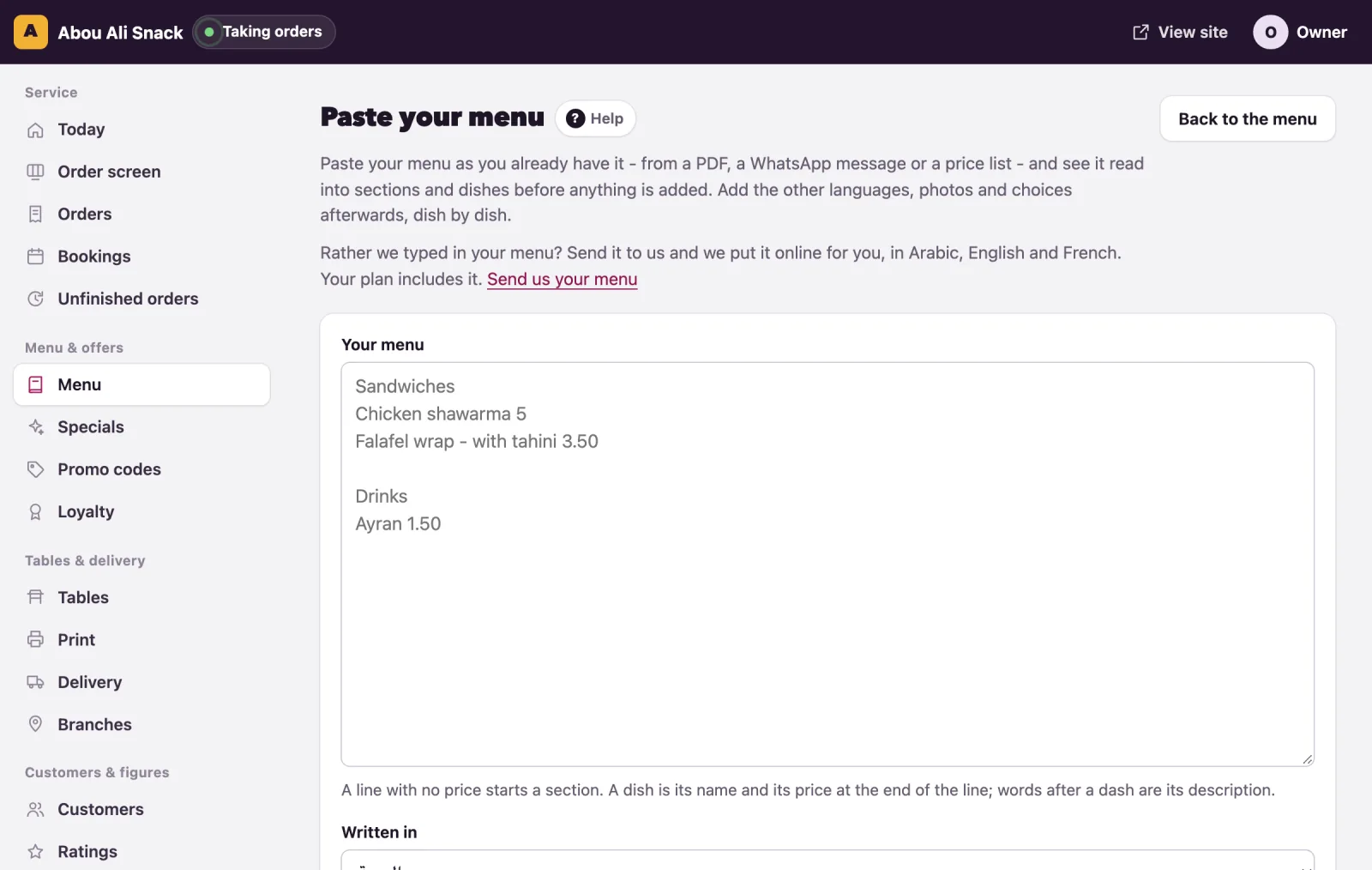
Open Menu, then Paste your menu. Paste your menu as you already have it, from a PDF, a WhatsApp message or a price list, see it read into sections and dishes, and add them all at once: one paste instead of a form for every dish. It is how a menu goes in on the day you start. The other languages, photos and choices are added afterwards, dish by dish. The owner and managers can do it; the page comes with the plans that include it, and says "This comes with a larger plan" on the others.
How the text is read
The reader follows the way people already write menus. Each line is read on its own:
- A line with no price starts a section. A
#in front of a line, or a:after it, makes it a section too. - A dish is its name and then its price, last on the line: "Chicken shawarma 5". The currency's sign or code may sit on either side of the price, and a comma works as the decimal point ("3,50"), or as a thousands mark in a price with no decimals ("1,250").
- What follows a dash with spaces around it, or a colon, is the dish's description: "Falafel wrap - with tahini 3.50".
- Arabic digits and the Arabic decimal point are read as numbers, and stay as they are in a dish's name.
- A line that gives the price in both currencies ("Pepsi $1 | 90,000") takes the one in your menu's currency.
- Empty lines, and lines of dashes or dots, are skipped. A dish with no section above it goes into one called "Menu".
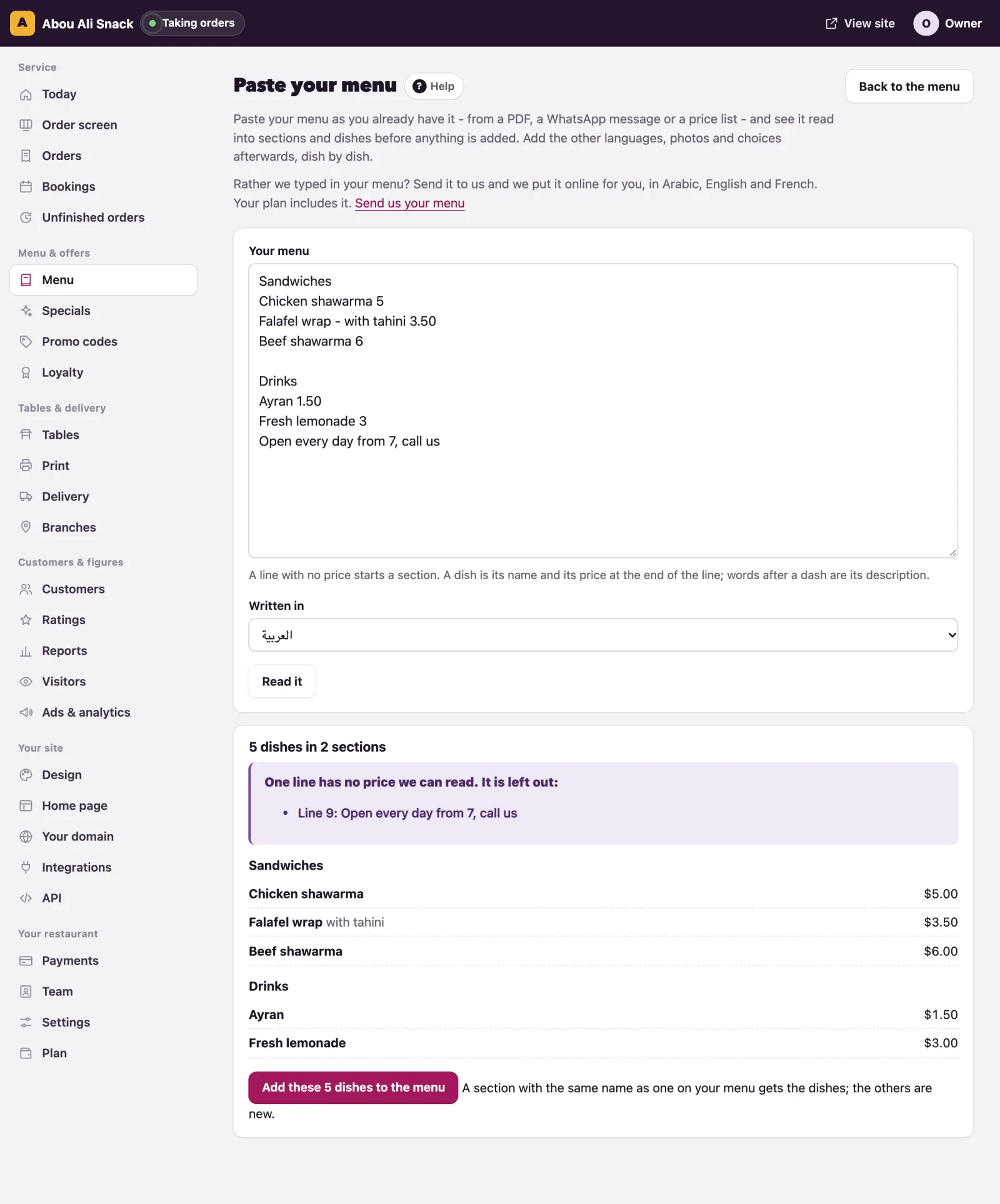
- A line with a number but no price that can be read for sure is left out and listed by its line number, rather than guessed at: "Open daily 12", a name that ends in a figure, a price of nothing.
- A paste holds up to 600 lines. A section with nothing under it is left out.
Paste, read, add
- Paste the text into Your menu. The box shows an example of the shape.
- Where your menu has more than one language, choose Written in: the language the text is in. Every name and description goes in as that language.
- Press Read it. The page shows what it made of the text, "14 dishes in 3 sections", each section with its dishes, their descriptions and their prices, and any lines it left out: "2 lines have no price we can read. They are left out:". Nothing is added yet. If the reading is wrong, fix the text and read it again.
- Press Add these 14 dishes to the menu. The page says "14 dishes added. Check them on the menu." and opens the Menu page.
What is added
- A new category for each section, named as in the text, in that language only.
- A dish for each line, with its name, its description and its price, sold by each, shown on the menu, with no photo, labels, allergens, details or choices.
- A section with the same name as a category already on your menu, in that language, gets its dishes at the end of that category; the other sections are new. Dishes are never matched: pasting the same text twice adds every dish twice. Nothing on your menu is changed or deleted.
What to check afterwards
- On the Menu page, read through the prices and the order of the categories; move what the arrows should move.
- Open each dish with Edit to add its name in the other languages, its labels and allergens, its sold-by unit, and the groups it offers under Sizes and extras.
- Open Dish photos and give the dishes their pictures (see Dish photos).
- Switch off, with Show this dish on the menu, anything that was on the paper but is not on sale.
What stops an import
- Where your plan caps the number of dishes, a paste with more than the room left is read but not added: "This is 40 dishes, and your plan has room for 12 more (it allows 50)." Take some out of the text, or move to a larger plan.
- On a closed account the page can be looked at, but nothing is added.
Tip: Where your plan includes your menu put online by WataDish, the page also offers Send us your menu: we type it in and put it online for you, in Arabic, English and French.
Vous n’avez pas trouvé ce que vous cherchiez ? Écrivez-nous à support@watadish.com ou envoyez-nous un message sur WhatsApp: WhatsApp