


Aide · Votre menu
Menus combinés
Un prix fixe pour une formule composée de vos propres plats, choisis étape par étape : un plat, un accompagnement, une boisson.
Inclus dans : StarterStandardProBusiness
A meal deal sells a combination at one price: any sandwich, a side and a drink for $7, or any three manakish for $4.75. You build it from the dishes already on your menu, in steps, and your customers pick one or more dishes in each step. The names, photos and prices are the dishes' own, so a deal never needs retyping when a dish changes. The owner and managers make deals; staff mark one sold out from the Menu page, as they would a dish.
Make a deal
- On Menu, press Add a meal deal (or Make a meal deal on the form for a new dish).
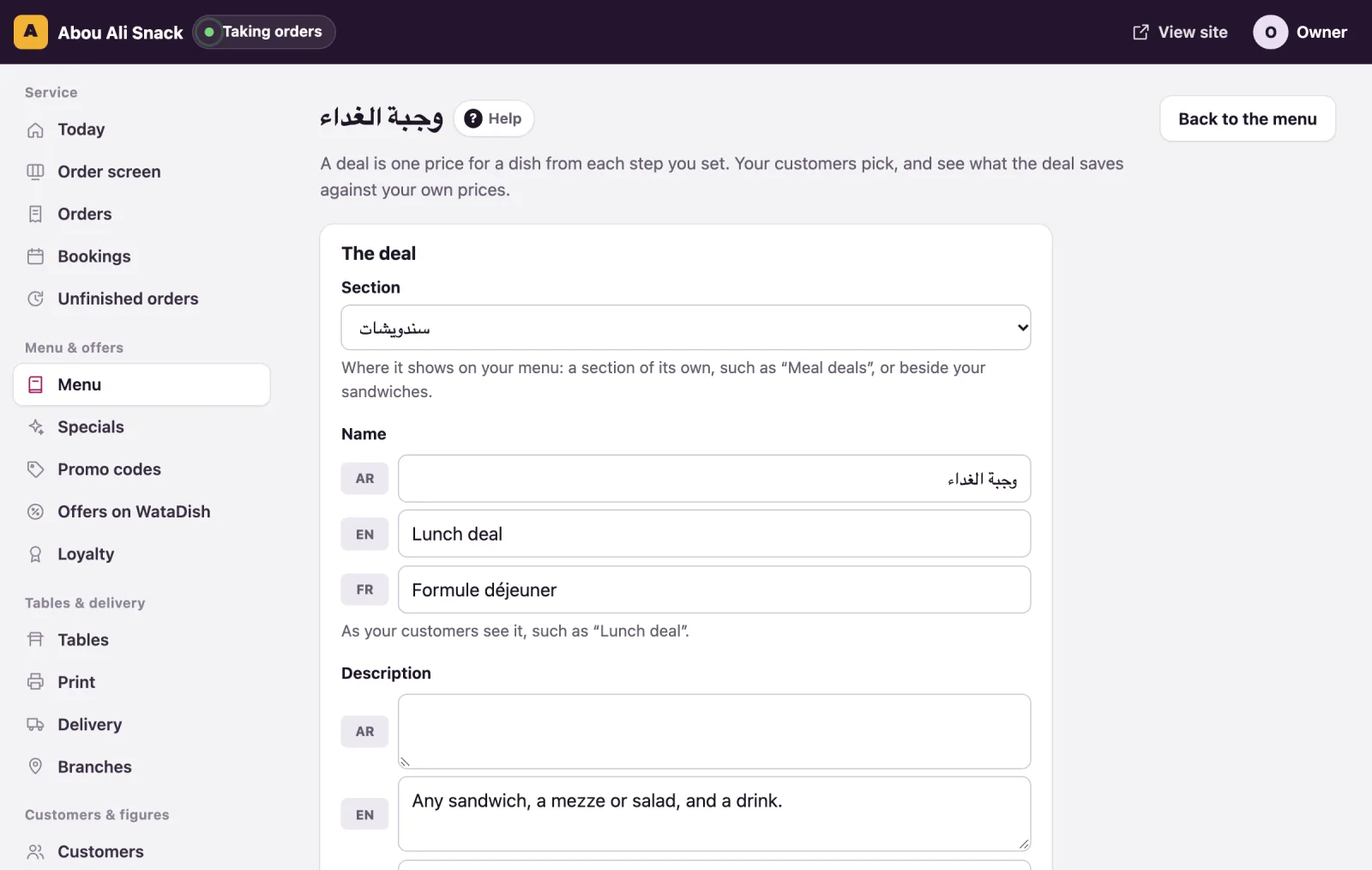
- Under The deal, choose its Section: the category of your menu it shows in, one of its own such as "Meal deals", or beside your sandwiches.
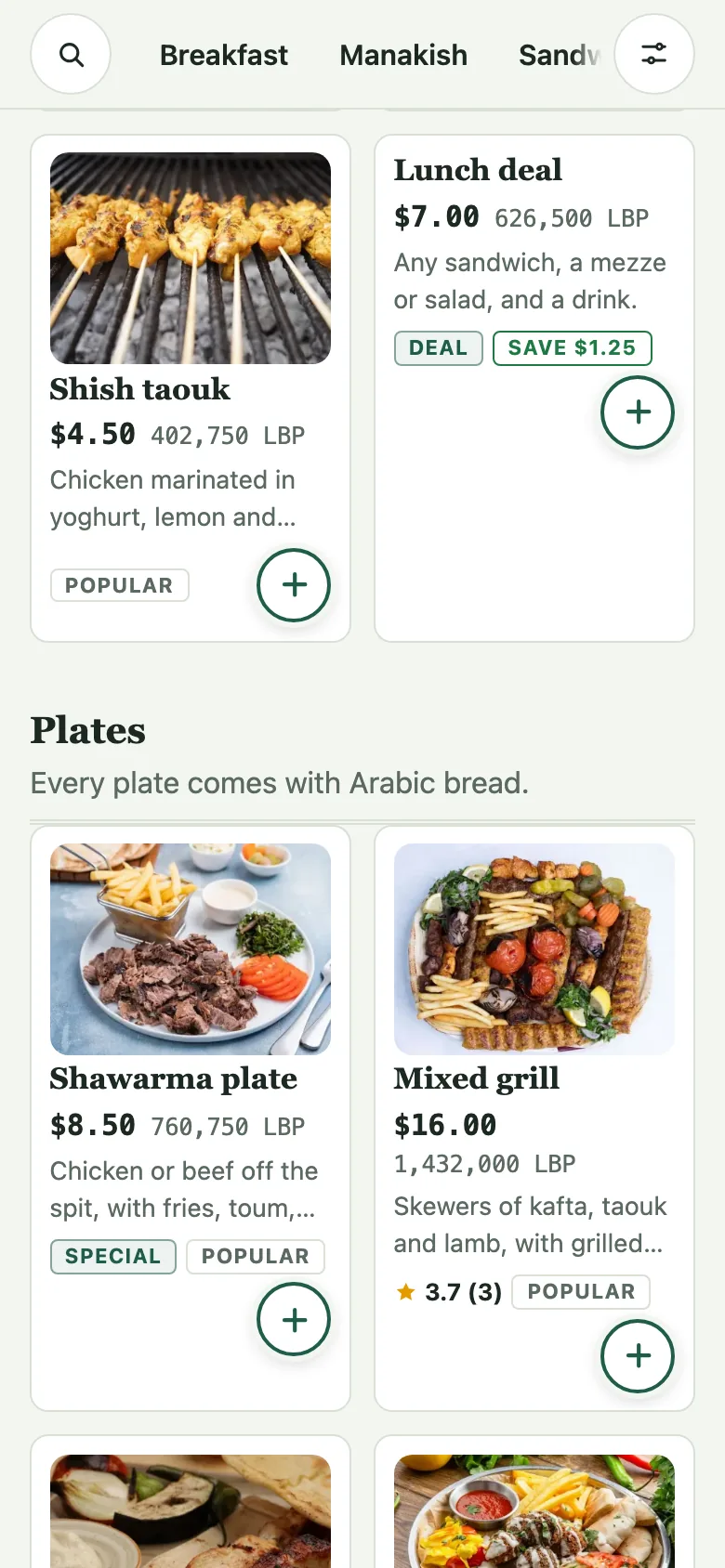
- Give its Name in each language of your menu, such as "Lunch deal", and if you like a Description saying what is in it: "Any sandwich, a mezze or salad, and a drink."
- Type the Deal price: what the deal costs whichever dishes are picked, before any extra charge you set below.
- Add a Photo if you have one, and leave On the menu ticked. Unticked, the deal stays here without being shown.
Its steps
Each step is one question your customers answer, in the order you set. For each step:
- Give it a Title in each language, such as "Choose your sandwich".
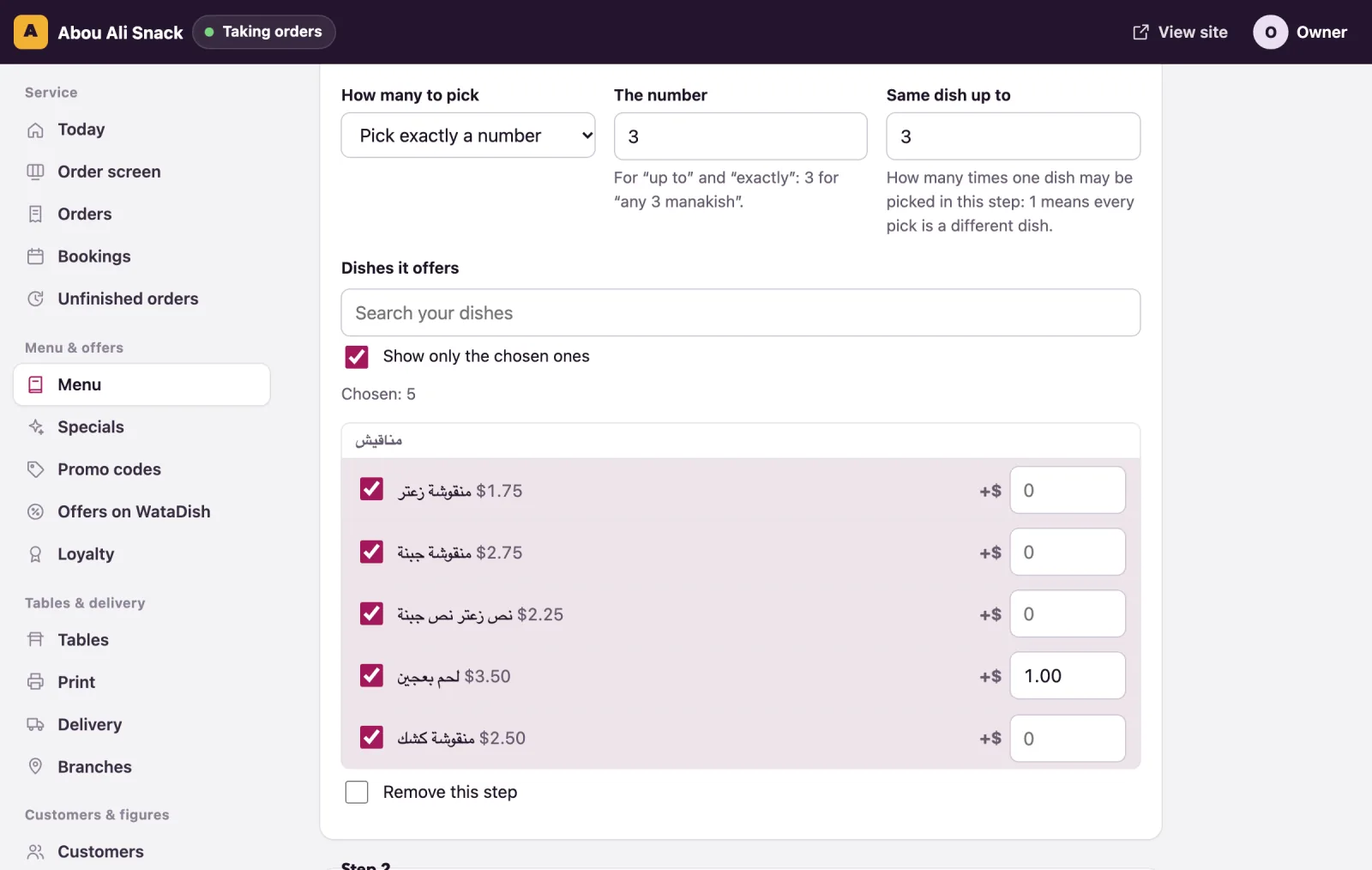
- Choose How many to pick: - Pick 1: exactly one dish, required. Customers see "Choose one". - Pick exactly a number: say 3 under The number for "any 3 manakish". Required. - Pick up to a number: none, or up to the number. Optional. - Optional extra (up to 1): one or none, such as a dessert to add.
- For the two with a number, Same dish up to says how many times one dish may be picked in this step: 3 lets a customer take three zaatar; 1 means every pick is a different dish.
- Under Dishes it offers, tick the dishes of your menu this step offers. Search your dishes finds one in a long menu, and Show only the chosen ones hides the rest.
- Beside a ticked dish, type an extra charge if it costs more inside the deal: 0.50 for beef instead of chicken. Left empty, it costs nothing more. There are no discounts inside a deal: its price is the deal's.
The form always ends with an empty step: fill it in to add one, or press Add another step for more. The arrows on a step move it up or down, and Remove this step takes it out when you save. A deal has up to 8 steps, and a step offers up to 40 dishes.
When you Save, the page says "Meal deal saved." and takes you back to the menu, where the deal carries a "Deal" tag. Edit beside it opens the deal again. The form says on the step what could not work: a step needs a title and a dish, and "exactly 3" from two drinks picked once each could never be filled.
What it saves
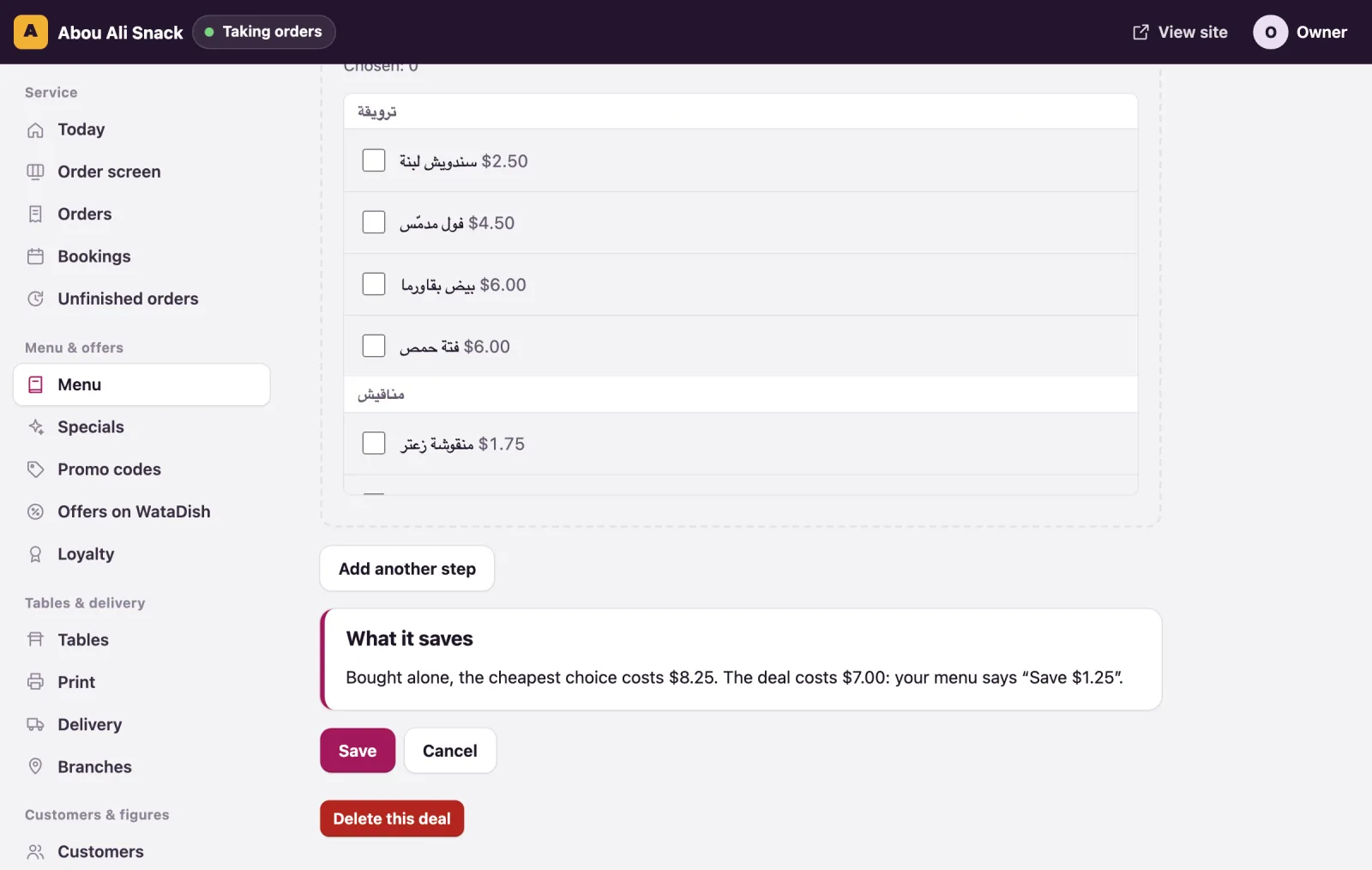
Under the steps, What it saves works out the saving from your own prices as you change the form: the cheapest way to fill the required steps, bought dish by dish, against the deal's price. "Bought alone, the cheapest choice costs $8.25. The deal costs $7.00: your menu says “Save $1.25”." A saving under 5%, or under half a dollar, is not mentioned on the menu. Change a dish's price and the saving follows.
Sold out and stock
A deal follows its dishes. A dish that is sold out, switched off or not served at that hour is greyed inside the deal, and the others can still be picked. If a required step has nothing left to pick, the whole deal shows as sold out until one of its dishes is back; the deal's page in the admin warns you on that step. Where your plan counts stock, a deal takes from the counts of the dishes picked in it, and a cancelled or refused order gives them back.
You can also press Mark sold out on the deal's row of the Menu page, as on any dish. A deal counts as a dish towards your plan's dish limit. While your menu is kept in Amberlock POS, meal deals cannot be made.
What customers see
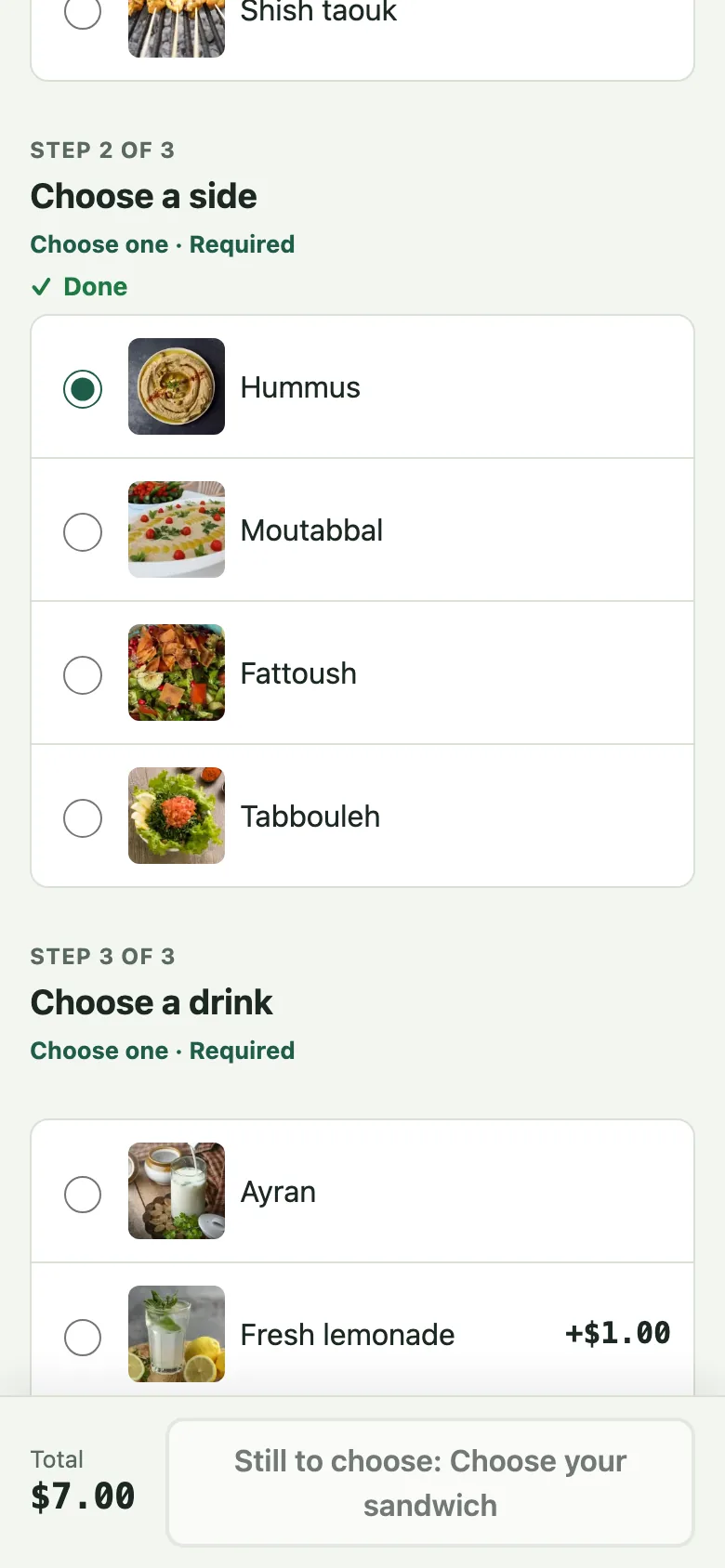
On the menu the deal sits in its category with a "Deal" tag and, where worth saying, "Save $1.25". Its page lists the steps in one scroll: "Step 1 of 3", the title, and how many to choose, such as "Choose one · Required". Each dish shows its own photo and name, with "+$0.50" beside one that costs more. A bar at the foot keeps the total and the button: until every required step is filled it says what is still to choose, such as "Still to choose: Choose your sandwich", then Add to order.
The basket, the checkout, the order's page, the kitchen's screen, the receipt and the WhatsApp message show the deal with the dishes picked under it, "· 2× Zaatar" where one was picked more than once. The order is charged the deal's price plus any extra charge picked.
Vous n’avez pas trouvé ce que vous cherchiez ? Écrivez-nous à support@watadish.com ou envoyez-nous un message sur WhatsApp: WhatsApp