


Aide · Clients et chiffres
Fidélité
Votre propre carte de fidélité, points ou tampons, des récompenses sur une commande, Apple Wallet et Google Wallet, et WataDish Rewards.
Inclus dans : StandardProBusiness
Loyalty rewards the customers who come back. They collect points or stamps on every completed order and spend them as money off a later one. Each customer's card has its own page, and they can add it to Apple Wallet or Google Wallet to keep it on their phone. The page is a manager's or the owner's, and it says whether your plan includes your own card: without it, cards and points are kept, and nothing is earned or spent until your plan has it again.
There are two kinds of points, and a customer can have both:
- Your own card: points or stamps with you only, on the rules you set. Only you give its rewards.
- WataDish Rewards: points customers earn across WataDish, spent only at restaurants that take part.
Your loyalty card
- Open Loyalty. Under Your loyalty card, tick Run my loyalty card.
- Choose How customers collect: - Points for what they spend: points for every whole dollar of dishes on a completed order, after any promo code. Points per dollar is how many; 1 is usual. - A stamp for every order: one stamp per completed order, like a paper card. Smallest order that earns a stamp keeps a can of soda from earning one; leave it empty for any order.
- Points or stamps for a reward: for example 100 points, or 10 stamps.
- What a reward takes off: money off the dishes of one order, never more than they cost. You give it: it comes off the order's total.
- Press Save. Your loyalty card is on.
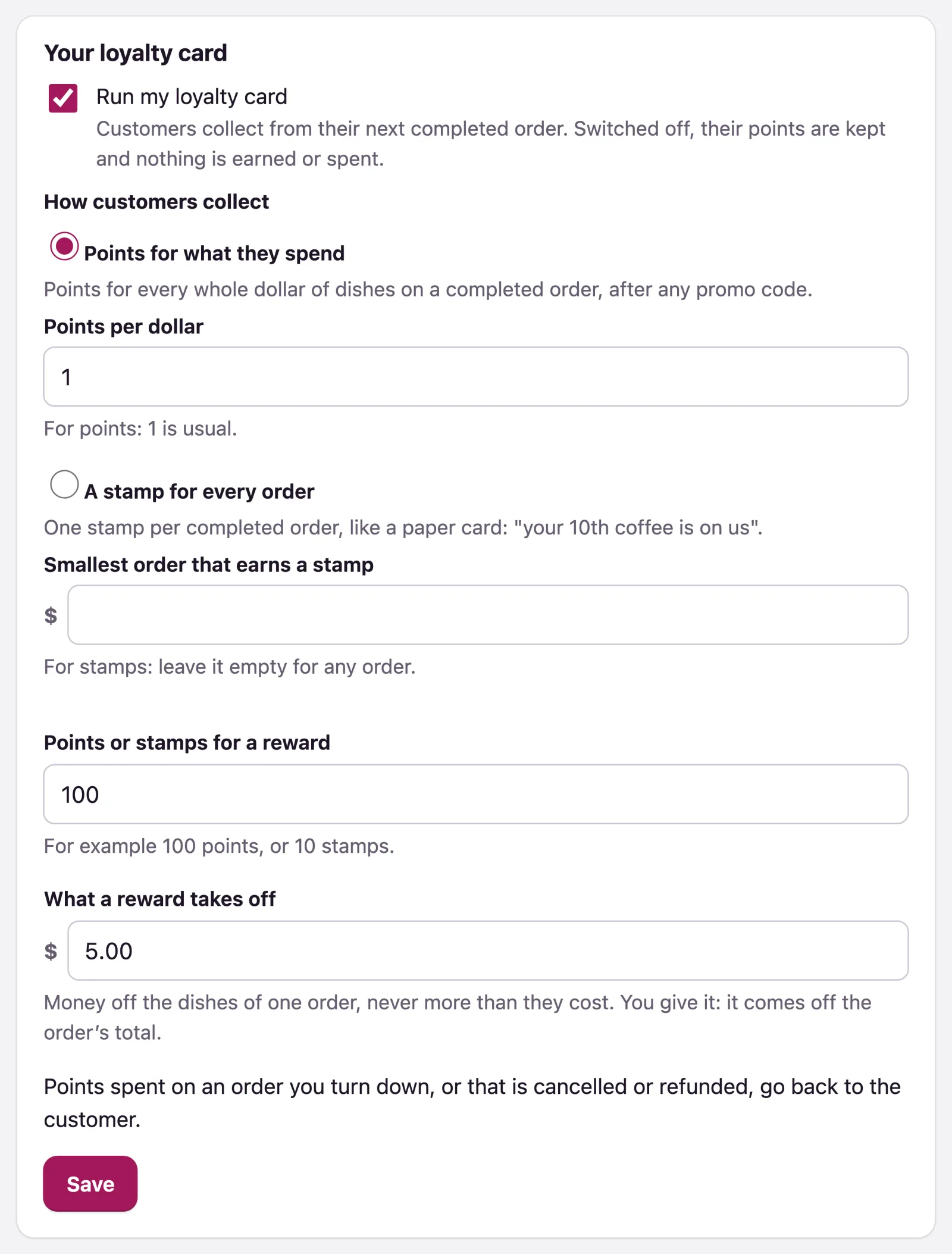
Customers collect from their next completed order. An order turned down, cancelled or refunded gives back the points spent on it, and takes back the points it earned. Switching the card off keeps everyone's points: nothing is earned or spent until you switch it on again.
What customers see
On your site, when a customer has a reward ready, the checkout offers it under Your rewards, as money off the dishes. Each order's page says what it earned once it is completed. Their card has its own page, with a stamp grid or a progress bar in your colours and logo, and buttons to add it to Apple Wallet or Google Wallet. The wallet card updates by itself within a few minutes of each order.
A customer signed in with their WataDish account spends their points on any phone they sign in on. Anyone else needs their card's private link: typing someone's phone number at the checkout can never spend their points.
Your loyalty card so far
Your loyalty card so far counts the Customers collecting, the Points earned or Stamps earned, the Rewards spent and the Money off given. Under it, each customer with their Balance and Last activity.
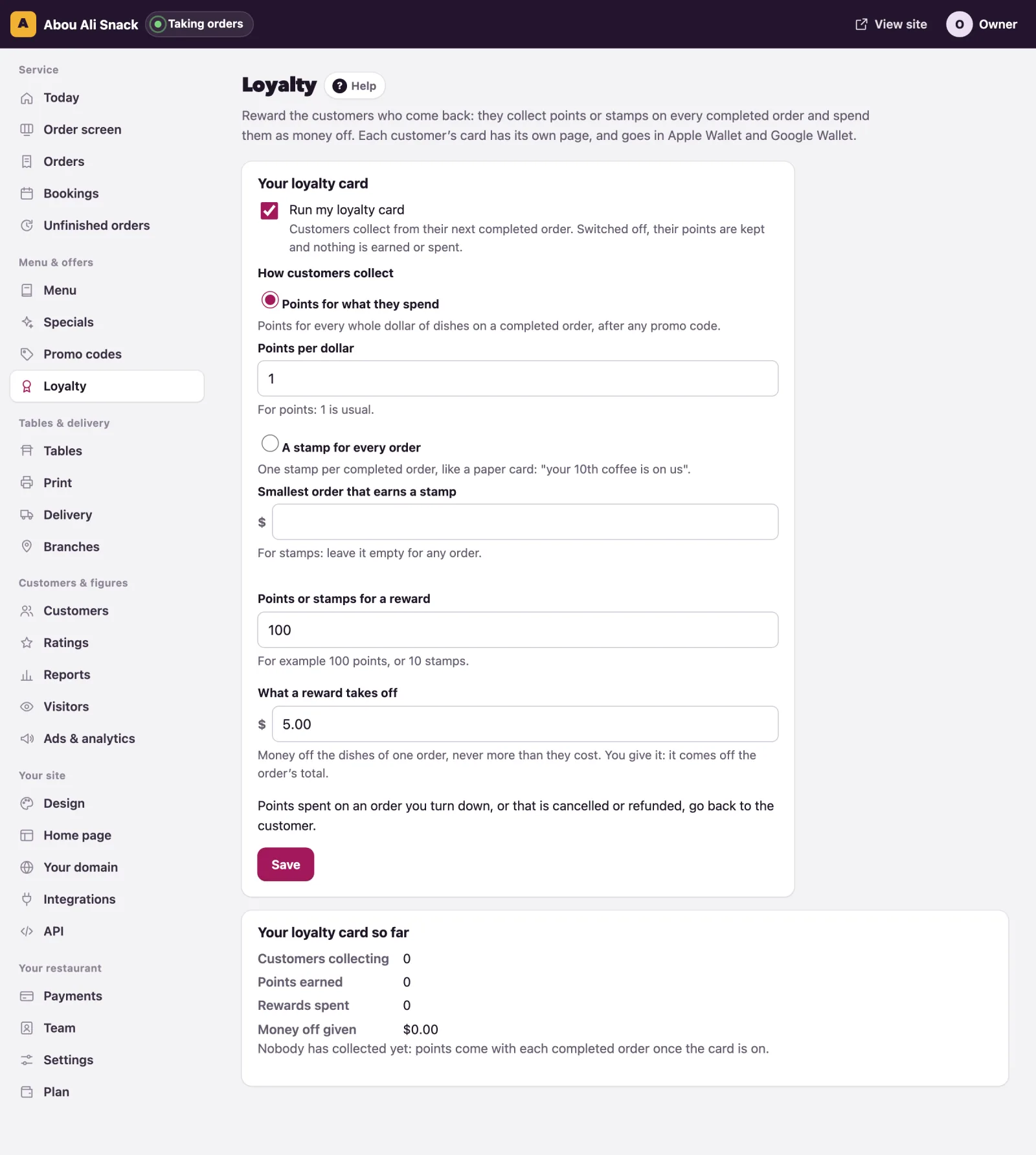
On a customer's page in Customers you see their card and its history, and you can Give or take points: +10 gives ten, -10 takes ten away, with a note of why if you like. You cannot take more points than the customer has.
WataDish Rewards
Customers earn a WataDish point for every dollar on orders paid by card at any WataDish restaurant, and on every order at the restaurants that take part. They spend a set number of points for money off an order of a set minimum, only at a restaurant that takes part. The card says how many and how much.
Taking part puts you in front of every WataDish customer with points to spend. The money off is yours to give, as with your own card, and WataDish's commission is worked out on the order's price before it. Card orders with you earn WataDish points whether you take part or not, at no cost to you. Only the owner chooses: Take part in WataDish Rewards to join, Stop taking part to leave, at any time.
Note: Points belong to the customer's phone number. When a customer signs in to a WataDish account with that number, the points come with it; one person can never take another's points by typing their number (see Customers).
Vous n’avez pas trouvé ce que vous cherchiez ? Écrivez-nous à support@watadish.com ou envoyez-nous un message sur WhatsApp: WhatsApp