


Aide · Argent
Votre formule
Ce que comprend votre formule, essayer ou payer une formule supérieure, votre carte et vos factures, et passer à une formule inférieure.
Inclus dans toutes les formules.
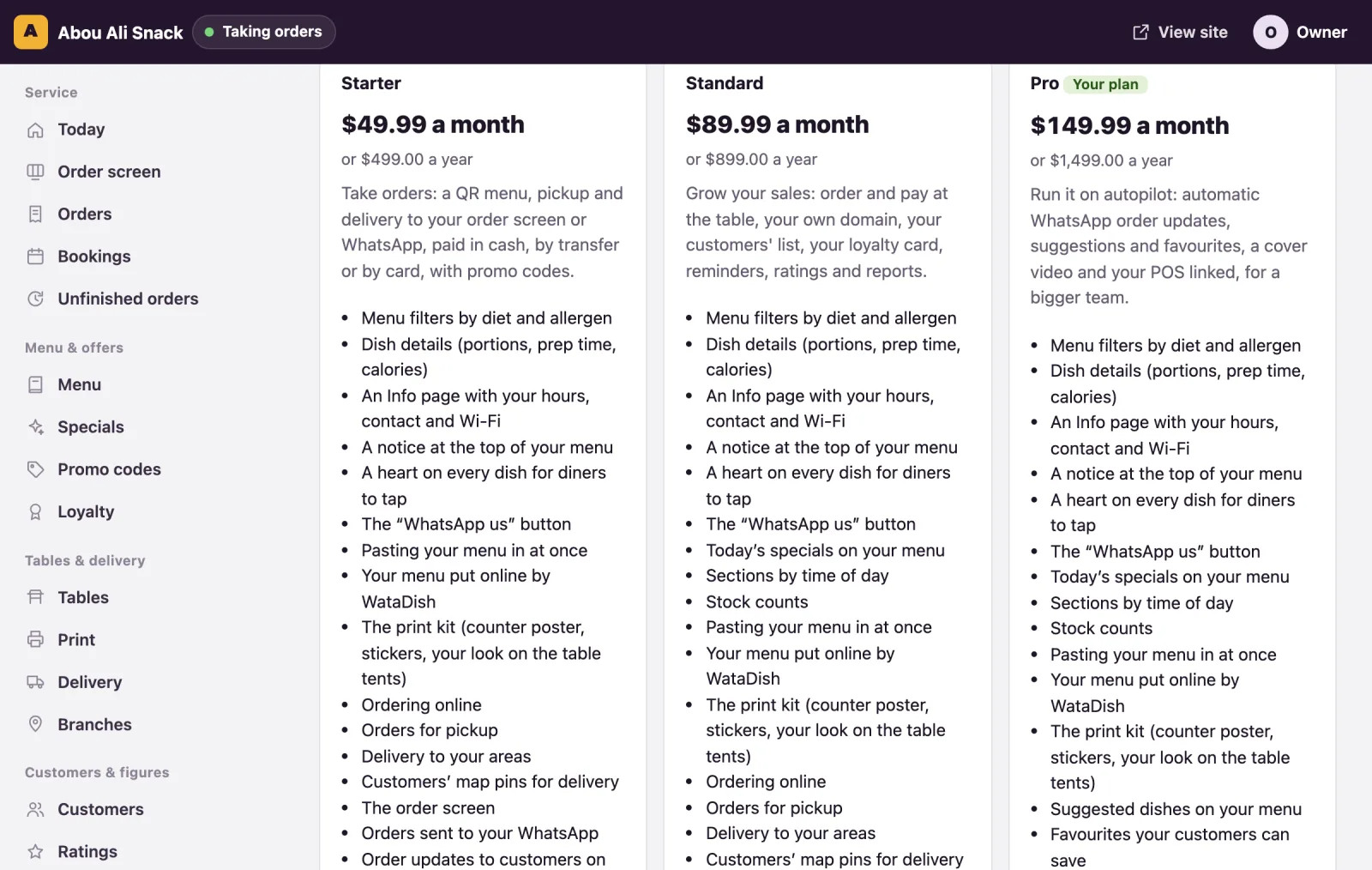
The Plan page, titled Your plan, is the owner's: managers and staff are sent back to the dashboard. It shows the plan you are on, every plan on offer with what it includes, and the ways to pay for one. Prices, limits and the commission are the plans' own: the page reads them, so look there rather than here.
What you are on
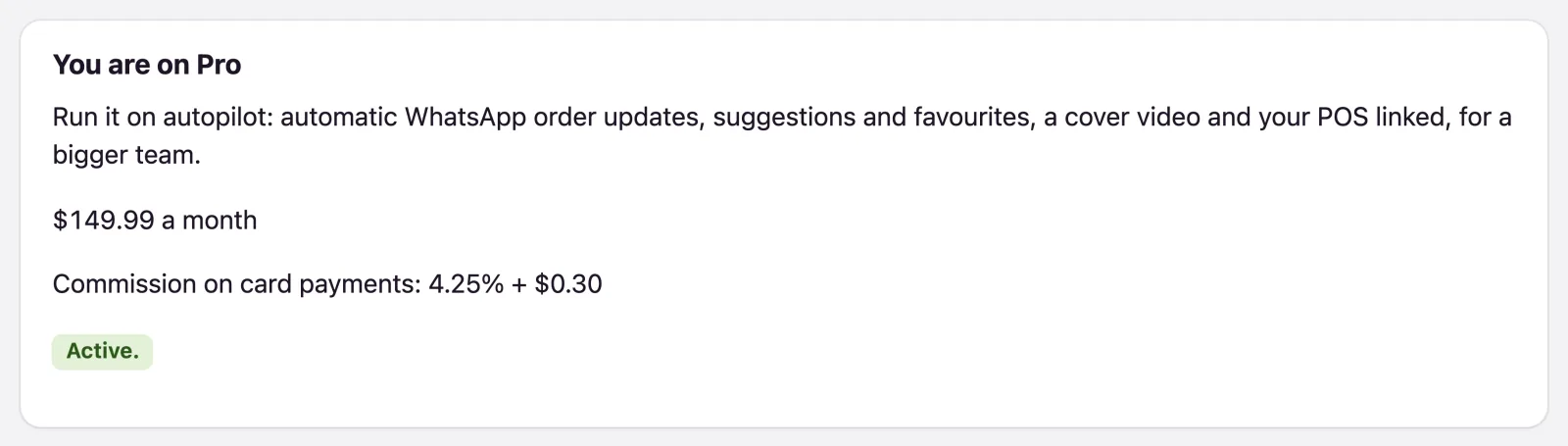
You are on … names your plan, with its price a month (or No monthly fee), Commission on card payments where the plan takes cards, and a badge saying how things stand: the days left of a trial, Active., paid by card with the date of the next payment, or paid through an agent until a date. Under Plans, each card lists what the plan includes and its limits, with Your plan marking yours. If your plan has no team but you still have managers or staff from a larger one, the page names who cannot sign in until you move back (see Team and roles).
The free trial
A plan with a trial is tried with a card. While your site is on the Free plan and has not had a trial, the plan's card offers Try it free for … days: card saved now, then … a month: it opens the payment page, where your card is saved, and the plan starts the moment that is done - not before. The first payment is taken when the trial ends; stop before then, from Manage card and invoices, and nothing is charged. A trial is had once per restaurant, however you move between plans. A trial WataDish set up for you by hand ends at the end of its last day: to keep the plan, add your card during it, where the page says Add your card to keep … after your trial: nothing is taken before the date.
A paid plan never starts without payment on file. If you chose one when you signed up and left the payment page, the Plan page offers it first, under You chose … when you signed up, with its Pay button and, where we offer it, paying by Whish.
Paying by card
- Press Pay … a month or, where the plan has it, Pay … a year. Stripe's payment page opens; your card is kept by Stripe, never by WataDish.
- Back on the page: Thank you: … is paid by card now. Every receipt comes by email. The badge then says Paid by card every month (or every year), with the date of the next payment.
Manage card and invoices opens Stripe's customer portal: change the card and the billing details, and read every invoice. While you pay by card, another paid plan's card shows Move to this plan: the change is made at once, and the difference is charged or given back on your next invoice.
A plan the page cannot sell by itself shows Ask for this plan ("We set this plan up with you"): WataDish gets in touch and sets it up, and you then pay for it here.
Paying by Whish
Rather pay by Whish than by card? Under Pay by Whish, send your plan's price to WataDish's Whish number with the reference the page gives in the Whish note, choose What did you send? (a month, three months or a year), add a line under Anything we should know (optional) if you like, and press I sent it. WataDish checks its Whish account and confirms within one working day. Your plan then runs to the end of the time you paid for, each payment listed under Payments received with its receipt number, and WataDish reminds you before it ends.
A declined card
If a card payment does not go through, the badge reads The last payment was declined. Put your card right below: your site stays online meanwhile., and every admin page carries a banner with Put the card right (a manager is told the owner can). Change the card in the portal. Left unpaid for a month, the plan ends and your site moves to the Free plan: your menu stays online, and ordering on your own site and what the plan added are off until a plan is paid again.
Moving down, cancelling and keeping
Every card that would take something away says so under Moving to this plan:, and again when you confirm: These stop at once: …, the people on your team who could no longer sign in, and what you have more of than the plan allows. Dishes, tables, delivery areas and branches all stay, but you cannot add another until you have fewer. What WataDish gave you by hand stays whatever plan you move to, so it is never listed as stopping.
- Not paying by card, Move to this plan on a cheaper plan's card moves you at once, and what your plan adds stops at once.
- Paying by card, stopping ends the plan at the end of what you paid for: Your … plan runs until the date, then your site moves to the Free plan: your menu stays online, and ordering on your own site and what your plan added are switched off. Until then, Keep my plan takes it back.
- A closed account can still choose a plan here: the banner on every page says Choose a plan to open it again.
Orders through WataDish
Orders placed on watadish.com/restaurants (see Order on WataDish) can carry an extra WataDish commission, set per plan. Once there is one, or anything owed for it, the Plan page has a part called Orders through WataDish that gives the rate - on the dishes and the delivery, never the tip. On a card order it is taken with the commission when the order is paid, in the Through WataDish column on Payments. On a cash or transfer order it is owed, and the table gives it month by month: Cash and transfer orders and Owed for orders through WataDish. When WataDish offers were taken off those orders, WataDish’s part of its offers comes off what is owed, leaving the Net owed; a net figure below zero is what WataDish owes you. Orders on your own site carry no such commission.
Messages: WhatsApp updates and emails
Your plan includes a number of WhatsApp order updates and emails to your customers each month, given on its card; some plans include no WhatsApp updates. They start again on the 1st. The Messages part of the Plan page shows how many are used, and what is left.
When the month's run out:
- Credits you bought are used next. A pack is bought on Stripe's page from the Plan page, at the price it shows there, and never expires. Paying by Whish? Write to us and we add them.
- Pay-as-you-go, if you switch it on: each message past the rest is counted, at the price per 1,000 the page gives, and charged to your card on the 1st for the month before, up to the monthly spending limit you set. It needs your plan paid by card.
- Top up by themselves: choose a pack, and when your credits run low it is bought on your card; you get an email.
Otherwise no more go until the 1st - your orders still come in, and the emails WataDish sends as the seller of a card order always go. We email you at 80% and 100% of the month's, when credits run low, and when the limit is reached. On a plan that includes no WhatsApp updates, your customers get them once you have credits or pay-as-you-go: the checkout says so only then.
Add-ons
A plan is a bundle of features at one price. Anything your plan does not give - online ordering on the free account, a home page before the menu, an extra branch, three more logins, catering and more - can be added on its own, by the month or by the year, from the Add-ons page, and taken off whenever you like. The add-ons you pay for are listed with your plan, and an add-on your plan already gives shows In your plan there, with nothing to buy.
Where an add-on is not on sale yet, the page it is about still asks for it: Ask for the home page on the Home page page, Ask for extra branches on the Branches page. WataDish switches it on once it is paid.
Vous n’avez pas trouvé ce que vous cherchiez ? Écrivez-nous à support@watadish.com ou envoyez-nous un message sur WhatsApp: WhatsApp