


Aide · Clients et chiffres
Clients
Qui a commandé quoi, le consentement aux offres, les clients vérifiés et les signalements, et une copie de leurs données ou leur effacement.
Inclus dans : StandardProBusiness
Customers is the list of the people who have ordered from you: everyone who ordered to collect or to be delivered, known by their phone number, and the diners at a table who chose to leave a number or an email. It fills itself from your orders; you never type a customer in. A manager or the owner opens it; staff are sent back to the dashboard. If your plan does not include it the page says so, and keeps everything for when it does.
The list
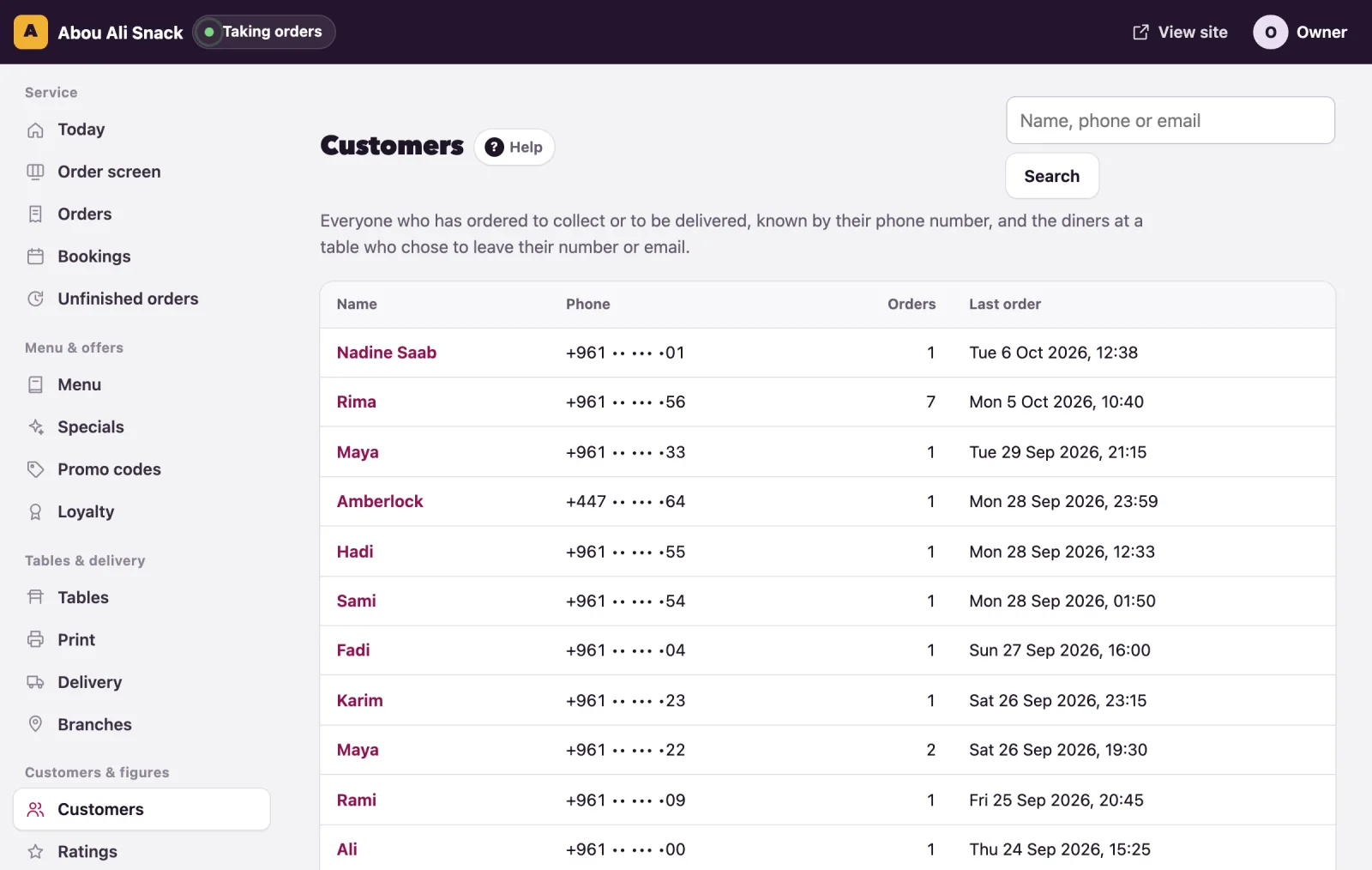
Each row shows the customer's Name (or No name given), their Phone (their email, when they left only that), how many Orders they placed and their Last order, in your restaurant's time. A customer who agreed to offers at a checkout carries an Offers badge. The most recent orderers come first, 200 of them; search finds the rest.
Type part of a name, a phone number or an email in Name, phone or email and press Search. A number typed on an Arabic keyboard is found all the same. Show everyone brings the whole list back.
A customer's page
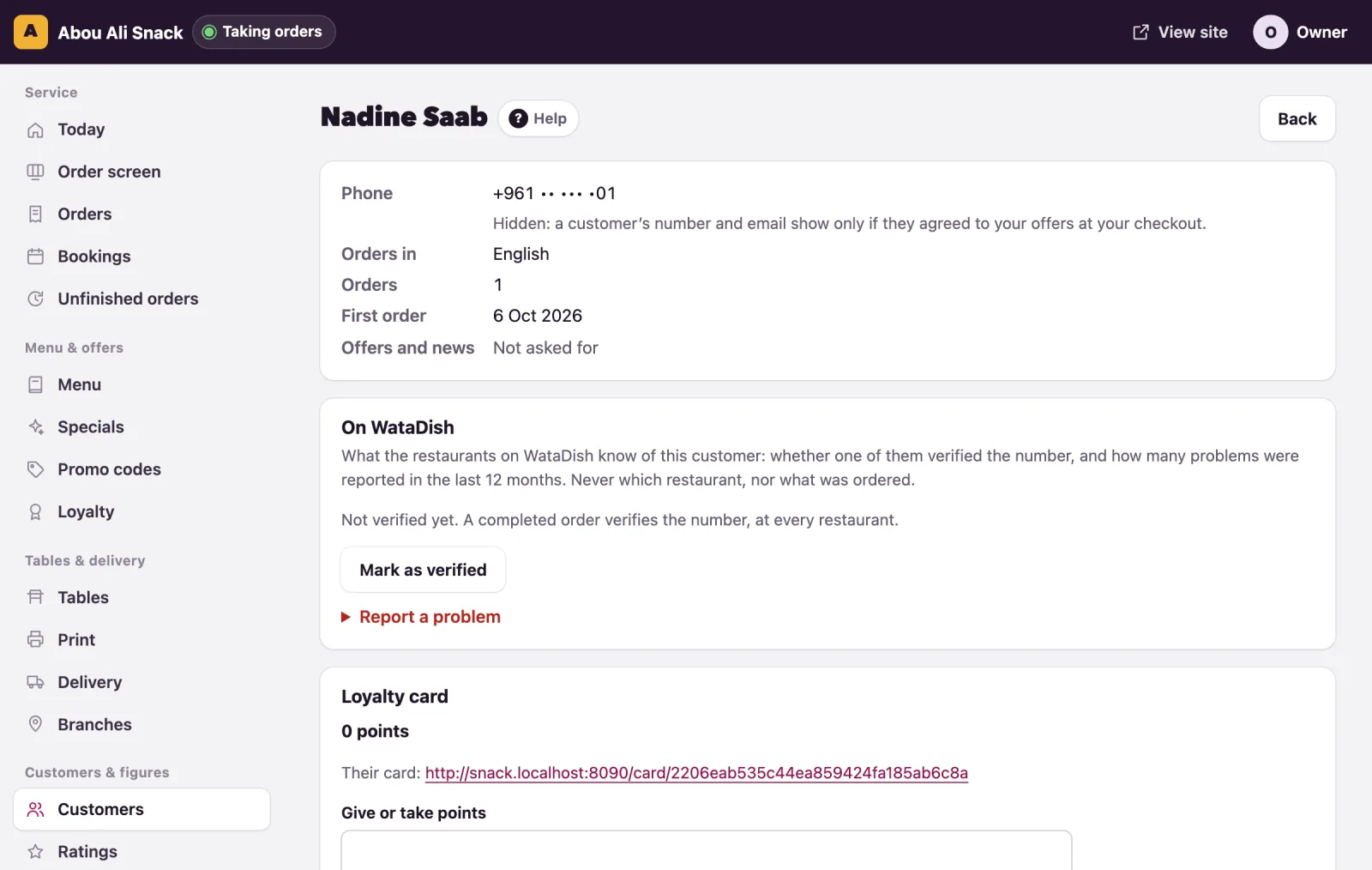
Click a name. The first card shows their Phone, Email, Last address, Orders in (the language they order in), Orders and First order. Their orders lists every order of theirs; the code opens the order.
Their details, remembered on their phone
A customer's phone keeps what they typed at your checkout - their name, number and email, the way they ordered and paid, the area and the address - so their next order with you starts filled in. It stays on their phone, with nothing to set up: the customers' list is where you keep their details.
Offers and news
At the checkout a customer may tick Send me offers and news from {your restaurant} and WataDish. The box is never ticked for them, and a later order without the tick takes nothing back. The customer's page then says Agreed on and the date under Offers and news; otherwise Not asked for. When a customer asks you to stop, press Stop offers and news: nothing more goes to them.
When their number and email show
WataDish keeps a customer's contact details private, as its privacy notice tells them. You see a customer's phone number and email:
- in full on each of their orders while you prepare and deliver it, and for a day after;
- after that, only if they agreed to your offers at a checkout.
Otherwise the list and their page say Hidden: a customer’s number and email show only if they agreed to your offers at your checkout. Their orders, counts and addresses for delivery stay as they were. The same rule applies to the API.
Customers with a WataDish account
A customer may sign in with a WataDish account: one account for every restaurant on WataDish, opened with a code sent to their WhatsApp or their email, with no password. Signed in, your checkout fills in their details, every order of theirs is in their account, and their loyalty points follow them to any phone. You see their orders as you see any other. Their account, at watadish.com/account, gathers their orders and table bookings at every restaurant, their rewards and the offers they chose to get, and up to ten saved delivery addresses, each with its pin on the map, to choose in one tap at any checkout; there they also download a copy of their data or delete the account.
The rules that keep everyone's points and orders where they belong:
- One number, one account. A phone number or an email proven with a code belongs to one account only. Someone who adds a number or email that already signs in to another account must prove every sign-in of that account, then agree, before the two join. Nobody can take another person's account by knowing one of their details.
- Orders without signing in count on the account of the number they were placed with, and earn its points. The account holder sees where, when and how much, never the name or address typed on it. Spending points always needs a sign-in, or the card's private link.
- An email typed at a checkout proves nothing: it never joins a number's orders to an account.
- A number not used for six months asks for the account's email code too, since numbers are given to someone new.
If a customer tells you their points went missing, write to WataDish: every join of two records is logged, and can be put right.
Verified on WataDish, and problem customers
WataDish keeps one record of each customer across all its restaurants, and the On WataDish card shows what every restaurant knows of this one:
- Verified on WataDish: a restaurant confirmed the number is real. A completed order verifies it; so does a first order checked with a call, cash or a transfer received from them, or the Mark as verified button, here or on an order's page. Verified at one restaurant is verified at all: the first-order check (see Orders) lets their first order at any other restaurant straight through.
- A red badge counting the problems reported in the last 12 months, with how many of each kind.
The same badges show on the order screen and on each order's page, so the pass sees them as an order comes in.
To report a problem yourself:
- Open Report a problem and choose What happened: Fake order, Did not pick up or answer, Did not pay, Abusive or Something else.
- Add a Note (only you and WataDish see it) if you wish.
- Press Report.
Other restaurants see only how many problems of each kind a number had: never who reported them, never the note, never what was ordered. A reported number is checked again at a restaurant that has not served it. Your own reports are listed under Your reports, each with Withdraw; a withdrawn report counts nowhere. Report only what happened: WataDish removes a report it finds unfair.
Note: The card appears once the customer has a WataDish record, which any order with a number or an email makes; a table order with neither has none.
A copy of their data, and erasing it
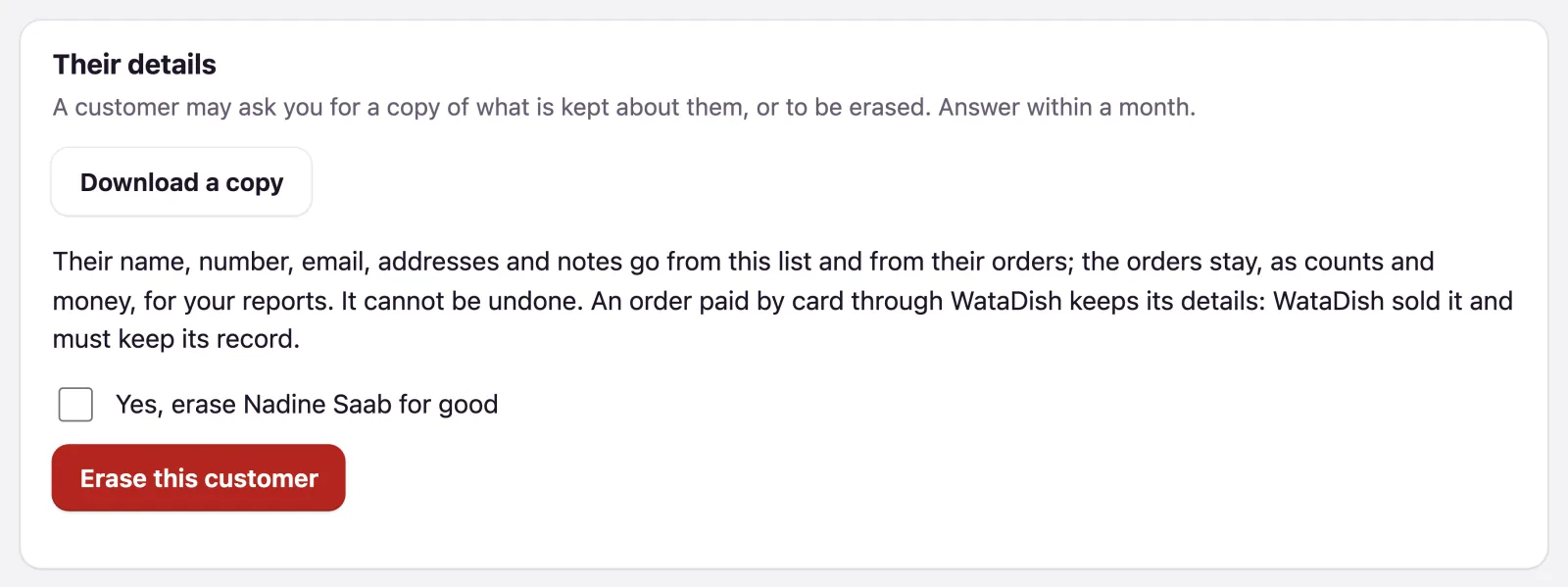
A customer may ask you for a copy of what is kept about them, or to be erased; answer within a month. The Their details card at the foot of their page does both.
Download a copy gives you a file (customer-ID.json) to hand them: their details, every order with its dishes, notes, prices and rating, and any unfinished order kept for a reminder.
Erase this customer is the owner's alone; a manager sees Only the owner can erase a customer.
- Tick Yes, erase {name} for good.
- Press Erase this customer and confirm with Yes, go ahead.
Then:
- Their name, number, email, addresses and notes go from the list and from their orders, with the notes on dishes, the words of their ratings (the stars stay) and the emails logged about them.
- The orders stay, as counts and money, so your reports do not change.
- An order paid by card through WataDish keeps its details: WataDish sold it and must keep its record for six years. The message says how many.
- It waits while an order of theirs is still being prepared or on its way: erase them once it is finished.
It cannot be undone.
How long things are kept
Your list stays while your account is open. Thirty days after it closes, every customer's details are deleted (the orders stay as counts and money; card orders WataDish sold apart), and the admin shows the date beforehand. Unfinished checkouts go after a week, the log of emails after a year. In WataDish's own record a problem report counts for 12 months and is then deleted, and a customer with no order anywhere for two years is forgotten.
Vous n’avez pas trouvé ce que vous cherchiez ? Écrivez-nous à support@watadish.com ou envoyez-nous un message sur WhatsApp: WhatsApp