


Aide · Clients et chiffres
Publicités et statistiques
Vos propres balises Meta, Google, TikTok et Snapchat sur votre site, la bannière de consentement, et les publicités qui amènent des commandes.
Inclus dans : StandardProBusiness
Ads & analytics puts your own advertising and statistics tags on your site, so the ads you pay for can be measured: the Meta pixel (Facebook and Instagram), Google Analytics, Google Ads, TikTok and Snapchat. Your site asks each visitor first, and loads none of them before they allow it. The page is a manager's or the owner's, and it says whether your plan includes pixels. Under them, on every plan, it shows where your orders came from.
Adding your IDs
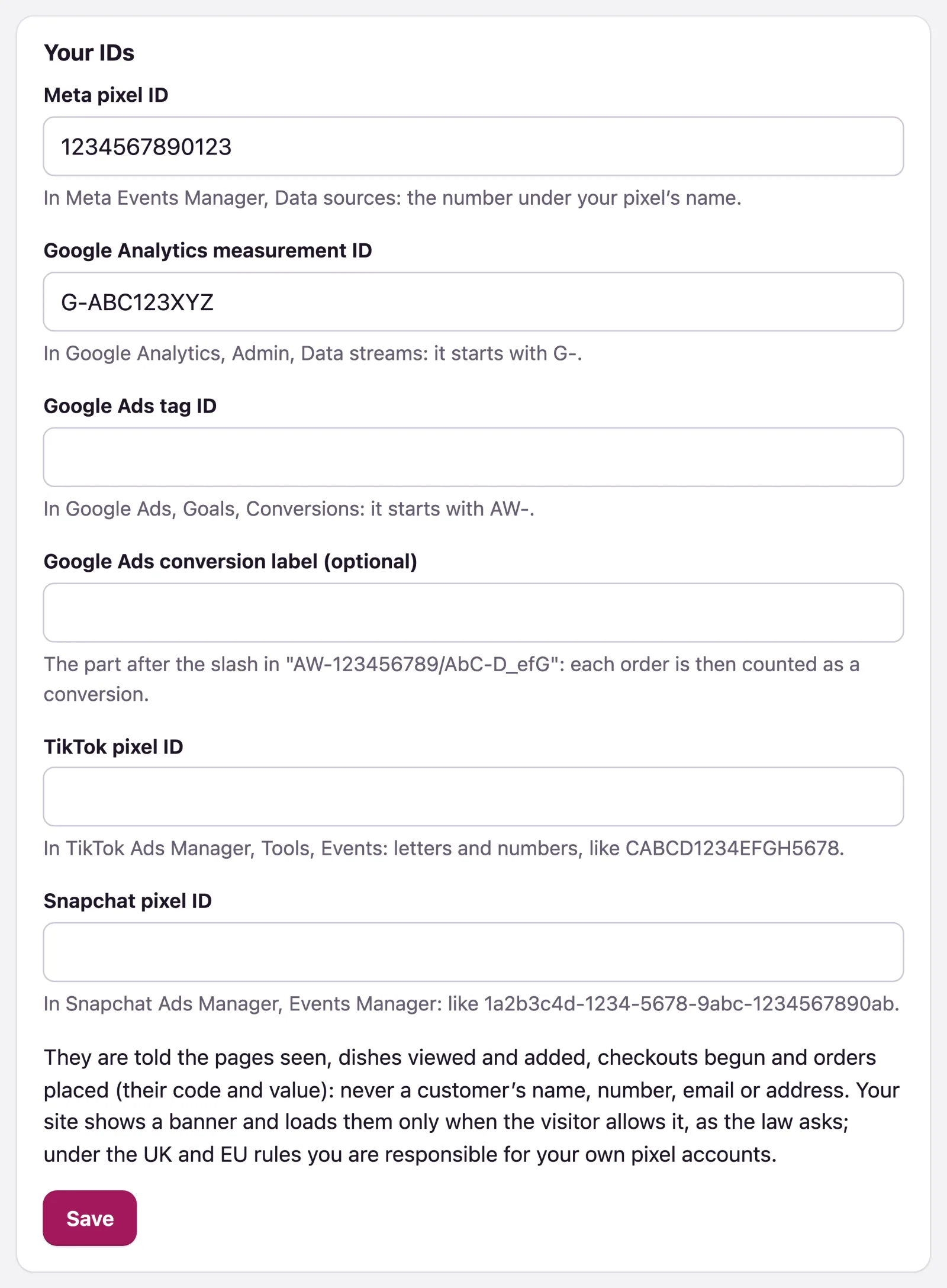
- Open Ads & analytics. Under Your IDs, fill in only the ones you use: - Meta pixel ID: in Meta Events Manager, Data sources, the number under your pixel's name. - Google Analytics measurement ID: in Google Analytics, Admin, Data streams. It starts with G-. - Google Ads tag ID: in Google Ads, Goals, Conversions. It starts with AW-. Add the Google Ads conversion label (optional), the part after the slash, and each order is counted as a conversion. - TikTok pixel ID and Snapchat pixel ID, from their ads managers.
- Press Save. Saved. Your site asks its visitors before loading them.
A malformed ID is refused with a note under its field, and nothing is saved until it is right. Empty a field and save to take that tag off your site.
What your visitors see
With at least one ID saved, your site shows a banner the first time someone visits: it names the companies, says nothing loads unless they allow it, and offers Allow and No thanks. Their answer is kept in their browser for your site, and Cookie choices at the foot of every page lets them change it. Nothing of Meta's, Google's, TikTok's or Snapchat's is loaded before they press Allow.
What the tags are told
The pages seen, the dishes viewed and added to the basket, the checkouts begun and the orders placed, with each order's code, value and currency. Never a customer's name, phone number, email or address.
Note: The accounts behind these IDs are yours. Under the UK and EU rules you are responsible for how you use what they collect, and for your own privacy notice where one is needed. WataDish shows the question and carries out the visitor's answer.
Where your orders came from
Where your orders came from counts the last 30 days by Source, with Orders and Value: the ad that was clicked (Meta, Google, TikTok or Snapchat), the campaign of a tagged link (its utm_source), or the site that sent the customer, such as instagram. Direct (typed, scanned or saved) is everyone who came straight in. Each order keeps its source: an order's page shows Came from with it. This works on every plan, with or without pixels, and stores nothing on the customer's phone.
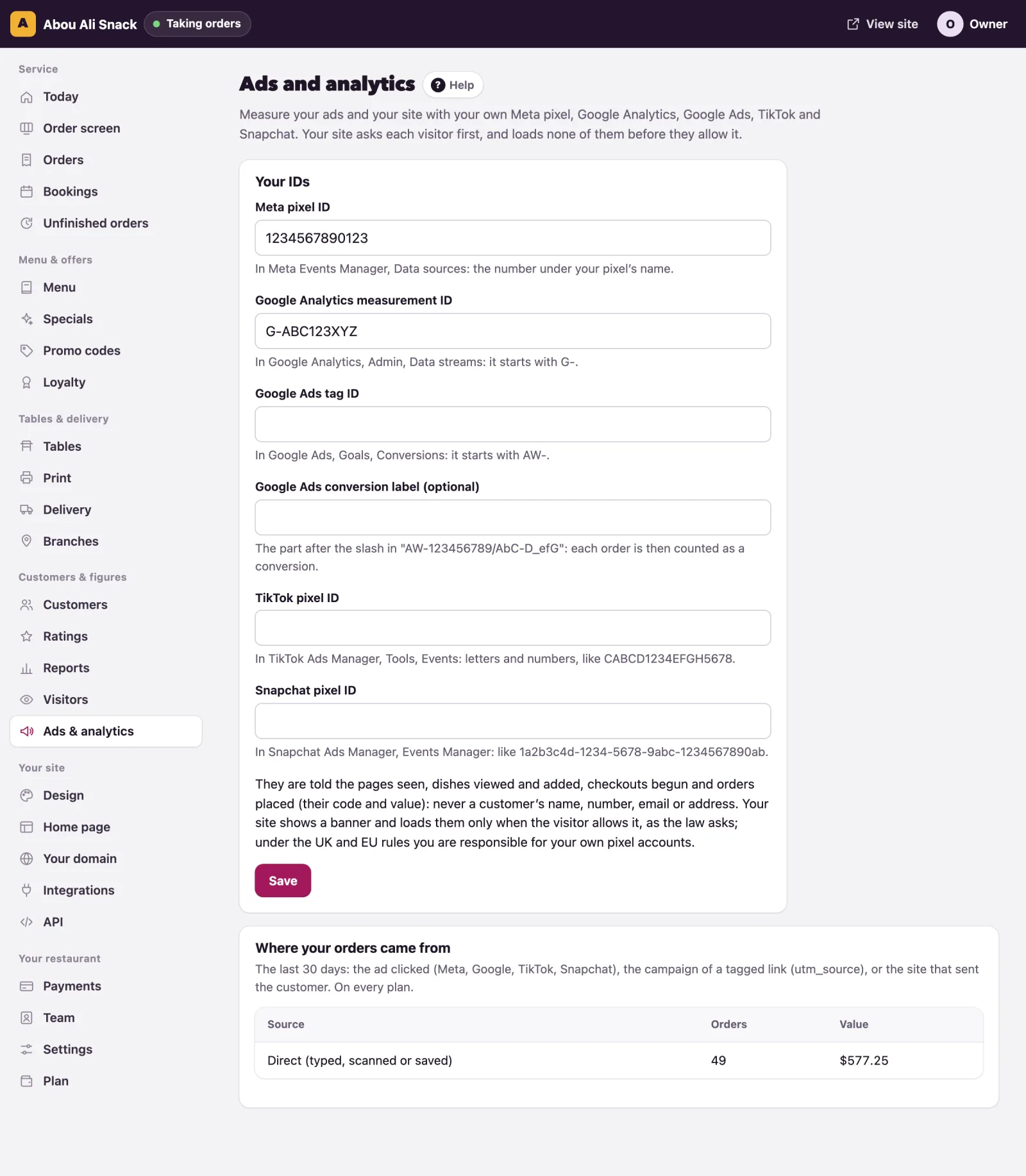
Tip: Put utm_source and utm_campaign on the links you share, such as yoursite?utm_source=instagram&utm_campaign=eid, and each campaign shows here on its own line.
Vous n’avez pas trouvé ce que vous cherchiez ? Écrivez-nous à support@watadish.com ou envoyez-nous un message sur WhatsApp: WhatsApp